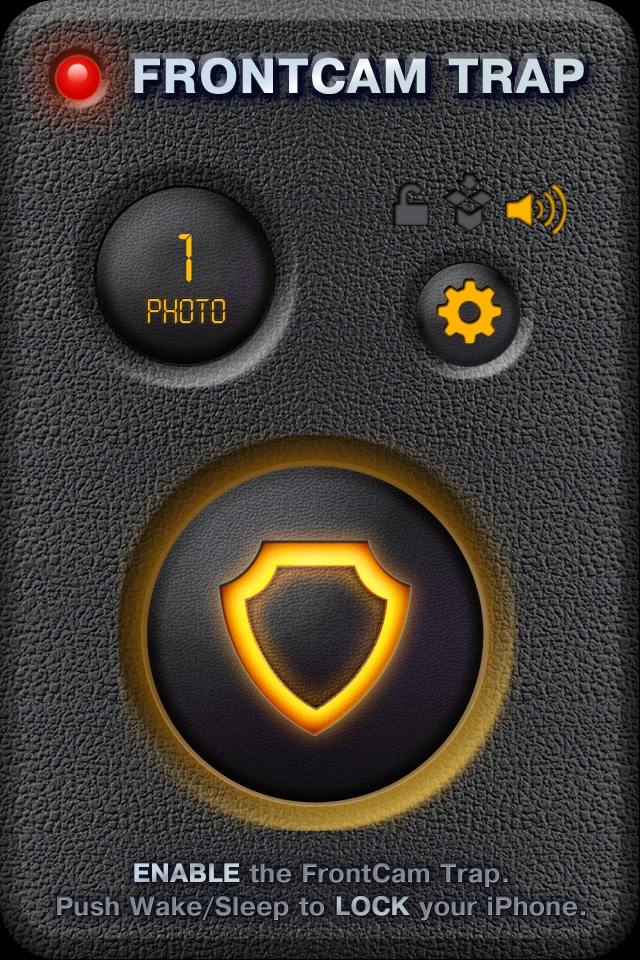
FrontCam Trap is the ultimate spy-shot application. Anyone who touches the “slide to unlock” to get into your device will have their photo automatically taken by the app!
The app is so easy to use with a great user interface. Turn it on, tap the large shield button to arm, and you’re done! FrontCam trap is full of fun moments such as hearing a car alarm-esque armed sound when arming the app or being able to disable the camera shutter sound.
After a photo is taken, it is stored in the app itself for security purposes. Users can further password-protect the photos area of the app. Saved photos are tagged with the time and date and will be automatically uploaded to Dropbox (need an account).
The app also allows users to toggle on an alarm which is a loud horn sound that plays as soon as the app snaps a photo.
The one caveat to note is the app does not run in the background. So you must first launch the app before locking your device
Overall, the app is very sneaky, a lot of fun and works as advertised. If you’ve been having suspicions of people snooping through your device, check out FrontCam Trap in the App Store for $0.99.



Is there a similar Cydia hack that works in the lockscreen? This way the photo is taken whenever somebody swipes to unlock and sends an email of the photo.
Is there a similar Cydia hack that works in the lockscreen? This way the photo is taken whenever somebody swipes to unlock and sends an email of the photo.
Is there a similar Cydia hack that works in the lockscreen? This way the photo is taken whenever somebody swipes to unlock and sends an email of the photo.
There is an app called iGotYa. It takes a picture if someone incorrectly enters the lock code. It e-mails the photo along with the GPS coordinates to an e-mail address that you previously configured. Works great!
Thanks, kerv! I’ll give it a try. Hopefully it takes a photo whenever somebody swipes–this is what I need rather than after a few incorrect passcodes.
I don’t think it does it when they swipe. Only when they swipe and enter an incorrect password. I think there is a free trial. I don’t recommend enabling the “Secure mode” though… it messes with your phone. Just enable the take a picture/email thing and you’ll be good to go.
I’ve been reading reviews of this app and it’s 50/50 to get it working. I’m not going to risk my time to try this and have it wipe out my existing stuff on my phone. http://www.iphonedownloadblog.com/2010/10/22/igotya-lets-you-know-who-stole-your-iphone/
Do you know any other similar app?
I’ve been reading reviews of this app and it’s 50/50 to get it working. I’m not going to risk my time to try this and have it wipe out my existing stuff on my phone. http://www.iphonedownloadblog.com/2010/10/22/igotya-lets-you-know-who-stole-your-iphone/
Do you know any other similar app?
Yeah, it’s the Secure Mode thing that risks messing with your phone. It’s supposed to be a feature that “hides data” by tricking the phone into thinking that your personal information has been deleted. This allows someone to still use your phone, but they won’t have access to your contacts, etc. I don’t use this feature under the same reasons you have.
I don’t know of anything else…. the app linked by Ex in this post seems to be somewhat close, but still requires you to remember to leave it running.
Your call. Good luck with your search.
The option to take a picture with the front cam should be include in
Apple’s Localiser. We should be able to remotely take pictures with
MobileMe (or iClouds soon). Can you imagine taking a snapshot of your
thief!
Jean