

Simplii Financial’s New Banking App Can Automatically Split Your Paycheque
Simplii Financial is rolling out a redesigned mobile banking app on iOS and Android, refreshed branding and new tools that will let Canadians automatically divide their paycheques into different spending and savings categories without opening multiple bank accounts. The CIBC-owned digital bank announced the changes on Tuesday, with its new Simplii Account introducing customizable folders...


Uh. Isn’t there a Reminders app that is in OS5 that does this already?!!!
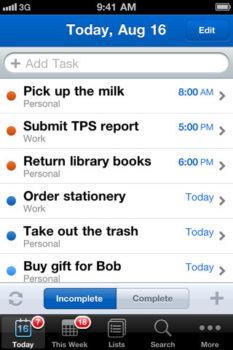
Yes, and it works perfectly with Siri. I use the new ‘Reminders’ app for spontaneous, one-time tasks. I use the ‘Send to OmniFocus’ email feature to add or update recurring tasks or ongoing projects with Siri.
Pretty sneaky way of getting Siri to integrate into a 3rd party app. I wonder what other apps can work this way.
Also, can you fix the link to this blog post from the main site? It doesn’t seem to work, I had to get here through the link on Twitter.
Hmm…I just tried the link from the main page, and it worked?
https://www.iphoneincanada.ca/app-store/remember-the-milk-tasks-can-now-be-added-by-siri/
Yea it works now… Never mind!
I don’t understand why blogs keep posting this tip for each individual service. Any service that supports email or SMS can use Siri. I’ve been using Siri from day one to send to Twitter, Tumblr, Posterous, OmniFocus, Evernote, and Flickr. Most web services have an email or SMS option.
Siri sometimes has trouble with service names, but I find if you say “send email” and then say the service name when asked, it usually works.