Google has released an update to Gmail for the iPhone and iPad to create a more seamless experience when launching other Google apps and also better account management. Here’s how Google explains it:
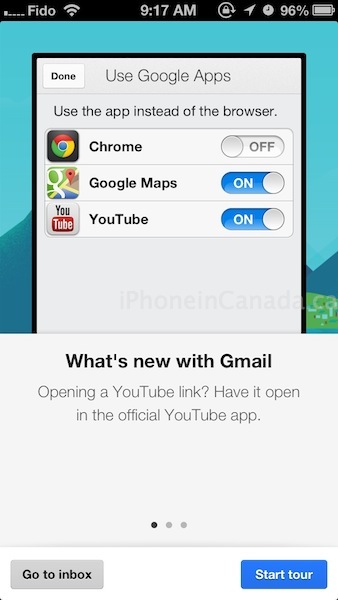
Starting today, it’s now easier to access other Google apps right from Gmail app. When you click on a YouTube, Maps, or Chrome link you’ll go directly to that respective app if it’s installed instead of opening the mobile browser. Of course, if you prefer you can turn this off using the in-app settings.
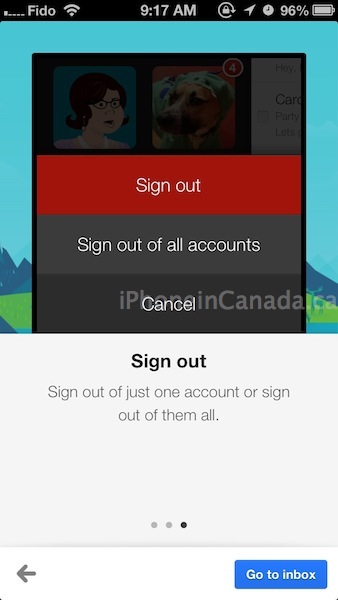
If you are using multiple accounts, today’s update also lets you choose to sign out of of a single account instead of having to sign out of all accounts at once.

The Gmail iOS app continues to improve and is my current go-to email app on my iPhone. It’s a faster way to access, search and manage multiple accounts from the app versus Apple Mail.
At the end of March, the app received an update to swipe left or right to easily navigate between messages and also a new edit mode for faster email management.
Click here to download Gmail for iOS–it’s free.



Agreed on Gmail being the go-to email app for iPhone. It does the whole unified inbox thing very well, so I have the exact same email experience on my phone, my iPad and my desktop without having to redownload email over and over again.
Yep. Really loving Gmail on iPhone, iPad.
I use the native app in all my platforms using the gmail as and exchange account, no need to download more apps that I don’t want to waste the space on. Although I have been testing Mailbox. I love the interface, needs some more work but it is very nice. And it lets you delete Achieved mail right from the start.
Mailbox is good for just dealing with the inbox. I just need to remember to use the damn thing.
It is awesome to be able to click a link and have it launch in Chrome, or click on an address and have it launch in Google Maps, rather than screwing around copying everything from the native apps over to Google maps.I have been waiting for this for years.