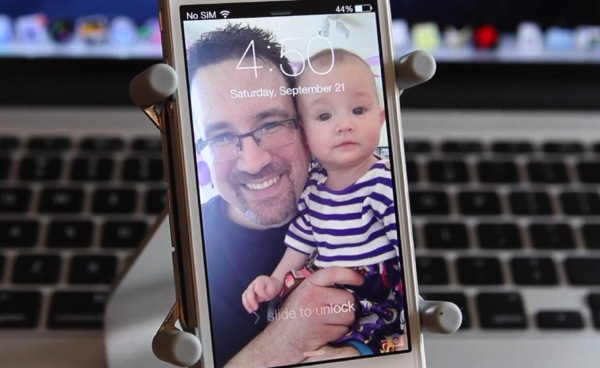
iOS 7 was released publicly by Apple on September 18, two days before the launch of the iPhone 5s and iPhone 5c. In under 24 hours, the adoption rate of iOS 7 hit 35% as users upgraded to new operation system as fast as they could, causing massive strain on Apple’s servers.
Out of 1,248 votes from our impromptu poll about iOS 7, 61.8% of you said you loved the new update, 9.7% said you hated it, 7.37% had not updated yet and 20.9% said they needed more time to decide.
iOS brings new gestures and features which might not be commonly known by all users, especially new ones. Below is a quick overview of some of my favourite iOS 7 changes and some tips for new users. Check it out below:
Stay tuned as we’ll soon have more iOS 7 tips and tricks coming soon. What features do you love the most about iOS 7?




In camera mode you can swipe across the screen to change picture modes. No need to try to swipe the text prompts.
I have an iPhone 5. I find iOS 7 to have a slower response time purely because of the stupid Zooming animations everyone you press a button. I hate waiting for the app to zoo. In or the unlock screen to fade into view.
… i simply like the videos you guys have nowadays. always is a job well done. thanks for the effort. cheers!
Thanks! Kris is a pro.
Thank You. It means a lot to hear that.
Good videos as always, thank you!
PS. Can you please make a video or tutorial on how one should go buy an iPhone with iOS 7. I know with this whole Apple ID/Password one cannot reprogram it, but there is a lot of confusion surrounding it. This would really apply to those that want to purchase it from eBay/Kijiji/Craigslist/etc and not directly from Apple or Apple Authorized.
I am surprised Apple hasn’t updated the RAM on the iPhone 5S
I’ve seen people posting on the web but nobody seems to know how much more RAM iOS 7 uses over it’s predecessor on the iPhone 5. I am surprised this info is known.
Chronicalogical order? Lol
Also while taking a video you now have a 2nd button in the corner that lets you take pictures when you are filming.
Wow – thanks for pointing that out. I hadn’t even noticed it.
Great video!
Thanks–Kris is magical.
in SMS, you can pull to the left to get a view of the time each txt was sent…this is HUGE to me, i always wanted this feature. also swipe left on tabs to close them in safarai!