
Microsoft 365 Support to End on Older Macs and iPhones Starting in July
Microsoft is ending core support of Microsoft 365, Office 2019, and Office 2021 on older Macs and iPhones, starting July 13th.
Apple released iOS 7.1 beta — build number 11D5099e — to registered developers today, just one week after the iOS 7.0.4 went public.
The iOS 7.1 beta brings bug fixes and performance improvements. At first glance, typing seems much faster and autocorrect seems to be much better compared to previous versions. Seems like it has reached the speeds seen back in iOS 6, but this is the first impression.
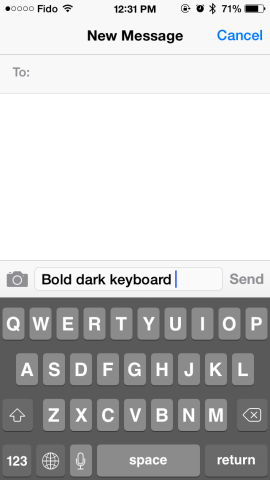
Notable changes: iOS 7.1 beta includes a new toggle for “dark keyboard” which can be found by visiting Settings > General > Accessibility and then locate the “Use Dark Keyboard” right above “Reduce Motion.” Continuing to explore the Accessibility tab, there is a new “Darken Colors” options under “Increase Contrast.”
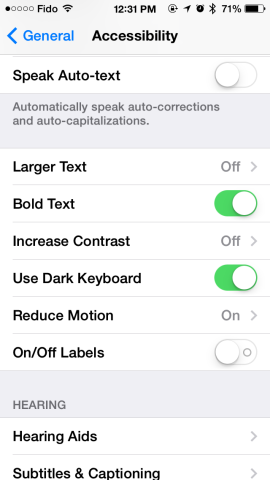
Remaining at the same Accessibility tab, iOS 7.1 beta includes another important change: you may recall our tutorial in which you can enable bold text for greater readability, which required a restart of the device. With the new beta, you can enable bold text without the need to reboot.
Another interesting addition is that the Notification Center says “No Notifications” instead of “No Missed Notifications.”
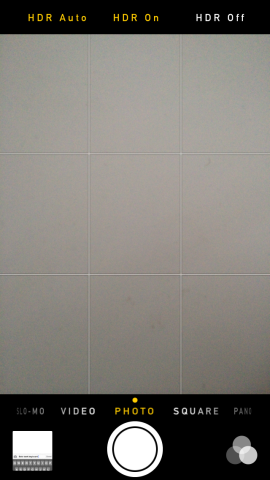
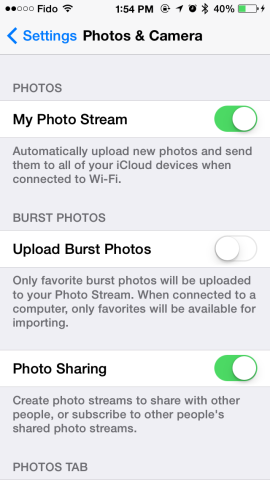
Among other changes, we can note the new HDR Auto feature in the Camera app, new “Upload Burst Photos” in the Settings > Photos & Camera and the Notification Center “x” icons are larger now.
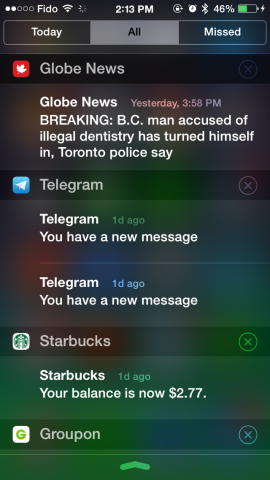
We continue to dig through the new iOS 7.1 beta and will update the post accordingly.
Want to see more of our stories on Google?

P.S. Want to keep this site truly independent? Support us by buying us a beer, treating us to a coffee, or shopping through Amazon here. Links in this post are affiliate links, so we earn a tiny commission at no charge to you. Thanks for supporting independent Canadian media!


Any news on if they have addressed the bug where iphone users can’t resize pictures they’ve taken to use as wallpapers or backgrounds??
This actually isn’t a bug. It’s because of the parallax effect; it needs the image to be zoomed in so it has room to move around.
So if that’s correct, why can’t I do it after turning parallax off? I understand the theory, just would like to have the ability to make my wallpapers exactly what I want, not what I’m constrained to
yup you missed alot like the new notification center clear button
What does “darken colors” actually do?
Wait apple doesn’t have this stuff yet? Really? wow worthless!
No sorry. The only things Apple has going for it is ease of use, stability, looks, application support, and features. Luckily you have a black keyboard on Android!
u peasant. Android is an OS in many devices which offers everything you just mentioned.
Thanks for digging through. Any chance of seeing some new dynamic wallpapers? Need more pretty!
I want my tap to tweet button back!
is there any option to change white system color of iOS to a darker color because it hurts my eyes during night! too many white!