After teasing a brand new version of Skype 5.0 for iPhone, the brand new version has hit the App Store earlier than expected (the team said in about a week) as it’s available now.
The redesigned app is now faster, easier to navigate, cloud-synced notifications and a revamped calling and video experience. Skype says a brand new version of the app for iPad is coming soon too.
What’s New in Version 5.0
• Overall performance improvements – faster start up and fluid animations.
• A new modern hub centric design putting recent conversations first – just swipe to see your favourite people or contacts.
• Richer and more reliable messaging: create groups, share photos (even to offline contacts) and video messages.
• In-app notifications for quick conversation switching, and in-app controls to manage notifications.
• A new simplified, modern voice and video calling experience.
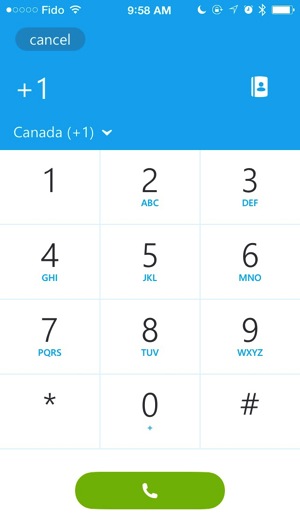
Upon opening the app for the first time, you’re greeted with a slick promo video for the ‘remastered’ app. The new interface is very clean and simple, and definitely has hints of Microsoft’s Windows Phone.

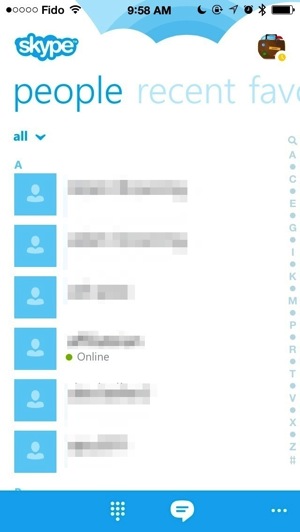
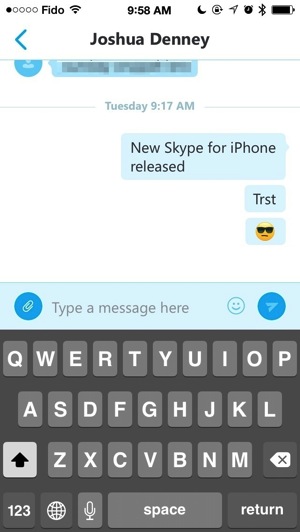
The new hub allows you to swipe left or right to view your contacts, recent chats, favourites and more. It’s just easier to use. We haven’t tested voice or video calling yet but the chat experience is much improved compared to before as everything feels much faster.
Click here to download Skype for iPhone 5.0. Let us know how you like this update.
Thanks @dtbratt!




I enjoyed watching the video when the app starts for the first time after upgrading.
the new update still fails. you still cannot disable birthday alert reminders on skype for ios even with this new update.
Can’t find it in the settings section anymore. I guess it will keep me online and drain my battery if I don’t manually sign out on the app.
to sign out, tap your icon on the top right, then tap the … on the bottom left, sign out.
I know that but thanks. I was talking about the settings section in the phone. There used to be an option to have us automatically signed out after a certain time of inactivity like 15min, 30 min etc.
Man, I can’t stand skype. It’s always a century behind, both in quality of video and in interface design. It’s in the ICQ age.
I loathe having a particular operating system’s “look and feel” rammed down my throat via an app or program. If I really wanted a Windows Phone, I would buy one. Same reason I haven’t upgraded to Office 2013 or IE11 on my Windows 7 PC, because they look too much like the ugly Windows 8. I guess it was inevitable that Microsoft would force Skype to do this sooner or later. As for whether 5.0 works better than the previous version, I couldn’t tell you, as I have downgraded to the previous version. Too bad when the mere appearance of software is enough to turn you off from using it!
still no app for the iPad! Incredible!