Back in mid-September Apple announced third party access to iCloud will require app-specific passwords for users using two-step verification.
This evening, Apple reminded users a full rollout of the requirement will be starting on October 9, 2014.
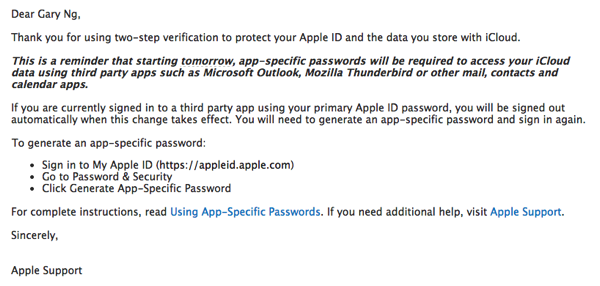
Here’s how to create an app-specific password if you’re using a third party apps such as Outlook or Thunderbird to access iCloud mail, for example:
1. Go to My Apple ID.
2. Select Manage your Apple ID and sign in.
3. Select Password and Security.
4. Click Generate an App-Specific Password and follow the steps on your screen.
Up to 25 app-specific passwords can be active at any given time, according to Apple.
The announcement of app-specific passwords for third party access to iCloud data was made a day after Apple enabled 2-step verification for iCloud.com users.




So only 25 of your apps can use iCloud? Who came with that one? haha.
This is for applications like Outlook that access iCloud data (contacts/calendar) that are not on your iphone or ipad. Similar to what Google does with 2 factor auth, if you’re using your Gmail on an iphone, you need to do the same. So 25 is very high – as it has nothing to do with iphone apps
Didn’t seem quite so clear to me at the time, so I think I’ll fall back on the ‘it was late’ excuse. Hehe