You Can Now Jailbreak iOS 16.4.1 with Palera1n 2.0.0 Beta 6
Codenamed Bakepale, the latest v2.0.0 beta 6 update to jailbreak tool Palera1n has just been released, which fully supports iOS 16.4 - iOS 16.4.1 jailbreak.
Those looking for an untethered jailbreak their iOS 8 and iOS 8.1 devices with their Mac, the Pangu Team has finally released a Mac version of their tool today, after first giving Windows users the tool last month.
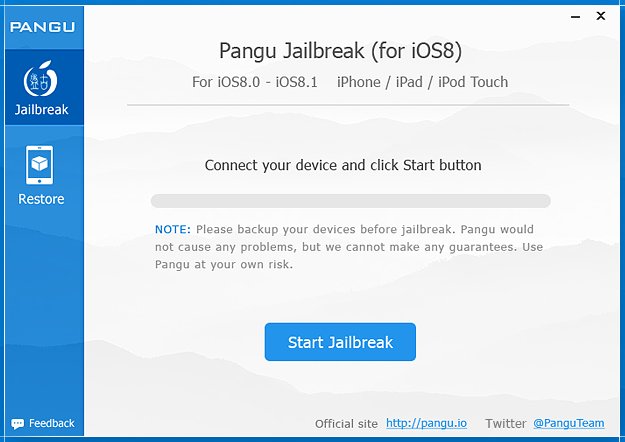
Recently, Jay Freeman, the creator of Cydia gave the Pangu jailbreak a thumbs up, noting it’s now “stable enough”:
If you are waiting to jailbreak your iOS 8.0-8.1 device until things are "stable enough": we now seem to be ready! ;P http://t.co/XRUU74p7i8
— Jay Freeman (saurik) (@saurik) November 6, 2014
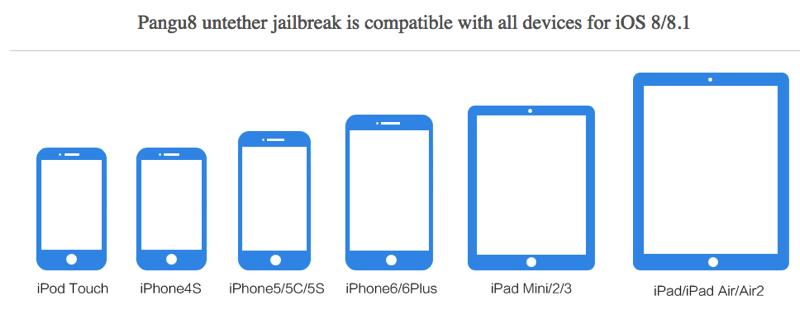
The Pangu Jailbreak will work on the following iOS devices:
Do note the recently release of iOS 8.1.1 beta does close the Pangu jailbreak, so if you want an untethered jailbreak it’s best to proceed now before Apple releases iOS 8.1.1.
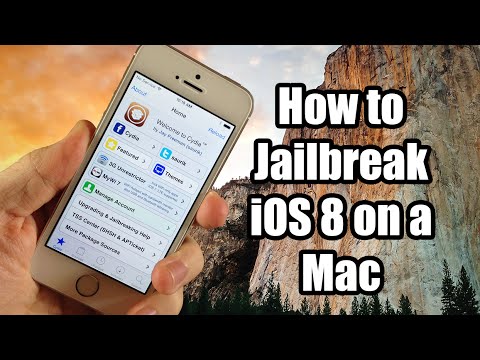
Below is a video tutorial on how you can jailbreak your iOS device with Pangu for Mac (of course, be sure to backup your device before proceeding):
Click here to download Pangu for Mac or Windows. Let us know what tweaks you’re using with your jailbreak.
Want to see more of our stories on Google?

P.S. Want to keep this site truly independent? Support us by buying us a beer, treating us to a coffee, or shopping through Amazon here. Links in this post are affiliate links, so we earn a tiny commission at no charge to you. Thanks for supporting independent Canadian media!

Yeah, going to wait for other dev teams for a JB
You might be waiting for a while. I’ve read that not many Dev teams have been giving it a thought.
lately I have just run it on older devices to see whats out there, its not something I do on my main phone anymore. Since iOS 7 there really hasn’t been a need for me.
After reading all the issues people have after jailbreaking with the windows version, no thank-you.
I’ve always jailbroken in the past to get things like BiteSMS.. but now that more jailbroken tweaks have been put in to the OS, I’m not sure why to do it now. Any tweaks available now that make it worth it?
I jailbroke my iphone 6 and found it totally worth it. Here’s why:
#1 – Upscale – let’s you run 6+ resolution on your iphone 6, or any resolution on most iphones for that matter. It looks amazing and adds widescreen orientation features found on the six plus. Best of all it doesn’t impact battery life (noticeably) anyway. The icons look way better with reduced size and allow you deskt
#2 – Upscale – requires emphasis. Such a great tweak.
#3 – “Hey Siri” is enabled to always listen. The battery life impact is very minimal. I’ll easily make it through the day still.
#4 – No slow animations. If you’re coming back from Android (like me), one thing I loved about my nexus 5 was the snappiness of the interface. I feel I went from a Tesla to a Toyota in terms of interface speed. Now I have my Tesla back.
#5 – Activator – I also didn’t like the return to the physical home button. It’s quite stiff, and as we all know they wear out. Activator allows you to do a million custom gestures, etc, but all I needed was one tap of the touch ID to take me home, removing the need to physically push the home button down. You just quickly tap it.
I hope the dev teams keep up with Apple. I’m definitely staying jailbroken until there’s a really compelling reason to return to Apple’s draconian control of their OS
woops.. #1 should finish: “Allows your homescreen background to show through.
Thanks for sharing, good summary of helpful tweaks.
No worries, sounds like 5 and 5s users are really enjoying the upscale feature as well.