With the initial Apple Watch launch over, some of those who’ve been using their shiny new devices since Friday are reporting a few bugs. This shouldn’t come as a surprise, since this is a first generation product running Watch OS 1.0.
Some people – including myself – have been having issues with getting notifications on our Apple Watches. This is one of the key features of the watch, being able to get mail or texts discreetly via a simple tap on your wrist. But as I said, for some it’s not working, or it works sporadically.
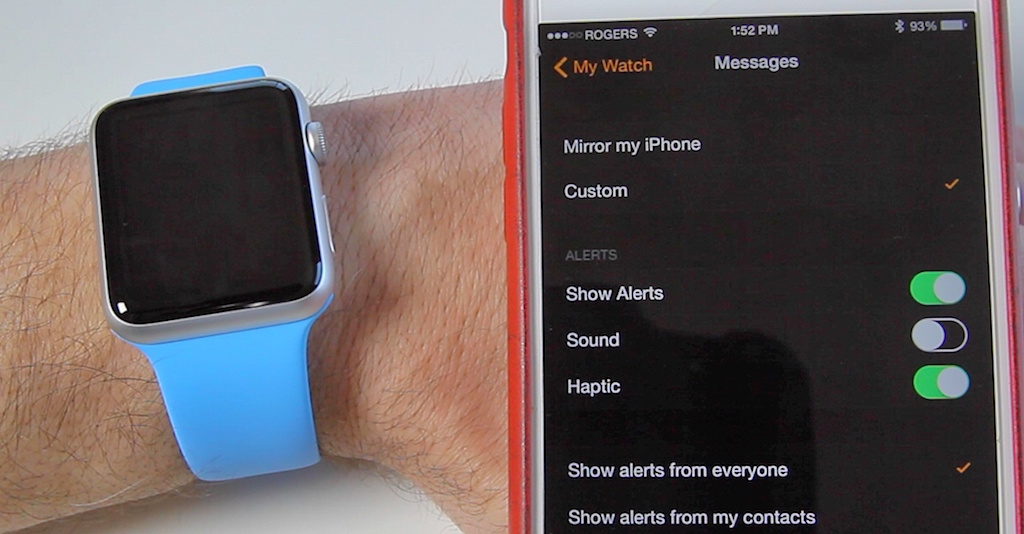
So I’ve done some tinkering with the settings on my iPhone and through the Apple Watch app that have resulted in me not missing any emails or messages. So if you are having trouble with notifications, give these steps a try and it may fix the issue. I can’t guarantee it’ll work for you, but it has for me.
So if you are having issues with notifications, let us know if these steps help fix it for you. And stay tuned, in the coming days we are going to have a whole series of videos showing you tips and how-to tutorials for your Apple Watch.
Click here to subscribe to my YouTube channel so you won’t miss out on any videos.




I found out I was using two different Apple ID for iMessages. After changing the ID and turned the watch off and on, it’s all good 🙂
Solution that works for me: Make sure your iphone is off (locked). If you’re using your iPhone, then you’ll won’t get notification on your watch
Good video, thanks for the info, I will play around with this. I am also having a problem with getting notifications on my Watch. I’m speculating that the problem is that when my wrist is raised and the watch face illuminates, I am occasionally getting messages that don’t cause haptic feedback because the Watch is on. I’ll notice the red dot at the top of the screen later, but this defeats the purpose of getting the notification immediately. Do you know if haptic feedback is turned off when the watch face is already on and if so is there a way to keep it on even if the screen is also on?
This worked for me, thanks! I also did a reset of the watch, unpaired and then reloaded my saved settings and now I am getting all messages. Great tip.