A patent published today by the US Patent and Trademark Office (and spotted by AppleInsider) reveals that Apple is searching for ways to turn the Watch into an automated iPhone command and control module.
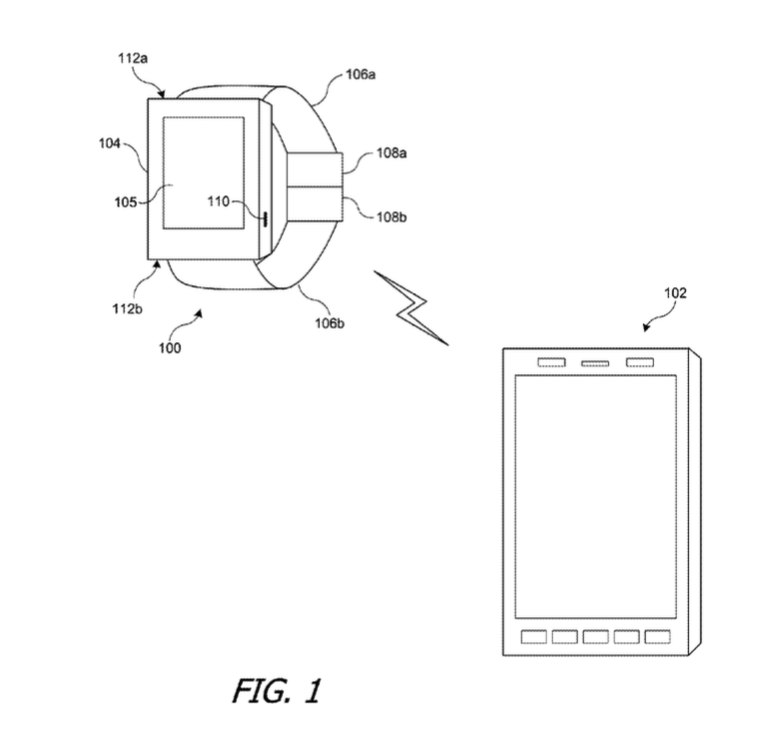
The patent, entitled “Volume control for mobile device using a wireless device”, describes how Apple could use the Watch to automatically adjust the volume or other settings of the host device (in this case the iPhone) based on ambient sound samples.
According to the description, the Apple Watch could use its built-in microphone to sample ambient sound at intervals specified by the iPhone. Based on the information it collects, the Watch would be able to adjust the volume of the handset, a feature which could be very handy in certain situations, such as when you have a business meeting and you accidentally forget to silence your iPhone. Or you can imagine the opposite as well: You get out of the meeting and forget to adjust the ringer volume.
As detailed in the patent description, the iPhone sends a notification signal to the Watch, before playing an audible alert. The wearable then listens for the incoming tone and compares the signal against a stored ambient noise signal and, depending on the data it gets, adjusts the iPhone’s output volume.
While this patent application doesn’t necessarily mean we will see this implemented in future models, it would be a nice feature.



Why couldn’t the iPhone do this itself?
This would be helpful.
I’d also like the option to still have my iPhone make a sound, even though I’m wearing a watch. Sometimes I miss a notification when wearing headphones at work, because I didn’t feel the vibration.
Speaking of making a sound, I wish the “ding ding” sound when you activate Siri comes back! Somehow I really miss hearing it….
Same here. Sometimes when I hold down and speak to Siri she’s not ready
Not the most practical solution, but if you use the “Hey Siri” wake up voice command, she’ll beep so sweetly into your ear once again 😀
Don’t have a 6S/6S+
Whoops. My bad, sorry 😛