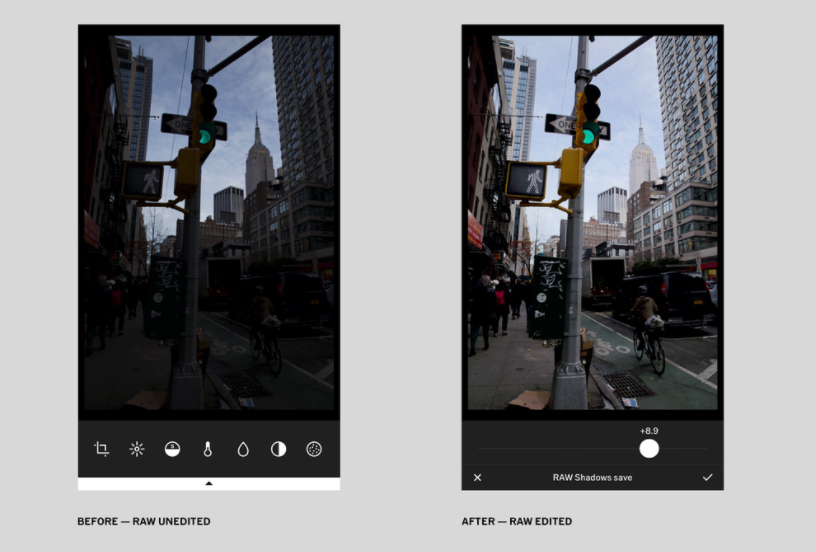
Photography app VSCO recently released an update that allows users to capture and edit RAW images directly on their iPhone SE, iPhone 6s, 6s Plus, iPhone 7, or 7 Plus.
Apple introduced the ability for developers to support shooting RAW images and editing them on iOS 10. Therefore, in order to use this feature of VSCO, your app must be running iOS 10.
“With RAW, you’re able to recover lost highlight detail freely adjust color balance, and bring out the full potential of RAW images from both your iPhone and DSLR camera.”

In a blog post, the company behind VSCO said RAW support offers much greater control over an image. Users will be able to recover lost details in the image by adjusting various settings, like colour balance.
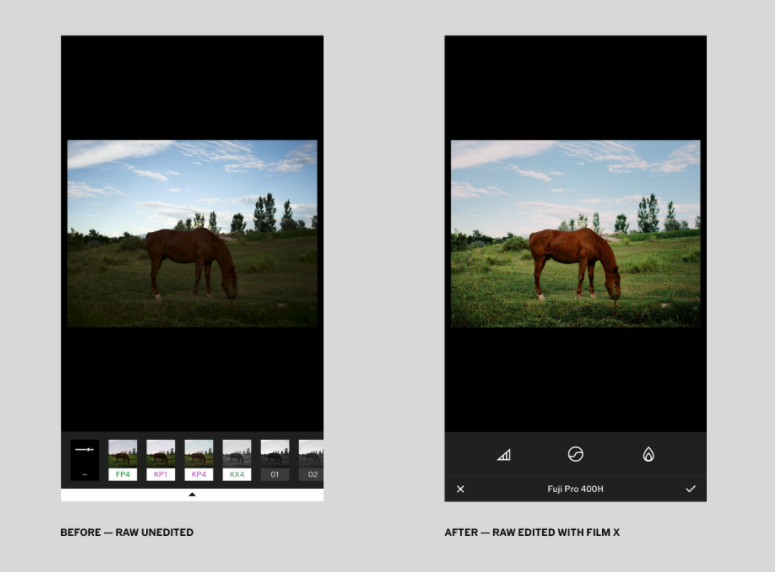
“Also, we’re thrilled to introduce Film X – our first interactive presets with advanced controls to give you the full expressive power of film itself. The new controls, called Character and Warmth, allow you to interact with parts of the film model to create a wide range of beautiful looks. While Film X works well with JPG files, using RAW will result in the most accurate film modeling and highest image quality. Film X is only available through our new membership offering VSCO X.”

VSCO is available as a free download from the App Store. The app requires any device running iOS 9.0 or later and contains in-app purchases that cost up to $11.99.