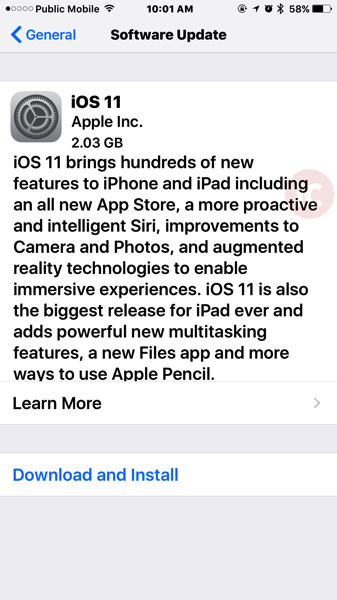
Update day is here, folks! Apple has released iOS 11 for download, along with watchOS 4 and tvOS 11. The download size for the iPhone 7 Plus is just over 2GB.
For Apple TV users, the big news is the TV iOS app is finally available in Canada.
Below are direct download links for iOS 11 and tvOS 11:
- iOS 11.0 (Build 15J381) for:
- iOS 11 (Build 15A372) for:
- iPad Air (Wi-Fi) (iPad4,1) — Download
- iPad Air (Cellular) (iPad4,2) — Download
- iPad Air (China) (iPad4,3) — Download
- iPad mini 2 (Wi-Fi) (iPad4,4) — Download
- iPad mini 2 (Cellular) (iPad4,5) — Download
- iPad mini 2 (China) (iPad4,6) — Download
- iPad mini 3 (Wi-Fi) (iPad4,7) — Download
- iPad mini 3 (Cellular) (iPad4,8) — Download
- iPad mini 3 (China) (iPad4,9) — Download
- iPad mini 4 (Wi-Fi) (iPad5,1) — Download
- iPad mini 4 (Cellular) (iPad5,2) — Download
- iPad Air 2 (Wi-Fi) (iPad5,3) — Download
- iPad Air 2 (Cellular) (iPad5,4) — Download
- iPad Pro (9.7”, Wi-Fi) (iPad6,3) — Download
- iPad Pro (9.7”, Cellular) (iPad6,4) — Download
- iPad Pro (Wi-Fi) (iPad6,7) — Download
- iPad Pro (Cellular) (iPad6,8) — Download
- iPad 5 (Wi-Fi) (iPad6,11) — Download
- iPad 5 (Cellular) (iPad6,12) — Download
- iPad7,1 (iPad7,1) — Download
- iPad7,2 (iPad7,2) — Download
- iPad7,3 (iPad7,3) — Download
- iPad7,4 (iPad7,4) — Download
- iPhone 5s (GSM) (iPhone6,1) — Download
- iPhone 5s (CDMA) (iPhone6,2) — Download
- iPhone 6 Plus (iPhone7,1) — Download
- iPhone 6 (iPhone7,2) — Download
- iPhone 6s (iPhone8,1) — Download
- iPhone 6s Plus (iPhone8,2) — Download
- iPhone SE (iPhone8,4) — Download
- iPhone 7 (iPhone9,1) — Download
- iPhone 7 Plus (iPhone9,2) — Download
- iPhone 7 (iPhone9,3) — Download
- iPhone 7 Plus (iPhone9,4) — Download
- iPhone10,1 (iPhone10,1) — Download
- iPhone10,2 (iPhone10,2) — Download
- iPhone10,4 (iPhone10,4) — Download
- iPhone10,5 (iPhone10,5) — Download
- iPod touch 6G (iPod7,1) — Download
…more to follow




All installed on my Iphone and Ipad. Apple TV the update not showing yet so will try again a bit later
Macbook and Apple TV all updated now to. Got all 4 done in 30min wtg Apple
So you wouldn’t get it done in 30 mins if you were installing Apple Watch OS 4! oh my God takes like more than an hour for the watch alone.. watch updates are always super slow. LOL
Can’t seem to get watchOS…
no me either
iPhone 7 updated super fast, but the Watch download is not happening for me quickly at all.
Safari 11 is also available for macOS
Hi Gary, I like the new site layout but the lack of visual separation between the articles and the ads etc makes it a little hard for the eye to zero in on the main content. Perhaps if the article was in a slightly different background color similar to the top bar with your logo? Just my feedback…
Thanks jabohn, we’re listening to all feedback and as many can see, we’re still making tweaks and changes daily.
Is the Apple News app working in Canada now?
They didn’t mention it and it still doesn’t show up – my guess is no.
Where do we find Siri connected apps (uber) in iOS 10 it was in setting Siri but in iOS 11 it’s not
Did any other Freedom customers experience this Asian font instead of “AT&T” while in US after updating? I also had to convert this picture file to jpg because Disqus wouldn’t recognize the HEIC file which is super annoying.
Apparently iOS will convert HEIC to JPEG automatically if you share it to another device, like via email or message.
Hmm maybe for apps but not for web apps like Disqus I guess. That’s too bad. I’m sure websites will convert like they always do (ie. Flash)
Whoa–that’s weird.
Any word if lane guidance works in Canada? The GTA specifically?
Doesn’t seem to work in the Montréal suburbs. Can’t say about the GTA.
My 6S is slightly sluggish after the update, but only when running system apps it seems.. Like iMessage, or changing apps, swiping around the home screen, etc.. But once I’m in a 3rd party app everything seems to run as fast as ever, even though they’re way more graphics and processor intensive than the home screen. I think Apple is artificially making the OS appear more sluggish than it actually is in order to make people with older phones upgrade. I’m sure in the next iOS update it will be even more sluggish. But really, it’s not like the home screen and app switcher etc are hard on the processor. If someone could prove they’re doing this, that should be a class action.
It’ll be sluggish for a few hours, after which it should settle down. My 6S was like this early on (I’ve been running the GM since last week).
Interesting, I wonder what it’s processing during that time?
Probably Spotlight indexing, image analysis and other background housekeeping tasks.
I have a 6 and it’s extremely sluggish 🙁
It seems to be running smoothly on my SE…although it is chewing through the battery…
i’m on a Fido 4GB BYOP plan. I’m thinking of getting the iphone 8 plus. Can i buy 8 plus through fido and pay the full amount and not go on a contract. I have 200 Fido dollars. Want to use that towards the phone. In December, i can unlock it for free with FIDO. Can i do this? Thanks.
You should ask Fido but you should be able to do it. That’s the only use for leftover FidoDollars anyway.
So is it just me not being able to use wifi calling ? I’m with Rogers
Seems to work fine on my 6S w/Fido. I haven’t tried an actual call but activating the feature displays “Fido Wi-Fi” in the status bar.
I’ve updated my 6s Plus, has the WiFi Calling indicator changed in iOS 11. I can’t tell if WIFI calling is on. (Is there a simple way to confirm). Yes it’s enabled in the settings. But I’m at home and usually it inidicate and it’s not.
Nevermind, is working now and it’s the same
Hey Gary, I was wondering how to access the Free App of the Week in the new App Store on the iOS 11. Just completed the installation and can’t seem to find it anymore.
Was looking into this myself! We’ll share once we find out.
Thank you!
Of course, Canada gets nothing of the good stuff: Speed limits, lane guidance, news apps… for crying out loud. 🙁