
Google Arts & Culture Overhaul Lets You Chat With Dead Artists
Google Arts & Culture turns 15 with a major mobile app redesign featuring AI-powered conversational search and interactive historical tools.
Update: Here are instructions on how to use the museum selfie feature in Canada and elsewhere.
The Google Arts & Culture app, a virtual museum app launched last year by the tech giant, has created a new feature that helps you find your doppelgänger in the art world.
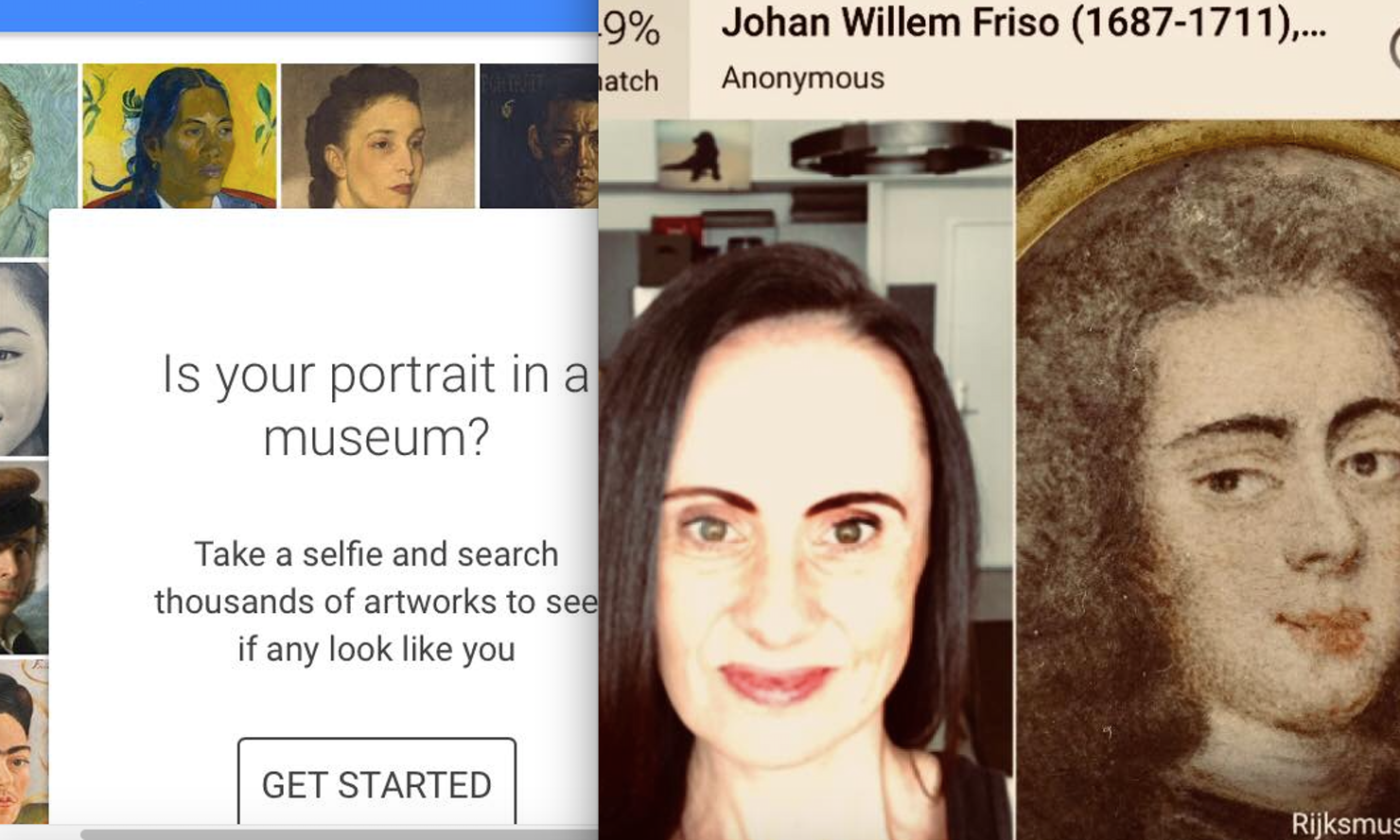
Using the “selfie feature,” users can upload photos of themselves and have Google‘s face-matching technology search catalogued museum collections to find “similar” looking portraits from decades of paintings (“Similar,” however, being used quite loosely on occasion).
“The update to the Google Arts and Culture App has catapulted it to the most-downloaded free app on the Apple App Store. It claimed the No. 1 spot in the US, according to the app metrics site AppAnnie,” Recode reported late on Sunday.
After downloading the app, you’ll have to scroll down to the section that reads “Is your portrait in a museum?” Once you tap “Get Started,” you’ll be taken to a page where Google explains it won’t use data from your photos for any other purposes, and you can either cancel or accept.
Once you accept the terms and conditions, a small square appears for you to align your face with and take the photo. After you snap your photo, the app will analyze your features using computer vision technology to match your selfie with historical artwork.
After the results appear, users will see that the paintings are listing by percentage of how close the resemblance is, as well as in descending order, so the results that resemble the user the most appear first. Users can then choose to share their results through any social media channel, text, or email.
At the time of writing, the app was the number-one most downloaded free app in Canada, despite the selfie feature only being available in the United States. Google has yet to specify whether it will expand the feature to other countries, but stay tuned for an update once it becomes available here.
Check out a few of the app’s doppelgänger results below.
Torn between which one I think is better likeness with the Google Arts and Culture app. pic.twitter.com/uSw8RmOip8
— Felicia Day (@feliciaday) January 13, 2018
\
I got this guy with a 61% match on the Google Arts & Culture app portrait match. pic.twitter.com/ay39JvBg1v
— Matt Dawson (@SaintRPh) January 15, 2018
Special thanks to the google arts & culture app’s doppelgänger feature for keeping me humble. pic.twitter.com/dhTese3mE5
— Susie Meister (@susie_meister) January 14, 2018
Click here to download Google Arts & Culture in the App Store.
Want to see more of our stories on Google?

P.S. Want to keep this site truly independent? Support us by buying us a beer, treating us to a coffee, or shopping through Amazon here. Links in this post are affiliate links, so we earn a tiny commission at no charge to you. Thanks for supporting independent Canadian media!


Doesn’t work in Canada.
Cant see it too. From Canada too
c’mon iPhone in Canada I come here for the Canadian angle. This app lacks this feature in Canada 😐
Even though I downloaded the app from the US store, I don’t see the feature here in Toronto either.
Downloaded the app but then deleted it when I couldn’t find the Doppleganger feature. (I’m based in Canada.)
The feature is now available in Canada