
Reddit Is Getting a TikTok-Style For You Feed: Here’s What’s Changing
Reddit is planning to split feeds into a personalized algorithmic For You tab and a dedicated Following tab for subscribed subreddits.
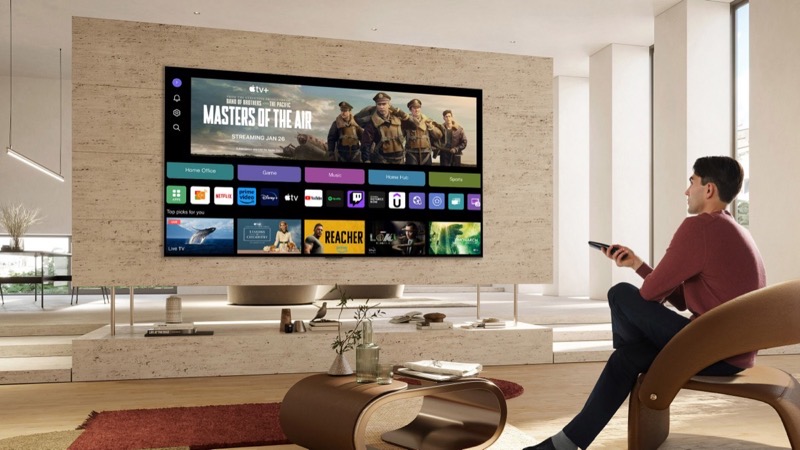
LG has reportedly begun updating their webOS software, adding Microsoft Copilot to compatible TVs. According to user accounts that began to surface on Reddit, Copilot has become a mandatory inclusion on the home screen with no way to remove it.
It appears as though, after the most recent webOS update, LG has forcibly included an app tile on the home screen for Microsoft Copilot. As reported by Tom’s Hardware, users can move the tile as they see fit across the home screen’s menu. Interacting with Microsoft Copilot, it appears that the app primarily serves as a shortcut to the web-based interface, rather than a dedicated app designed for compatible LG TVs. Interacting with Microsoft Copilot, it appears that the app primarily serves as a shortcut to the web-based interface, rather than a dedicated app designed for compatible LG TVs.
There does not appear to be any way to uninstall the software. This is unlike other available apps like Netflix, YouTube or Crave. The app, instead, is treated much like LG’s very own apps and software. These preinstalled apps cannot be deleted. Instead, users can only hide the app from the home screen, leaving its inclusion very much on the smart TV. Over the years, smart TVs have been advertising hotspots for companies, especially with added AI functionality.
Earlier this year, LG revealed its plans to work with Microsoft to integrate Copilot into webOS as part of its broader “AI TV” strategy. The rollout of Microsoft Copilot has come as a surprise with no lead-in whatsoever. Furthermore, the overwhelming majority of negative backlash appears to stem from LG’s decision not to include a way to remove Copilot from its smart TVs. “I always hated bloatware, but installing an AI assistant (without explicit permission) that cannot be deleted, with unknown access to microphone and other services might just take the cake,” one user said.
It remains to be seen whether LG will backtrack on its decision not to allow users to uninstall Microsoft Copilot. Unless the company decides to make adjustments, the only way to avoid Copilot from being installed is to keep your smart TV offline, which isn’t ideal from a customer perspective.
Want to see more of our stories on Google?

P.S. Want to keep this site truly independent? Support us by buying us a beer, treating us to a coffee, or shopping through Amazon here. Links in this post are affiliate links, so we earn a tiny commission at no charge to you. Thanks for supporting independent Canadian media!


Repeat sentence….
Interacting with Microsoft Copilot, it appears that the app primarily serves as a shortcut to the web-based interface, rather than a dedicated app designed for compatible LG TVs. Interacting with Microsoft Copilot, it appears that the app primarily serves as a shortcut to the web-based interface, rather than a dedicated app designed for compatible LG TVs.