Over the past few years, Meta has been working toward a future where consumers incorporate smart glasses into their everyday lives. In partnership with Ray-Ban and, more recently, Oakley, the company has a lineup of devices that are increasingly practical outside of impressive tech demos. However, adding a display has always felt like the next logical step for Meta’s smart glasses.
I’ve been particularly interested in how the Meta Ray-Ban Displays could complement my day-to-day responsibilities. Between travelling for work, creating content for social media, and routinely checking emails and messages, there are quite a few instances where having information readily available within my field of view makes sense.
Starting at $1,149 in Canada, the Meta Ray-Ban Display is a substantially larger investment than the company’s traditional smart glasses. However, with its integrated full-colour display and accompanying Meta Neural Band, it offers some remarkably impressive technology.
While there are certainly some growing pains associated with the hardware, it’s an exciting indication of where this market is heading.
Out of the box
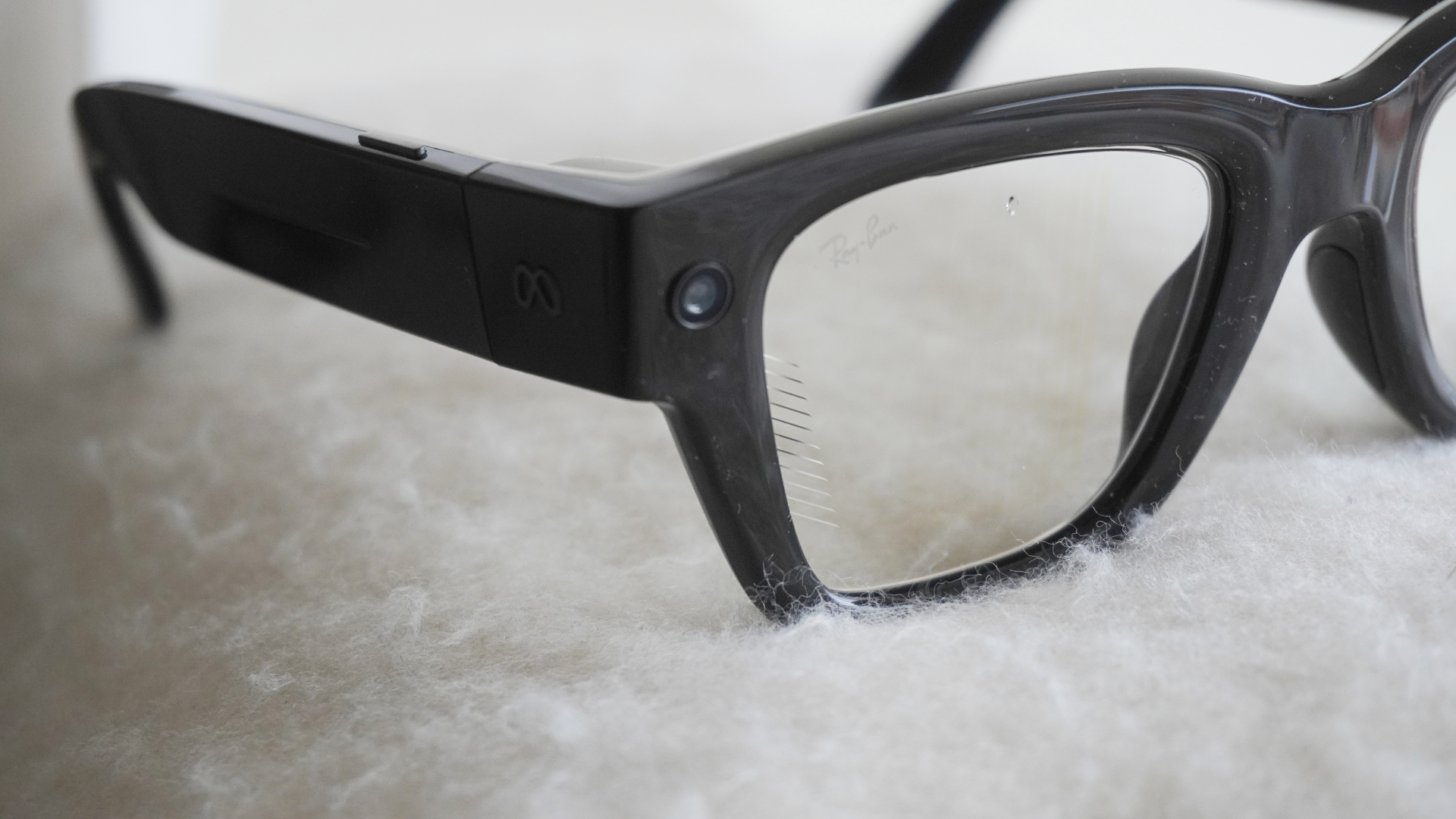
One of the biggest strengths of Meta’s collaboration with Ray-Ban has been its ability to integrate technology into recognizable eyewear. The company’s traditional smart glasses don’t necessarily scream that you’re wearing consumer technology on your face. Unfortunately, some of that subtlety has been lost with the Meta Ray-Ban Display.

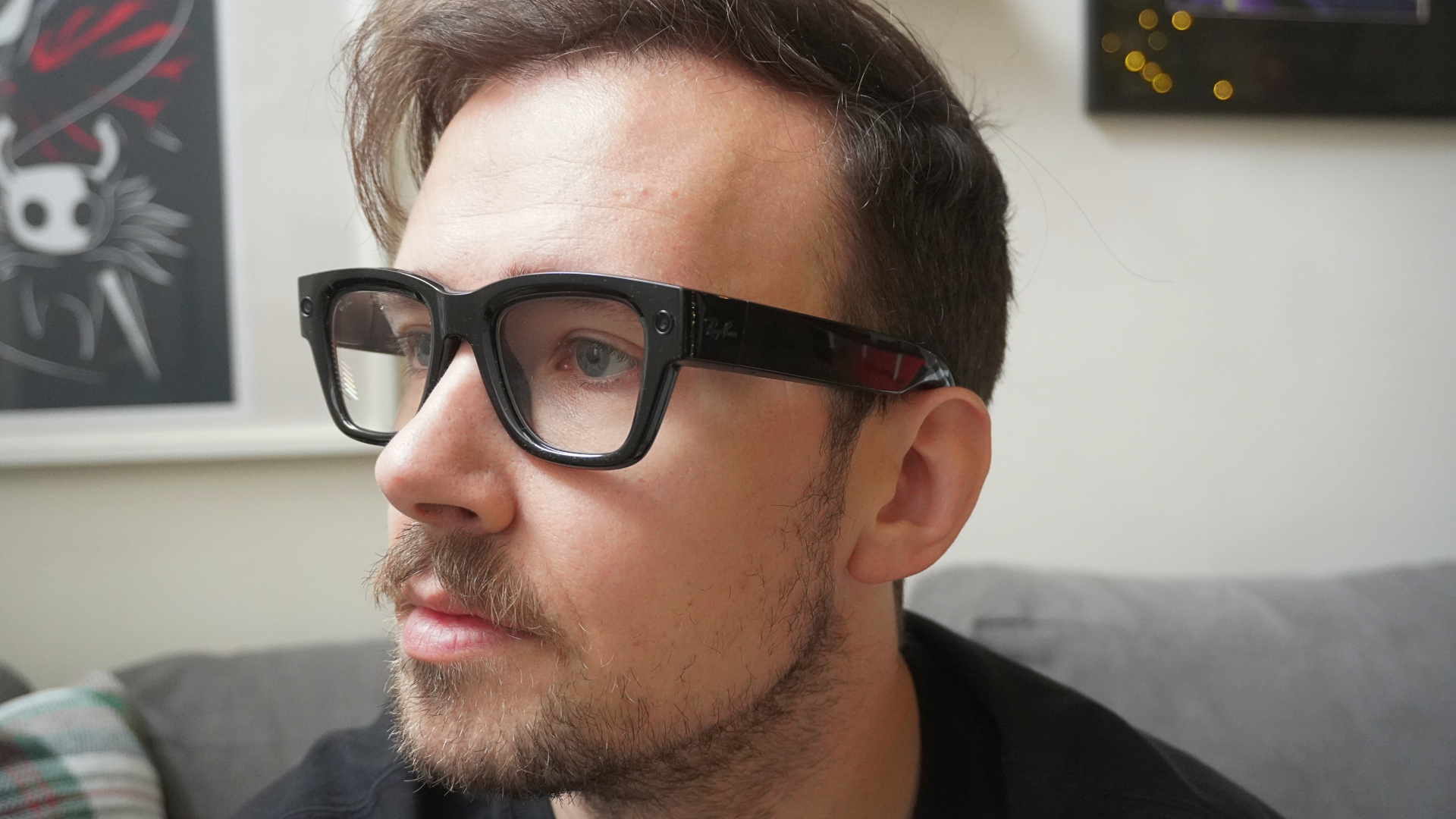
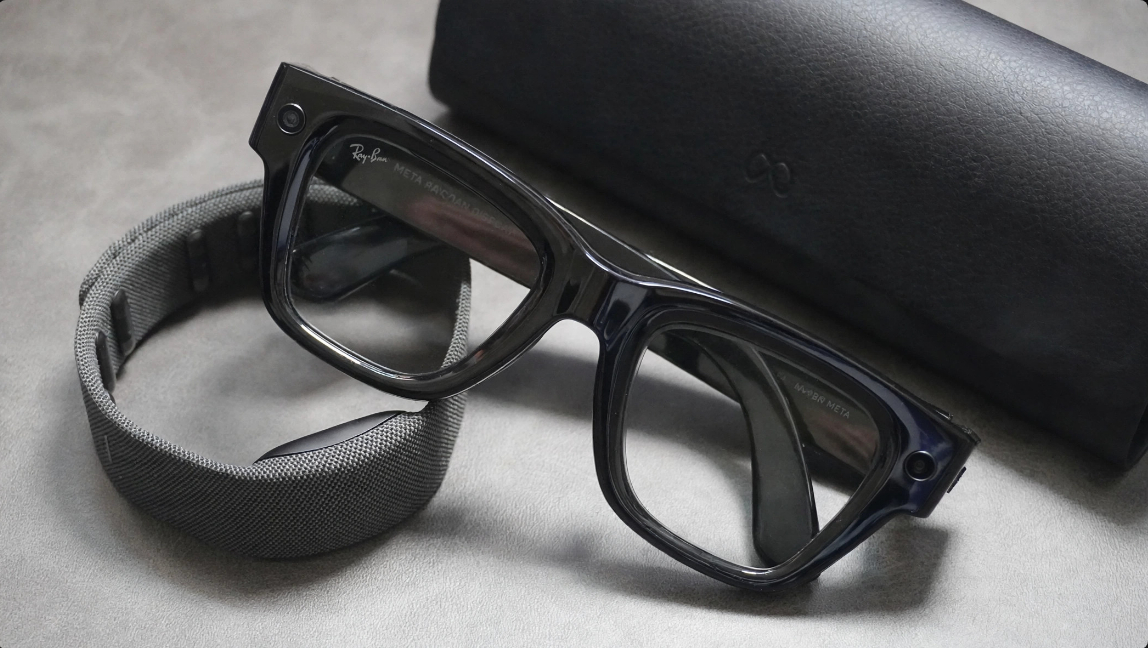
Available in Black and Sand colourways, the glasses adopt a familiar Wayfarer-inspired design. However, the frames and temples are substantially thicker to accommodate the additional components required to power the display. Weighing 69g, the Meta Ray-Ban Display is also noticeably heavier than the company’s earlier smart glasses. Although that’s relatively insignificant when discussing most consumer electronics, it’s a different conversation when the device rests on your nose for several hours at a time.
I appreciate that Meta hasn’t completely abandoned the traditional Ray-Ban aesthetic in pursuit of integrating a display. Compared to many of the augmented reality glasses on the market, these are considerably more approachable from a fashion standpoint. However, I suspect the thickness of the frames will be a point of contention for some.
Meta has partnered with Transitions to incorporate lenses that adjust their tint depending on surrounding lighting conditions. Given how frequently I transition between indoor and outdoor environments when travelling, this is an inclusion I particularly appreciate.
The glasses feature IPX4 water resistance, while the accompanying Meta Neural Band is rated at IPX7. There’s enough protection for light rain, though I’d be hesitant to expose the glasses to the unpredictable conditions of a Canadian winter for extended periods.
Integrating a display without overwhelming your vision
The biggest differentiating factor between the Meta Ray-Ban Display and the company’s other smart glasses is its integrated 600 x 600 full-colour display. Rather than integrating a display into both lenses, Meta has adopted a monocular configuration, with information appearing within the right lens. The display covers a 20-degree field of view, providing enough space for messages, images, navigation details, and other information.
One key distinction is that the Meta Ray-Ban Display isn’t necessarily a fully fledged augmented reality device. Unlike Meta’s Orion prototype, the glasses aren’t designed to anchor virtual objects within your physical surroundings. Instead, the experience is more akin to having a smartwatch interface accessible within your field of view. Given the responsibilities Meta expects the glasses to handle, I think that’s an appropriate approach.
There’s little reason I’d want my entire field of view overtaken by a digital interface while walking through downtown Toronto or navigating an airport. Having a relatively small display that can be accessed when needed is considerably more appealing. The result is an easy-to-read interface that’s clear and not distracting during my day-to-day routine. The images appearing are semi-translucent so they don’t block my peripheral vision. The UI and dashboard complement my surroundings rather than overtaking my line of sight.
The full-colour display also gives Meta an advantage over some of the monochromatic alternatives on the market. Whether reviewing a photo, looking at a map, or browsing through an interface, colour adds considerable context to what’s being displayed. Of course, there are limitations to having a display exclusively within one lens. For instance, if I’m in a one-on-one conversation and then reading a text or notification, my eyes are noticeably drawn to it. It’s clear there’s a distraction to the person I’m speaking to, even though they can’t see what’s displayed on my lens.
It’s an experience worth trying before investing in the hardware, especially if you’re used to displays on devices like the Meta Quest or Apple Vision Pro.
The Meta Neural Band is arguably the more impressive piece of hardware
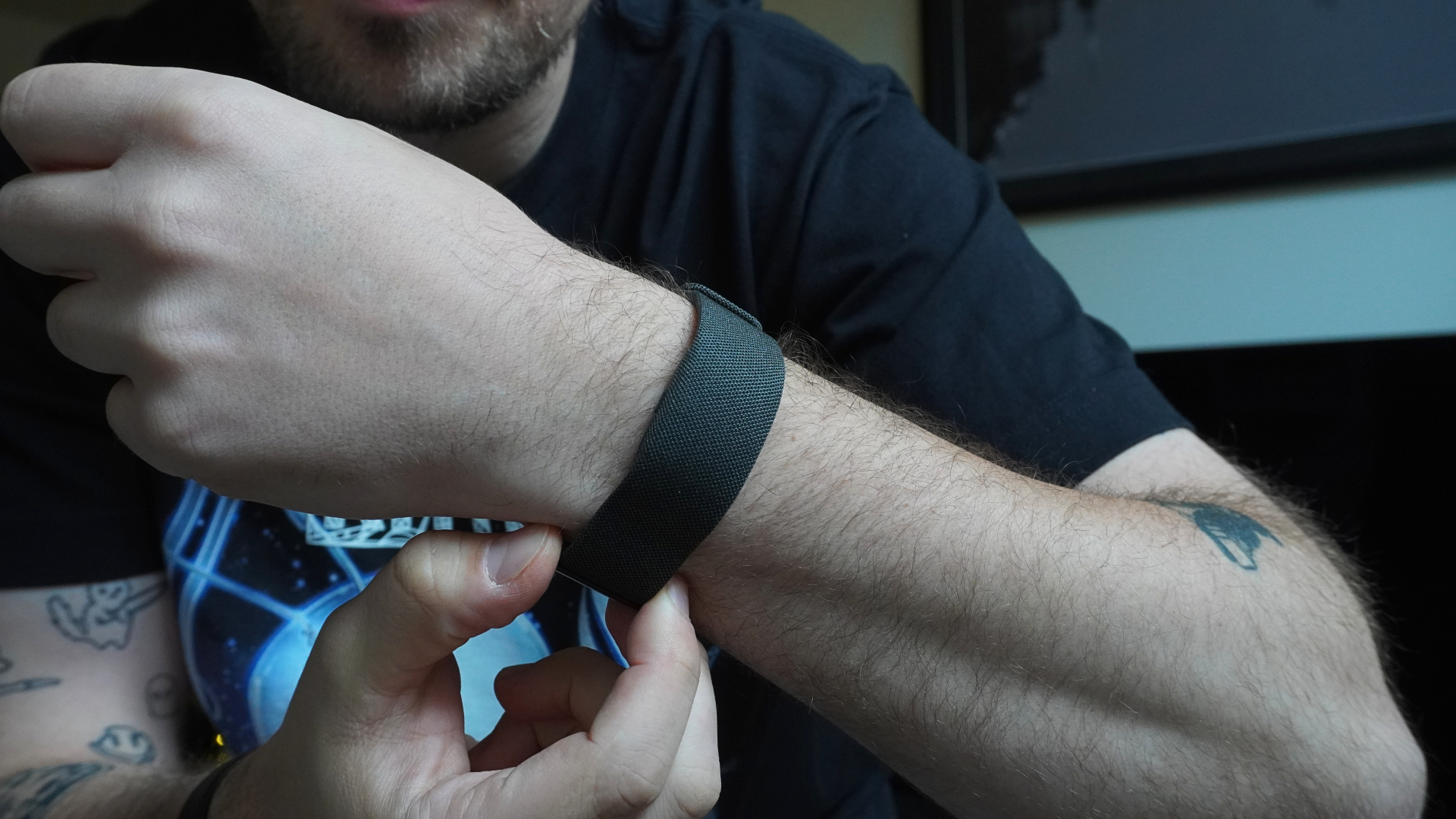
As exciting as the prospect of having a display integrated into a pair of Ray-Bans is, the accompanying Meta Neural Band is arguably the more technologically fascinating aspect of the package. The wrist-worn accessory utilizes electromyography (EMG) technology to interpret electrical signals associated with muscle movements. Rather than relying on cameras to track your hands, the band can recognize subtle finger movements and translate them into inputs.
Tapping your thumb and index finger together acts as a selection gesture. Swiping your thumb along your index finger enables you to navigate through menus. You can even replicate the motion of turning a dial to adjust volume or camera zoom. The band provides haptic feedback when it recognizes an input, which is particularly important given the absence of traditional physical controls.
Using the Meta Neural Band takes some getting used to. It’s like learning to use a computer mouse for the first time. Once I got the hang of the inputs, it became second nature. Meta cleverly used many natural inputs, so it all feels fluid and effortless. What excites me most about this technology is how discreetly it can be used. If I’m sitting on public transportation or waiting for a flight, navigating messages with my hand resting on my leg is much more appealing than constantly interacting with the frames or speaking commands aloud.
There’s no need to hold your hands out in front of you or repeatedly reach up to tap the side of your glasses. Meta does include touch-control support on the frames. However, the Meta Neural Band really does all the heavy lifting. There’s virtually no reason to use those touch gestures. Meta includes the Neural Band with the glasses and offers it in three sizes. Getting the appropriate fit is especially important given how the sensors communicate with your wrist. The sensor has to sit on the top of your wrist to properly read inputs, so you need the right-sized band.
I’d love to see Meta expand the capabilities of its EMG technology beyond smart glasses. There’s a lot of potential for this type of input system across other consumer electronics, particularly within the company’s mixed-reality ecosystem.
Having information available at a glance
Much of the value proposition of the Meta Ray-Ban Display revolves around reducing how frequently you reach for your smartphone. As someone who routinely checks messages and notifications throughout the day, I can appreciate the practicality of having these pop-ups appear directly within my field of view.
The glasses support messaging through platforms including Instagram, WhatsApp and Messenger. Rather than taking your phone out of your pocket, you can review incoming messages and respond using supported input methods.
However, I’d love to see Meta loosen its grip on the software ecosystem. Much of my communication takes place outside of Meta’s applications. My biggest point of contention regarding Meta Ray-Ban Display is the lack of third-party software integration. Without a dedicated app store, apps like Uber, Discord, and Slack aren’t supported. Some developers have begun to build standalone web apps to run on the device. Broader support for productivity and communication tools would make the glasses considerably more valuable to me and drive wider adoption.
There’s also a lot of potential in the glasses’ pedestrian navigation functionality. When travelling to unfamiliar cities for work, I often find myself repeatedly checking Google Maps while walking between hotels, briefing locations and restaurants.
Having turn-by-turn directions readily available within the display could alleviate much of that friction. Unfortunately, navigation functionality remains dependent on supported locations, so Canadian buyers should check local coverage.
Similarly, live captions and translation are arguably some of the more meaningful applications for this technology. Being able to follow a conversation through captions in a particularly noisy environment or receive translations while travelling abroad demonstrates the practical potential of display-equipped eyewear.
Meta has also been expanding the glasses’ functionality through software updates. At CES 2026, the company announced EMG-based handwriting recognition. Right now, the handwriting feature is in beta, and users can opt in to test it. Having tested it, the handwriting feature feels like a work in progress, but there’s something to be said for using natural handwriting techniques to craft text messages.
A compelling device for content creators
As someone who’s increasingly integrating short-form video production into my daily workflow, there’s a lot about the Meta Ray-Ban Display that appeals to me. One of my favourite applications for camera-equipped smart glasses is capturing footage. Whether attending a product showcase, unboxing a piece of hardware or capturing footage of a gaming activation, having a hands-free camera provides an interesting perspective.
The Meta Ray-Ban Display features a 12-megapixel camera capable of recording 1080p+ video at 30 frames per second. However, the biggest advancement for photography and videography is the inclusion of a digital viewfinder.
One inherent challenge of recording content with Meta’s prior smartglasses is that you don’t necessarily know how your shot is framed until you’ve imported the footage to your phone. It’s been a particularly frustrating pain point for me. I’ve lost some great shots in the past because I couldn’t frame them correctly on the Meta Ray-Bans. Having access to a preview directly within the lens helps address this issue. Meta also supports up to 3x zoom, controllable through the Neural Band. The gesture is akin to twisting a nob and it works so effortlessly well.
In brutal honesty, I wouldn’t replace my iPhone or dedicated camera equipment with the Meta Ray-Ban Display as my main content-capture device. However, for capturing supplementary footage for Instagram Reels, TikTok or YouTube Shorts, the hands-free form factor makes a lot of sense. There’s a novel POV perspective to garner from content captured on the Meta Ray-Ban Display. Is it for everyone? Surely not. But with some creativity and a willingness to experiment, there’s a lot here.
The addition of teleprompter functionality is also particularly interesting to me. I routinely write scripts for short-form videos, and having access to talking points without constantly referring to a secondary device could be enormously beneficial when recording content away from home.
Meta AI is more useful with visual context
Meta AI has been an integral component of the company’s smart glasses for some time. However, adding a display expands the ways the assistant can communicate information. Rather than relying solely on an audio response, users can receive visual instructions, images, and written answers to their questions.
For something relatively simple, such as asking about a landmark while travelling, an audio response is sufficient. However, for more involved queries, having access to a visual reference makes considerably more sense.
That said, I’m still somewhat apprehensive about how heavily Meta leans into artificial intelligence across its consumer hardware. The glasses are equipped with a camera and microphones, so it’s important to familiarize yourself with the associated privacy and data settings within the Meta AI app.
I understand the demand for privacy, especially when it comes to using AI and recording video and photos with the glasses. As with its prior wearables, Meta incorporates an external LED to notify those around you when capturing content. However, wearing camera-equipped glasses still comes with responsibility, particularly in professional environments and around people who haven’t consented to being recorded. This is a major challenge for Meta in building consumer trust.
Battery life remains a compromise
Meta advertises up to six hours of mixed-use battery life, with the accompanying foldable charging case providing up to 24 additional hours. Meanwhile, the Meta Neural Band is rated for up to 18 hours between charges. Battery life is one area where I’d like to see significant improvements made across subsequent generations. I’ve gotten around 5 hours of steady use from the Meta Ray-Ban Display, including app use and content capture. If you’re buying smart glasses to wear throughout the day, five hours doesn’t necessarily accommodate that.

This is especially apparent with the third-generation Ray-Ban Meta glasses, which offer up to nine hours of battery life. Of course, individual usage will have a substantial impact on longevity. Frequently accessing the display, recording videos and interacting with Meta AI will consume more power than intermittently checking notifications.
Having the charging case on hand helps, though periodically removing your eyewear to recharge adds another consideration for those relying on prescription lenses.
Final thoughts
The Meta Ray-Ban Display represents one of the more interesting advancements in consumer wearable technology in recent memory. There’s a genuine practicality to having information available within your field of view, and the inclusion of the Meta Neural Band introduces an input method I’d love to see explored further. However, the thicker frames, relatively modest battery life, and software ecosystem limitations remind me this is still a first-generation product.
At $1,149 in Canada, it’s also a difficult investment to recommend universally. Those primarily interested in capturing hands-free footage, listening to music or occasionally engaging with Meta AI are likely better served by the company’s more affordable smart glasses. For early adopters interested in exploring how display-equipped eyewear can complement their daily lives, there’s considerably more to appreciate. As a journalist and content creator, I can see several meaningful ways the technology could fit into my workflow.
More than anything, the Meta Ray-Ban Display has me excited to see what Meta can accomplish with another generation or two of this hardware.
The Meta Ray-Ban Display starts at $1,149 in Canada, including the Meta Neural Band. Prescription configurations are priced at $1,439.