
Apple’s AirPort Utility App is Being Removed From the App Store
Apple warns that "functionality is not guaranteed" when using AirPort Utility on iOS 27 or later.
Google Calendar for iPhone launched last March, but when it did, the app lacked a proper bird’s eye month view. That changes today, as the app has been updated with month view, while in landscape, you’ll now get week views.
Below are a couple of our screenshots:

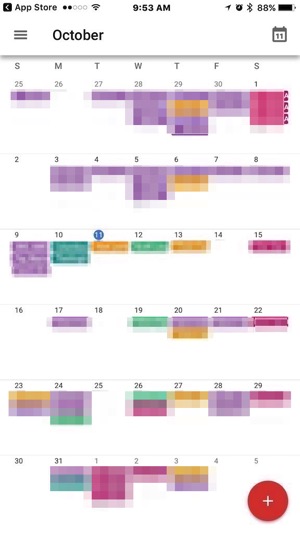
Unlike the month view in Readdle’s excellent Calendars 5 for iOS (which we prefer), you cannot drag events to new days to change them, but must tap and edit individual events.
Also new in this update are alternative calendars ( such as Lunar, Islamic or Hindu), plus support for Spotlight Search, which means you’ll be able to search iOS for your events, Reminders and Goals.
For users of G Suite (formerly Google Apps), you can now “Find a time and book a room”, as Google Calendar will now find the most appropriate meeting times and also rooms.
Back in April, Google Calendar for iPhone gained a new Goals feature, to help users automatically find the best times in the schedule to “Exercise”, “Build a Skill” or just get “Me Time”.
Click here to download Google Calendar for iPhone in the App Store. Let us know what you think of the new month view!
Want to see more of our stories on Google?

P.S. Want to keep this site truly independent? Support us by buying us a beer, treating us to a coffee, or shopping through Amazon here. Links in this post are affiliate links, so we earn a tiny commission at no charge to you. Thanks for supporting independent Canadian media!


And still no widget? Arf… 🙁
I love Google Calendar, and it’s become my main calendar app since the demise of Sunrise, but I really wish they’d add a widget to allow a quick look at my upcoming events right from the lock screen. It’s pretty much the only feature I still find myself missing from this app.
Also an iPad version would be nice to have
Yea it’s a shame that M$ bought it, and now canned it.
Y’all can thank me for my persistent 1 star reviews of version of prior to this one.