
Microsoft 365 Support to End on Older Macs and iPhones Starting in July
Microsoft is ending core support of Microsoft 365, Office 2019, and Office 2021 on older Macs and iPhones, starting July 13th.
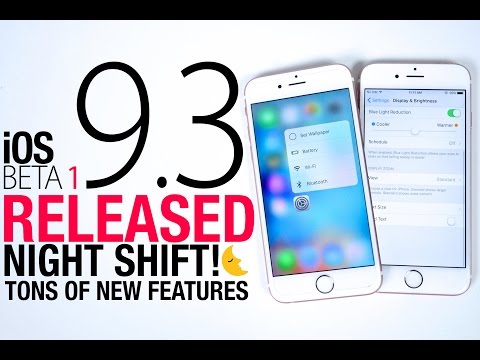
Apple released the first beta of iOS 9.3 today, and it’s a doozy. The forthcoming release promises a much better experience every day and night as it promises to add “numerous innovations to the world’s most advanced mobile operating system.” So what’s new in iOS 9.3 beta?
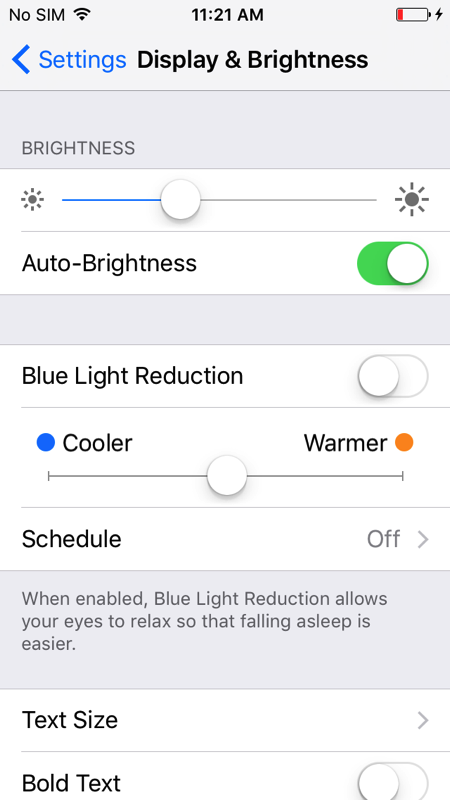
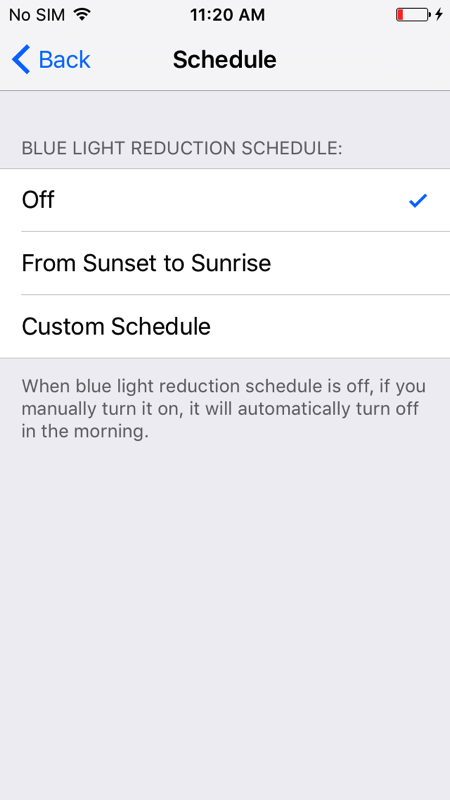
It looks like Apple has read the report about the bright blue light’s effect on smartphone users, so it has designed Night Shift — similar to f.lux –, a feature that essentially means that, based on your device’s clock and geolocation, it will automatically shift the colours in the display to the warmer end of the spectrum, making it easier on your eyes.
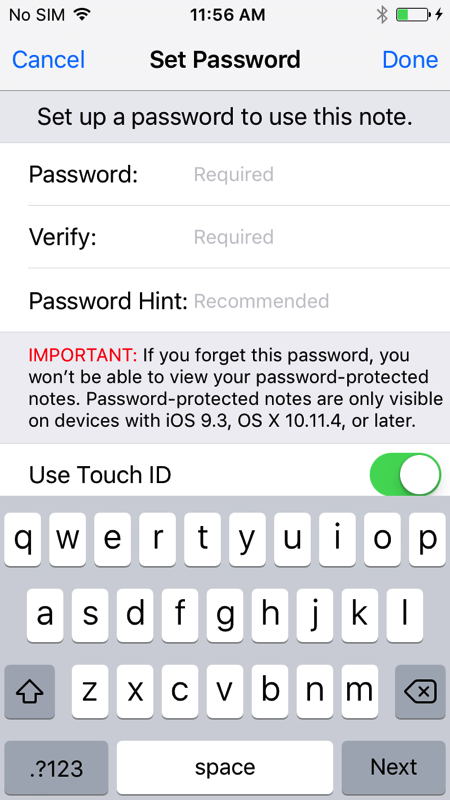
The app received a nice upgrade: users can secure their content with Touch ID as well as other features such as sorting notes by date, alphabetically, or last time modified.
There is no word on whether Apple has already fixed the glitch found in the app, but the updated version delivers more personalized news for every user and also supports landscape mode. Apple News is still not available in Canada, but it shows up in data usage settings as of iOS 9.2.
Siri has learned Malay (Malaysia), Finnish (Finland), and Hebrew (Israel). When will she learn Hungarian?
iOS 9.3 beta brings a new tab to the Activity app: Workouts.
iPhone 6s and 6s Plus owners can quickly access their dashboard or Medical ID with the use of 3D Touch. Apple also added new 3D Touch shortcuts for Weather, Compass, App Store, iTunes Store.
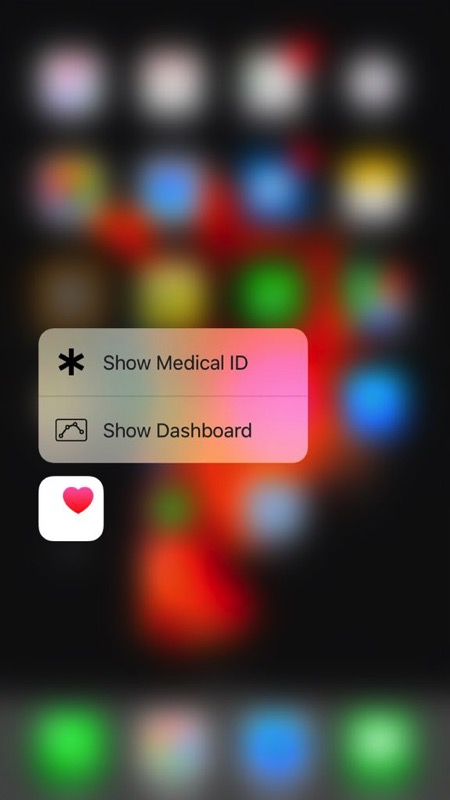
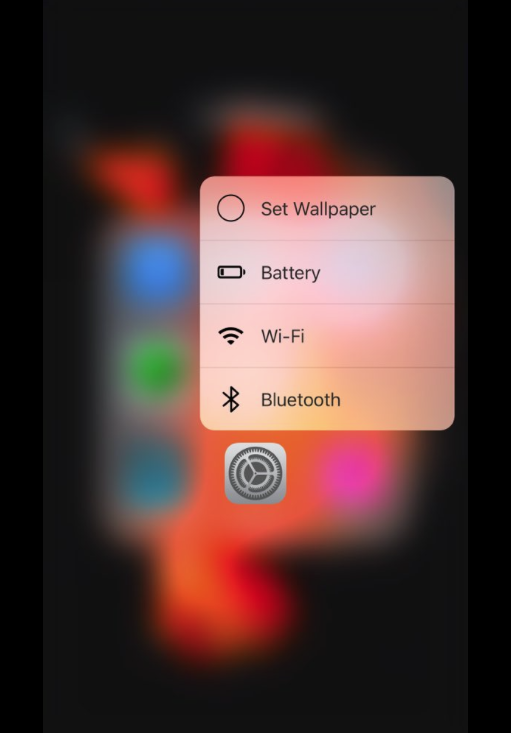
3D Touch’s magic has been applied to the Settings app as well: users can set a new wallpaper and check battery status, Wi-Fi, and Bluetooth settings.
iOS 9.3 beta brings improved Apple Music support to CarPlay.
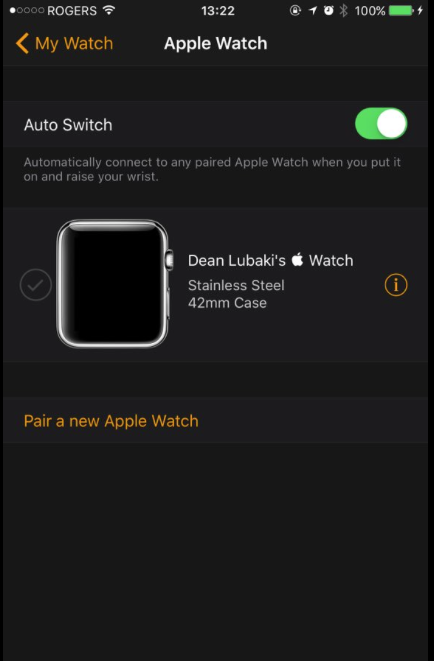
Once installing iOS 9.3 beta, users can pair multiple Apple Watches with their iPhone.
What other new features did you find in iOS 9.3 beta? Share it with us!
Thanks Dean!
Want to see more of our stories on Google?

P.S. Want to keep this site truly independent? Support us by buying us a beer, treating us to a coffee, or shopping through Amazon here. Links in this post are affiliate links, so we earn a tiny commission at no charge to you. Thanks for supporting independent Canadian media!


That option to password protect the Notes app is a great idea, but I’m surprised they didn’t add it for photos as well.
Want to hide photos of your mistress? : )
What a stupid comment!!!
It shows how myopic your views of the world, which apparently tainted by your frequent visits to porn sites.
Grow Up.
is not stupid is actually funny haha
i wish i can put password to my photo apps then i can hide some personal stuff like Joe
hilarious. I often regret reading comments that get out of hand, but this time, I couldn’t help but bust a gut!
James. Your comment makes no sense. Its a joke MORON! Your are so up tight and obviously have no sense oh humour. Why else would one want to hide pictures? : )
I guess I was right … you ARE an idiot. That explains it!!
You need to know the difference between “your” and “you’re” … but you just keep proving you’re an idiot.
So, once more … Grow Up (with a similey face)
Simple typo. Once again you overreacted! I didn’t waste time proof reading. You are not worth the time and effort….Do you critique everything people do? Sounds like you are a real Gem. You have too much time on your hands Captain Keyboard! (With an unhappy face)
You’re an idiot … really.
Maybe I should put it in a simpler form for an idiot like you to understand it … “your” an idiot.
Go play Nintendo with the other idiots your age.
Sounds like you need Anger Management. Life must be hard when nobody cares about you.
Yet, you keep reading my comments and responding to it, knowing I’ll keep insulting you.
I can tell you enjoy being insulted. After all, “your” an idiot.
Go play Nintendo with the other idiots your age.
I enjoy reading comments by uneducated folks like yourself. You obviously have zero confidence and you can only repeat the same thing over and over. Very limited intelligence and thought process.
Yes ????
You can hide pictures though – just not password protect them.
Is anyone else not seeing the update? I have been a beta user on my 6plus since before iOS 9 even came out and I’m stoked about getting 9.3 but it keeps saying that 9.2.1 is up to date. I’ve restarted my phone, I’ve resubscribed to the beta program but nothings changed. Anyone else having this issue? Any advice would be appreciated.
If you’re a public tester, it won’t show up yet. Unless you pay the $99/yr, to be a developer… then it’s available through the portal.
The reason News shows up in data usage is because of the news listing in the Notification Center.
Can someone explain to me why would someone want to pair multiple Apple Watches to their device?
Might be handy for doctors or offices that require an Apple Watch tied to one phone. Two watches means battery life is 24/7. When one is in use, the other is charging.
It’s in case you couldn’t decide between the Apple Watch Edition in gold or rose gold. Now you can have both.
very handy for programmers
iBooks now (finally) allows you to sync your Collection, not just your purchased books.This lets you sync up any PDFs that you’ve added.
I also noticed that Podcasts app updated the database when I first launched it after installing the update. I didn’t notice anything different, but there was a glitch, as it started playing the wrong podcast, even though the display indicated it was resuming the one I had previously played. Closing the app and re-opening fixed that.
I’ve also encountered the battery display issue that has been mentioned,but on my 5s. This problem started with iOS 9.2
When are they ever going to add Location Services on the swipe up screen shortcut or on the Settings 3D Touch shortcut. I usually have it off to save my battery life and only turn it on for navigation or if I take pictures at a specific location. It’s annoying #1stworldproblems
I suppose the solution to this problem would be to go and disable location services for every app except Camera & Maps though eh?
Not that practical. It defeats the purpose of saving battery life. Also, when I need other services to be on, then I need to go in, find them & then turn them on.