Did you visit Canada’ Wonderland this summer? Canada’s premiere amusement park has quietly added Passbook integration for customers purchasing tickets online. After making a purchase, the confirmation email notes “iOS 6 users can add their tickets to Passbook on iPhone and iPod touch”, as seen below:
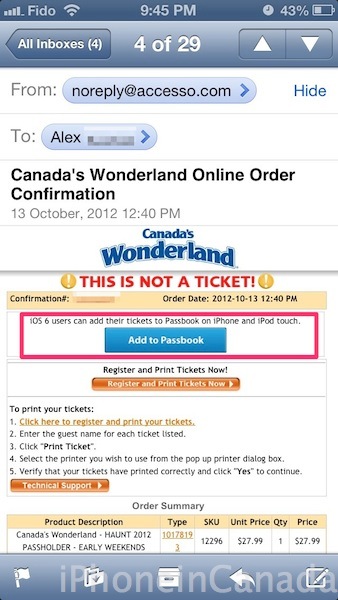
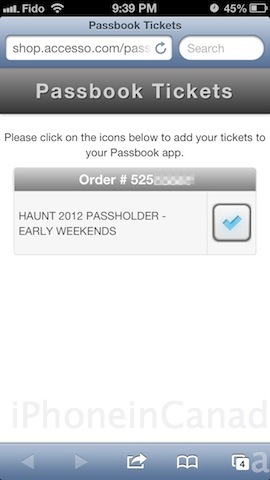
After tapping ‘Add to Passbook’, users are taken to a web page that will add your tickets to Passbook by clicking the icon shown below:

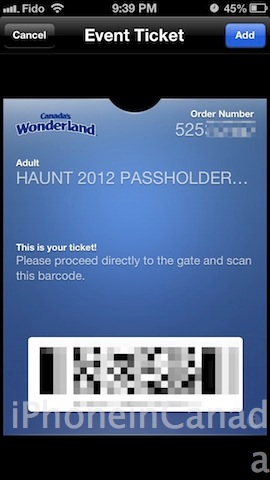
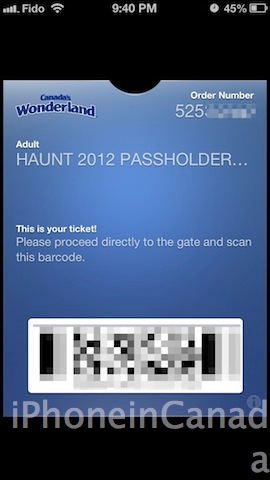
Of course, once that’s done the magical feeling of adding those cards to Passbook is shown below:
Passbook will automatically detect your location and pop up on your iPhone’s lockscreen to allow you to quickly scan your tickets. So far, we have detailed how it has worked brilliantly with Porter Airlines, Cineplex Mobile, Starbucks (with a workaround for now) and Sephora to Go (for the ladies!).
Let us know if you plan on visiting Canada’s Wonderland anytime soon and if you plan on trying out Passbook with your tickets.
Thanks to Alex for sending these in!



Awesome! Now fingers crossed they do it for the Seasons Pass too!
Used it last night, worked perfectly
Sweet! Thanks for sharing.
Thanks…now I see how it will work for Porter. I looked at an example before but it didn’t make sense until reading this article.
I for one look forward to the expansion of this feature. I’m an iPhone newbie and certainly not a fanboy (I kinda detest them tbh). But I’m certainly a germaphobe and look for every opportunity to avoid touching cash, tix, etc.