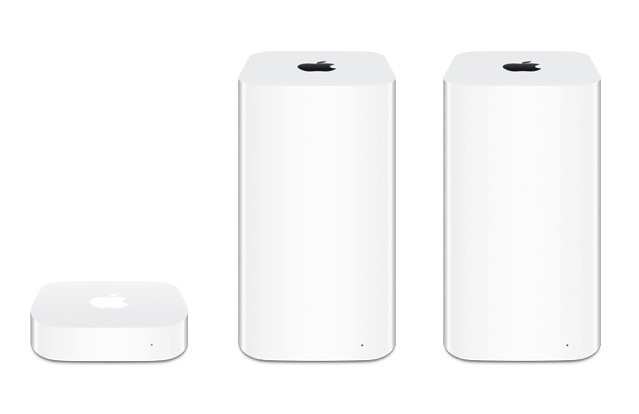
A new “Network Adapter” from Apple that is powered by iOS has been spotted in Federal Communications Commission (FCC) filings from earlier this week — reports 9to5Mac.
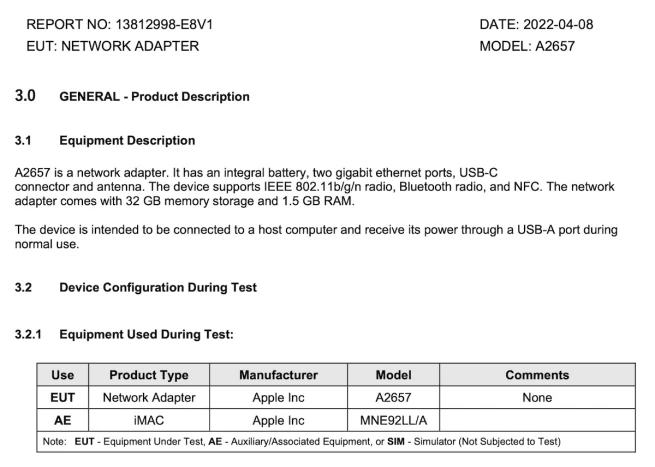
The new device, codenamed “A2657,” features two Gigabit Ethernet ports, a USB-C port, and Wi-Fi, Bluetooth, and NFC antennas. In an absolute rarity for network adapters, the A2657 also comes with 1.5GB of RAM and 32GB of internal storage. A second variant of the device is equipped with a Lightning port instead of USB-C and only 1GB of RAM.
According to the FCC filings, Apple’s Network Adapter runs firmware “19F47,” an early internal version of iOS 15.5. Running iOS requires an Apple Silicon chip, so the device is bound to have one — presumably an A-series processor like the company’s 2022 Studio Display — despite it not being listed in the documents
Apple sent a sample unit of the device to the FCC for certtification on January 22, 2022. The regulator tested the new product connected to a MacBook Pro and an iMac. The filings also note that it is intended to be connected to a host computer and draw power through a USB-A port during normal use.

An FCC filing doesn’t guarantee that this new Network Adapter will ever be available to consumers — only that it exists.
Apple has many FCC-certified devices that are solely intended for internal use. However, one can’t help but wonder if these filings are a precursor to the resurgence of Apple’s AirPort wireless routers. Once the highest ranking wireless routers in customer satisfaction, Apple officially discontinued its AirPort Base Station lineup in 2018.
Would you like to see Apple revive its long-discontinued line of AirPort wireless routers? Let us know in the comments below.



im still using the 2tb time capsule and its flawless, before i had them, i had to restart my router constantly maybe every week or month. i never have to restart my router. thats a big win for me. before that i used dlink and linksys, the firmware updates were buggy and those three minute restarts were hell.
im currently looking to update; eyes on ASUS wireless AX5700 (RT-AX86)
anyone have good recommendations?
does it feel faster from ac to wifi6?
Asus is good. I got around 50MB/s using a SMB share between my laptop and my NAS with a Netgear R7000 router but the Netgear became unstable after a year, it would drop connections or slow down. Now a friend has a similar problem with his Netgear Nighthawk.
After I upgraded to an Asus RT-AX88U Wifi 6 router I get 90-100MB/s from the NAS, at the same distance, and the router is very stable. Bear in mind speeds are highly variable depending on proximity, obstacles and what wifi card the client uses. I put an Intel AX200NGW NGFF card in my laptop.
You will notice the jump from AC to AX (wifi 6) the most if you have one of the M-series MacBooks as while they added support for ax, they also dropped support from 3 spatial streams to only 2. So the only way to get top speeds similar to the intel MacBooks on the ASi MacBooks is to use an AX router. 2.4 GHz is a lot slower too with only 2 spatial streams, but AX also improves this slightly.
Eero is my favourite, easy to install and the app is user-friendly.
i use unifi. it is flawless.