When Apple launched the iPhone 7 Plus, perhaps the most talked about feature was the new Portrait mode, a software feature exclusive to the larger of the two iPhone models that uses its two camera lenses and creates the look of an image shot with a DSLR camera equipped with a telephoto lens. While the feature will be available to public later this year, today’s new iOS 10.1 beta released to developers includes the Portrait mode, and it’s simply stunning.
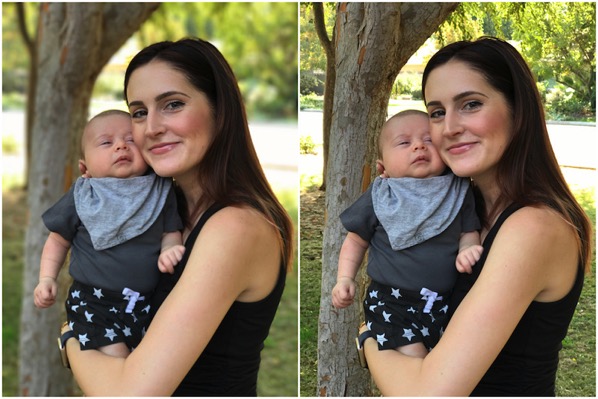
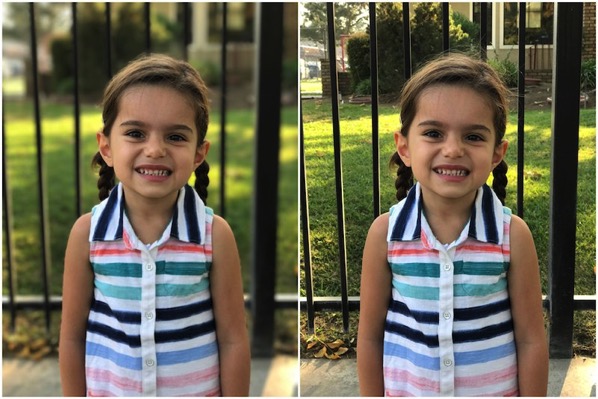
(Left: Portrait Mode – Right: Normal Mode)
The folks over at TechCrunch have taken an in-depth look at the iPhone 7 Plus’ impressive Portrait mode, detailing how it works and also sharing a bunch of amazing photos taken using the new camera mode. As you can see the image above, it shows a prime case for a ‘portrait type’ shot, with a distracting background that gets made pleasant by the blur effect. Note how the tree is less blurry than the background (image below), but more blurry than the subject.

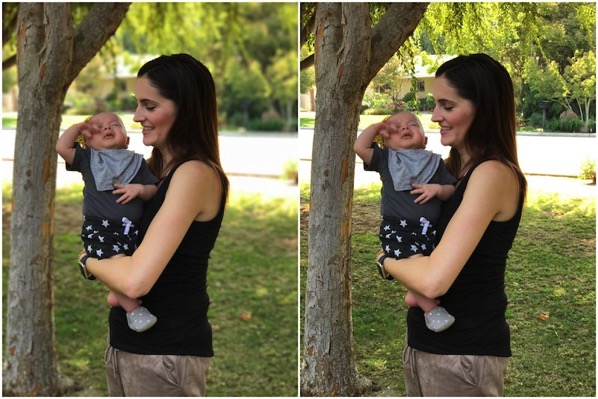
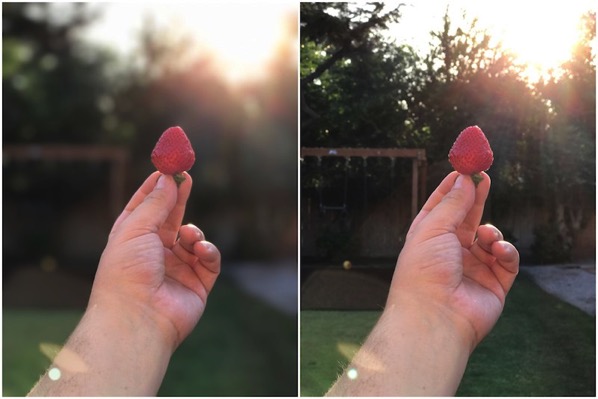
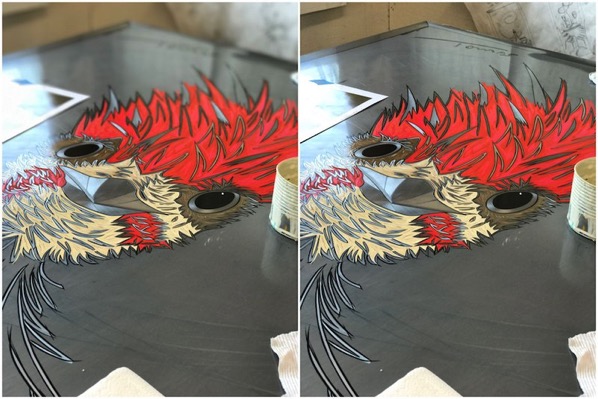
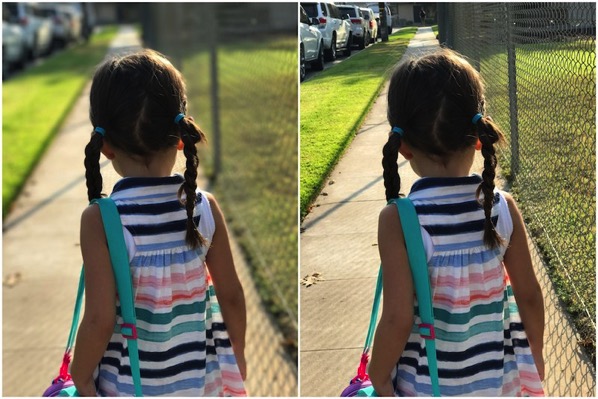
The source notes that even though it’s currently an experimental mode, which is why it wasn’t made available to public at launch, the effect is stunning when it works. Below are some more images which give you a pretty good idea of what it is capable of.



oh my gosh I can’t wait to get my phone and install the beta wow… people have their phones that were on the same flight across the pacific but I’m still waiting.
Stunning??? I seriously beg to differ. The portrait mode photos look wonky because the edges aren’t crisp and that really stands out to me.
Stunning as in they were shot with a “mobile phone camera”..
Yea, but that’s kind of irrelevant, because you’re comparing against the standard lens photo on the same device… And the standard photo is definitely much better than the portrait.
The portrait mode looks like a zero-effort, hack Photoshop attempt at a layer mask.
I have to agree. Other than the blur effect I don’t really see the stunning difference. I thought portrait mode would also provide more depth. Not seeing it.
At least it looks much better than those fake focus filters people keep using…
Totally agree! I’ve used those filters and the effects are so awful. This does look stunning in comparison.
The HTC One M8 has a dual-lens system and can do a similar background blur effect, but I found them to be a total gimmick, partly because of the low-resolution cameras and poor software which sometimes blurred the wrong thing. Also, once combined, you lost the original images and couldn’t try again.
Although these iPhone 7 Plus Portrait images are much better, they still give off that done-with-software rather than done-with-optics feel. Though I admit that simply *knowing* it’s done in software, might be enough to make me *think* it’s not as good as a true bokeh shot. Looking forward to side-by-side comparison tests.
To me (maybe just because I was a professional photographer) the portrait mode looks off because the subject is completely in focus, and the background us uniformly blurry as if they’re in front of a pane of frosted glass.
It’s a better approximation of bokeh, but not quite there. The best of the above samples is the one of the tabletop which has a more graceful drop off in focus, but it still kind of looks like a Photoshop filter.
I took a picture just last night with my iPhone 6+ of a tray of (delicious) cupcakes that had a more natural depth of field with the focus being quite soft by the back of the tray of 12.
Again, I’m just being picky.
Its also in beta
It’s HIGHLY unlikely this can be improved. Even Photoshop requires manual effort to do this correctly, so I can’t see how this can be done correctly in software based on current technology.