
Starlink Expands Free Mini Rentals to More Canadians
Starlink expanded its free Mini rental to invited customers on every Residential plan in Canada. Details on eligibility, monthly costs and return terms.
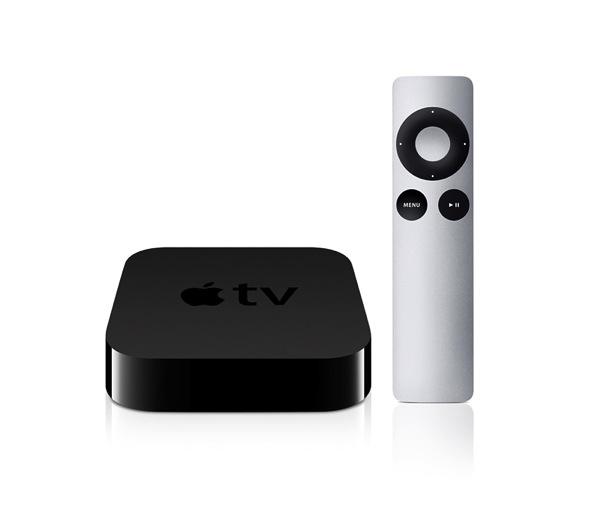
If you have an Apple TV these are some simple tips and tricks that you should know about. The following tips come from a Reddit post which can be found here.
Tip #1: Holding down the menu button will get you back to the main menu a lot faster than repeatedly clicking it.
Tip #2: Holding up during playback will show info about the video.
Tip #3: Holding select while viewing a video gives you audio options, like closed captioning.
Tip #4: In Netflix, press “play” on the episode in the summary episode-list page to play it directly.
Tip #5: Holding the play/pause button will turn off the Apple TV when on any app at the main menu.
Tip #6: Holding select while on an app tile allows you to rearrange them.
Tip #7: AirPlay Mirroring works a lot better from OS X 10.9 Mavericks than it did on 10.8.
For more tips and tricks like these and comments from Reddit users, check out the post linked above.
Want to see more of our stories on Google?

P.S. Want to keep this site truly independent? Support us by buying us a beer, treating us to a coffee, or shopping through Amazon here. Links in this post are affiliate links, so we earn a tiny commission at no charge to you. Thanks for supporting independent Canadian media!


Tip #8: Buy a Roku 3 and enjoy a much better media experience. 😉
Tip # 9: Troll an iPhone blog like a tool thinking it was funny.
Seriously though, I have had a bunch a different media extenders, nothing matches the content of iTunes. To say otherwise either means you’re trolling or uninformed.
You either missed my smiley face at the end… Or your afternoon nap.
oh come on guys, does someone here need a sans testosterone hug?
????????….
where’s Al, I’m sure he’ll do it.
Wait, I can’t find that on Apple.ca?? 😉
I thought your comment was funny. I’m hoping you’re right about Roku 3 as I received one for Christmas. Thought about Apple TV but any tech reviews I’ve read have ranked Roku usually their top choice with Apple TV a very close second.
Most folk I encounter are still unaware the Apple TV has Bluetooth and will work with most keyboards.
For some reason, it will not work with the Apple Bluetooth Keyboard (v1.0). #Justsaying