
iOS 27 Wireless CarPlay Glitches are a Nightmare
Drivers testing the initial iOS 27 developer beta are warning about severe wireless CarPlay bugs that cause infinite crash loops and broken app menus.
The adoption rate of iOS 8 didn’t get off to the fastest start and it has started to plateau over the last few weeks.
One of the main reasons iOS 7 users are not upgrading to iOS 8 is because of a lack of free storage on their devices. The iOS 8 and 8.1 over-the-air updates are both fairly large in size, which is a problem for most people who have filled up most of the storage on their devices.
Kevin Hamm conducted an experiment to figure out why so many users are having this storage issue. He figured out how an iOS device’s storage can be taken over by “Other” files.
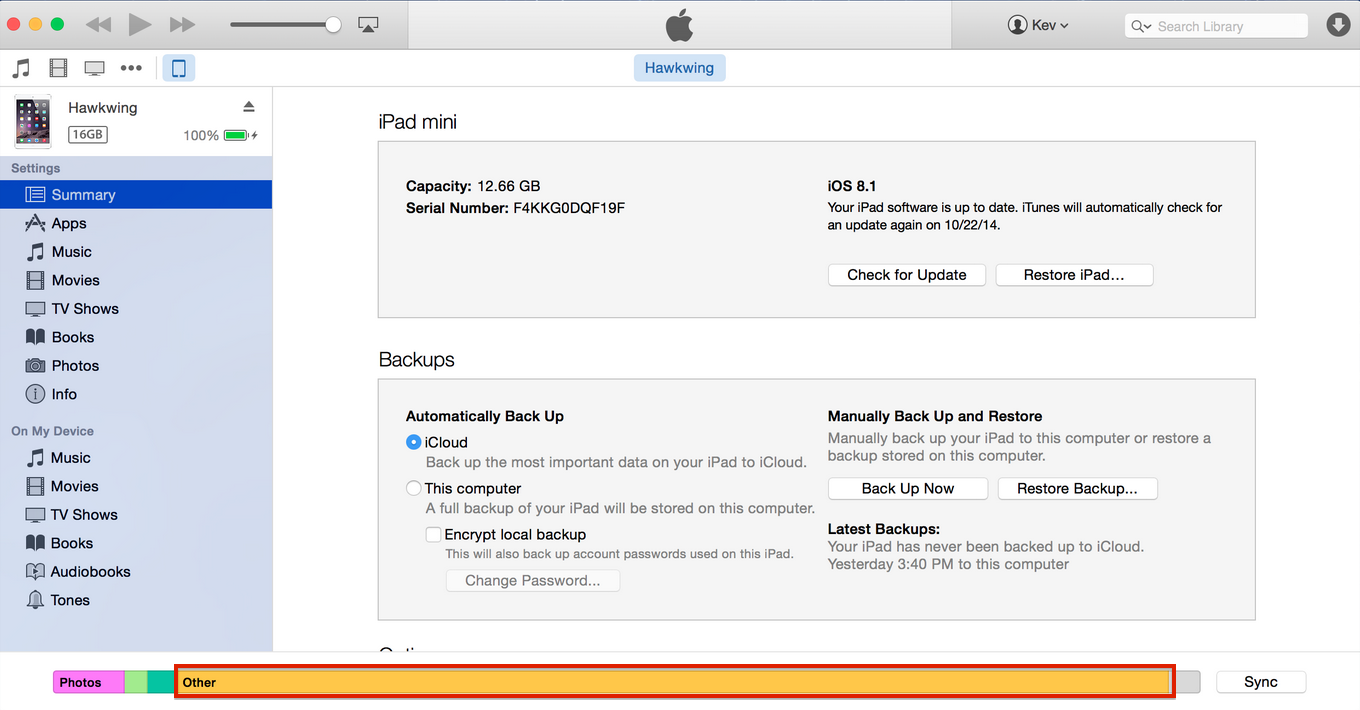
After plugging in your iPhone or iPad into iTunes, you will see a bar along the bottom of the window detailing specifics about your storage usage (i.e.: Movies, Music, Applications, and Photos). However, there is another category that appears called “Other.” This category is not manually configurable in iTunes and it cannot be seen directly from your iOS device.
Hamm noticed that the size of “Other” will increase when streaming content from iTunes. By streaming movies from iTunes he managed to fill the contents of his iPad, which only contained a few apps and photos.
When streaming content from iTunes your device must cache and buffer enough of the movie (or any other media source) to achieve smooth playback. It appears that Apple is storing the cached content from iTunes on your device’s internal storage and classifying it under “Other.” However, the issue appears to be that once the user is finished watching the movie, the cached content is never removed. Over time this content will take up space on your device until you have no more free storage.
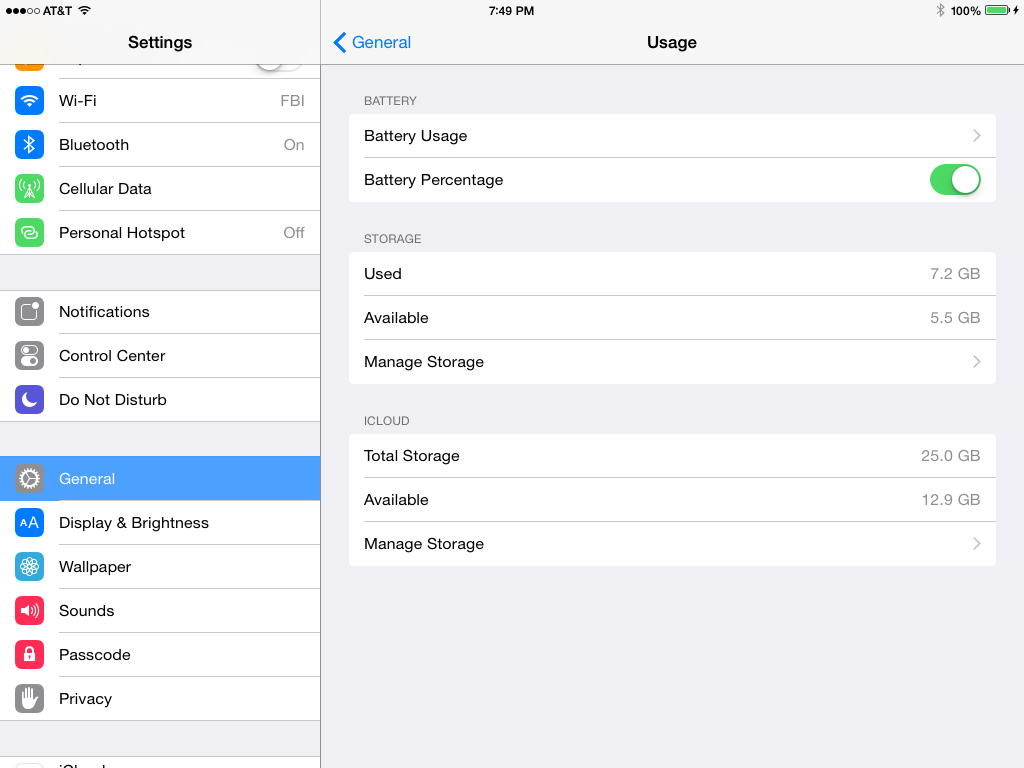
Hamm notes that these movie files didn’t show up in the settings on his iPad (under “Settings” > “Usage” > “Storage”), and because of this he was unable to remove this content from his iPad.
“Now, full disclosure, I knew this was the problem with what creates the mysterious other in the OS, and is causing so many issues. Now, I used to have a developer account I could access to see the names of the files that made up any particular category, and that’s how I knew what was causing this issue. The only new thing was that installing an app apparently deleted some of the other, but not all of it. And it’s very simple to fill it back up. It’s a bug, and easily reproducible, so I’m hoping that Apple fix it.”
After conducting his experiment he created a developer account with Apple so he could verify that the “Other” files were what he really thought they were. It turns out that this storage bug could probably be duplicated on any iOS device, which should make it really easy for Apple to fix.
Want to see more of our stories on Google?

P.S. Want to keep this site truly independent? Support us by buying us a beer, treating us to a coffee, or shopping through Amazon here. Links in this post are affiliate links, so we earn a tiny commission at no charge to you. Thanks for supporting independent Canadian media!


If you have a 4s don’t update. Since my daughter updated hers she is lucky to get 3 hours after a full charge
Rule of thumb I use is don’t update to more than one version greater than the iOS that came with your device. When Lolipop comes available for my Android Nexus devices, I won’t update. In fact, I will likely be downgrading my Android OS. This is something you can’t do with Apple.
Your so called rule is massively broken, at least with android.
I’m currently running the latest lollipop version available and not only is it the fastest and smoothest running android version to date, but its improved battery life by 20% .
There are a number of ways to fix the battery drain after an update. It happens all the time. No way of knowing which one will work for you. Apple’s forums are filled with these. Try rebooting the phone, try resetting network settings. If everything fails, try restoring the phone.
How do we get rid of the “other” data that takes up the free space?
It appears the only way is to wait for Apple to patch the bug.
This sucks. The fix will be present only in iOS 8 or later. My workaround to this is to do a factory restore and reinstall from backup. The streaming cache content isn’t added back, I think.
Or if your jail broken you can install iCleaner and use it to clean up these files. For those that are curious, iCleaner is very much like CCleaner for Windows.
Nick, I read the original Hamm article and I have to say your explanation of the article is much much clearer than Hamm. I didn’t understand the issue until I read your explanation. Thanks.
Thanks Dave 🙂