
WhatsApp Makes Searching Old Messages Easier on iPhone
WhatsApp is officially releasing an in-chat search button on iOS, removing the need to navigate to a sepeate menu.
As we previously reported (thanks tipsters!), TD Canada Trust has officially launched Apple Pay today, joining CIBC, RBC, and ATB, who had already deployed the mobile payments service on May 10.
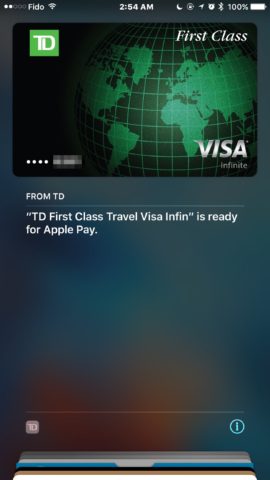
With TD on board, and BMO and Scotiabank following suit, all five major financial institutions in Canada now back Apple Pay, as the iPhone maker has finally managed to crack the resistance of the banks.
TD first leaked support for Apple Pay last fall on its website, but the microsite was quickly pulled shortly afterwards, only to re-emerge after the May 10 announcement. It recently disappeared again, but support for Apple Pay was listed on Apple’s Canadian site under “coming soon”.
You may recall that we informed you about the ongoing briefing of TD employees on Apple Pay, so everything has been pointing to a rapid deployment of the mobile payments service.
More good news Canada @BMO @scotiabank & @TD_Canada are now offering Interac Debit with Apple Pay #INTERAC #applepay pic.twitter.com/OUvH18ZMsN
— INTERAC (@INTERAC) June 1, 2016
Scotiabank said the following about today’s Apple Pay launch in a statement:
“At Scotiabank, we are embracing a digital transformation and are committed to providing our customers with safe, secure and innovative financial tools and services that are tailored to their needs,” said Mike Henry, Executive Vice President of Retail Payments, Deposits and Unsecured Lending at Scotiabank. “We are delighted to add Apple Pay to our robust line-up of mobile payment solutions.”
Teri Currie, TD’s group head of Canadian personal banking, said the following to the Financial Post:
“Adopting Apple Pay is about offering choice and convenience to our customers, about 50 per cent of whom have an Apple device,” adding “Today’s launch allows our customers to use their iPhone or Apple Watch securely for everyday purchases.”
Meanwhile, Mike Henry, Scotiabank’s executive VP of retail payments, deposits and unsecured lending, told the Post “All of these things take time to build,” further adding “Any gap since Apple’s first announcement in Canada is one that can be measured in days and so we are just happy to be offering the new option for customers.”
Avinash Chidambaram, VP, Product and Platform Development, Interac Association and Acxsys Corporation, said in a statement “We’ve heard from Interac debit cardholders across Canada who are eager to use Interac with Apple Pay,” adding “With today’s announcement marking the widespread availability of Apple Pay for Interac debit cardholders, we’re excited that even more Canadians will be able to experience the convenience and simplicity of making an Interac debit transaction using their iPhone or Apple Watch.”
Apple has updated their list of Canadian banks that now support Apple Pay, with today’s additions in bold:
ATB Financial had previously announced on Twitter that Apple Pay in-app purchases will go live on June 1. Maybe it’s time for a celebration? Starting today, all five major Canadian banks support Apple Pay, so you can start adding your cards now and test the mobile payments service!
Don’t forget to read our Apple Pay FAQ and also how to check out faster with Apple Pay.
Want to see more of our stories on Google?

P.S. Want to keep this site truly independent? Support us by buying us a beer, treating us to a coffee, or shopping through Amazon here. Links in this post are affiliate links, so we earn a tiny commission at no charge to you. Thanks for supporting independent Canadian media!


Hehehe ????
taking advantage of the feature already eh?
For years, with TD Visa you could have sms text for any purchases made with a few different options to setting it up to your needs.
That’s not why I took the screenshot, I took it to show that I added the card and Apple Pay is working lol
There’s no more Canadian a transaction than that.
Both my TD Visa Debit and Emerals Visa were added this morning without issue. My Visa Debit required activation via the TD app, but the Visa did not. Not sure why.
Scotia Momentum visa is in wallet now. Thanks
Ya it works on TD! About time!
Works on BMO mastercard
TD Debit and Scotia Visa setup
BMO Prepaid MasterCard does not work
They always said it wouldn’t work with the prepaid card.
I have one but will probably cancel it anyway when BMO send my Debit / Flash / MasterCard card later this month….
Nova Scotia reporting. Apple Pay working flawlessly! 😉
Great!! Finally.
Only card that doesn’t work for me is the Scotia Debit…. Seems my card “design” isn’t supported… !!!?!
BMO debit card and MasterCard credit card both work!
Smooth as simple! Just added TD Visa and TD debit. Yes…strange that the Visa required no trip to the TD app.
Sadly, it’s such a tough call to make between using Apple Pay and getting 1.75% cash back ???? … My girlfriend keeps reminding me that I’m “such a nerd”
I agree. That is a tough one. To help with that factor, I got an RBC Visa recently and it is my default card. Not as rewarding as the 1.75% everywhere but fine until Rogers Bank gets the picture!
Yeah, ditto here — converted our semi-useless RBC Optimum MasterCard into a Cash Back MasterCard in our case, but we’ve just applied for the Rogers one so its not even here yet. Crossing my fingers that it might be Apple Pay supported by the time it arrives ????
The RBC 2% in grocery stores rocks but their cash back for other places sucks!
That’s why I said it is good enough to be my Apple Pay default for now.
If you go to the US, you will like the Rogers exchange rate. They process at the official exchange rate. No rip-off 4% added.
Yeah, exactly why we decided to go that route. The conversion of the Optimum card was a really easy thing to do while we shopped around for alternatives, as it was just a direct switch and better than the ridiculous Optimum points we were getting (my girlfriend was an Optimum junkie for a while, but she’s thankfully over it now). Groceries also don’t do us much good either as we usually do most of our food purchases at Costco, which of course doesn’t count.
The foreign exchange rate is a nice bonus as well, although I’ve been managing to avoid that in both directions for a while as I have an actual U.S. bank account and am paid by a U.S. based company, so the money in there of course has no foreign transaction fees on it either ???? … that said, it will be nice to not have to leave money sitting in there just for cross-border trips, as there are often better places for it to be.
I just got approved for the BMO Cashback card, %2 on everything for 6 months. Hopefully by then the Rogers card will be supported. I’ll never use the BMO card after the 6 months because it goes to %1 after that.
I was able to add my Scotia Visa and BMO MC, but not my BMO debit… Not surprised, though, since this card was not “tap” enabled.
Try again with you BMO debit… because you dont need Flash Interac… I was able to add it this morning without problem. Took 5 min to validate but was working and BMO said it would too.
I looked at the BMO website and they said that
all their cards are supported. Just tried it again and it worked!!!
Thanks 🙂
Yep 🙂 I’m sure the server are under pressure now 🙂 Took 5 min for mine to be validated but worked as a charm…. and I’m so glad, BMO doesn’t required Flash for ApplePay (but I know the card is coming anyway too).
Been trying to add my BMO debit as of 6pm est. No luck, try again later.
Same here. Been trying to add my BMO debit since yesterday. Not working.
So is in-app support coming to RBC anytime soon?
And how about CIBC in app support?
Have you tried deleting the card and re-activating it again? It should work. Only because CIBC and RBC came out first and did not support that feature. Now that BMO, SCOTIABANK, and TD joined today…they support the feature. So it has something to do with your card. So deleted the card and re-activate it again and it should be available now.
My Scotia Amex works fine with in-app support…. Just reloaded my Starbucks card with it via Apple
pay
I’m not even seeing in-app support for my TD Interac card, much less my RBC cards, despite the fact that I thought that was supposed to be coming today as well — only my U.S. based TD Bank VISA Debit is supported, as it has been for a while now.
I suspect Scotia Amex is working only because Amex has supported in-app payments since it was launched last fall, so Amex is already on board while VISA, MasterCard, and Interac aren’t quite there yet.
TD Interac card is in-store only…
Interesting, I guess I missed that one somewhere along the way, but yeah, the articles do imply that it’s credit cards only for now, despite the Interac press release that says it’s coming. Just not yet, I guess.
Got my CIBC Visa in app working. Had to delete the CIBC visa card in the wallet and add it back in. After that the in app option was enabled. Maybe the same thing for RBC. (Keep in mind once I deleted the CIBC visa I lost the purchase history in the wallet for my Visa purchases).
Bingo. I think that’s the key. I’ve just re-added my RBC MasterCard, and while it’s still stuck waiting for activation (for the longest time I’ve ever seen), it does now show a “Billing Address” field in the card details, which I believe is the key to supporting in-app payments.
That field wasn’t there before I re-added it, and my other Canadian cards, including my RBC VISA, still don’t show it. I’ll report back on whether it works or not when (and if) the activation completes.
Activation went through and it’s working fine now — just reloaded my Starbucks card from it. Removing and re-adding seems to be the key to kickstart it for now, but I suspect it will probably get updated automatically at some point once the rush on Apple’s servers recedes a bit 🙂
The interesting thing is I only removed and re-added my RBC MasterCard, but once it was activated, my RBC VISA also became available for in-app payments at the same time (and gained the “Billing Address” field).
My guess is that the banks will eventually push out an update to enable in-app payments for existing Apple Pay cards, but that removing and re-adding them expedites that process.
Well I found out that it’s already working for some of my RBC cards, not all of them though! Doesn’t work for Debit or Rewards Visa, it worked for my Master Card and Gold Visa without me doing anything and I bought a Groupon using it, very convenient 🙂
It won’t work for debit, as has already been mentioned elsewhere — I think Interac support is still yet to come in the future.
I suspect it’s just a matter of RBC and Apple gradually pushing out the card updates. I think it will work for any card that shows a “Billing Address” in the card details. Re-adding my RBC Cash Back MasterCard made it appear for my RBC VISA Gold as well, so those are both working now.
Thanks for the info about Debit, I think it makes sense as Debit doesn’t work online anywhere else!
Also those are the same two cards that worked for me without doing anything on my part!
Yeah, I had sort of assumed debit would work, but an article in the Financial Post specifically noted credit cards as being supported by in-app payments, and the Interac press release from the initial launch back in May says “in the coming months” which suggests that it’s still a little ways away.
Considering how Interac had to retool its infrastructure just to support tap-to-pay, I can imagine that there’s still more effort required for securing in-app online payments, and it wasn’t worth holding up the initial release just to have that ready.
Just tried my TD Debit here in St. John’s, NL from my Apple Watch- worked like a charm! Couldn’t be happier. Better late than never!
I added Scotiabank debit on the first try (validated using the app), but the credit card… It does add in the wallet, but nothing happens when I try to validated with the bank app. I’ve just called the bank and the agent seemed kinda lost. I’m supposed to get a call back later with a solution.
Got my BMO Debit & MasterCard added!
Anyone having issue adding the TD US Dollar card? It won’t let me verify it. I called TD and TD tech support claims it’s not supported even though it’s listed in their marketing material.
I had a problem adding my US dollar card. The app said the card was “not associated with my access card”. Called TD. They escalated the problem but activated the card.
Interestingly, I was also told the US dollar card “unfortunately cannot be used with Apple Pay in the US at this time”?? WTF?? It’s still new so I’m not sure if the agent had the correct information.
Launching of Apple Pay for the 5 major banks is like opening a present on Christmas Day as a kid lol.
My brain woke me up at 540am because I knew that was the rumoured launch time lol. Added my card and went back to sleep.
Lol similar situation here, woke up randomly at 2:45am PDT, added my TD Visa in bed thanks to my card details stored in 1Password, smiled, then went back to bed.
I also couldn’t have managed this half awake without 1passord.
Honestly, I find it’s surprisingly easier to just have the physical card in your hand, as the Wallet app will just take a photo of it and fill in most of the information for you, and then all you have to enter is the three-digit number on the back of the card. It sometimes doesn’t pick up the expiry date, in which case you may also have to enter that, but that’s usually not a big deal.
That said, 1Password is indispensable for getting the login details for the TD app (only since it doesn’t yet support Touch ID, however — by comparison I was able to add my RBC cards without having to go anywhere near 1Password).
Agree, the scan is pretty accurate for reading card numbers, but when you’re half-asleep in bed…1Password wins the day!
Fair enough, and especially when your wallet is nowhere near the bed ????
it was mostly the being 540am with my wallet nowhere near by that I needed 1password for lol.
Love my Apple Pay 😀 so much Credit cards Debit and my rewards cards
I added mine roughly around 730ish am.
So true!
Just tried my TD Visa Debit But that doesn’t work for me
Terminal accept tap? What store?
No Gerry, I just tried my TD Visa Debit on my phone doesn’t work but my TD Credit Card works
Did you tell them that you were paying with visa or debit? You should say visa
No it’s not payment, i just tried to add my TD Visa Débit on the wallet app but it doesn’t work
That is strange. Mine added just fine but it then requires you to authenticate via the TD app.
Yeah, no issues here at all either. If anything it was a slightly smoother process than my RBC cards, and a much smoother process than my U.S. TD Bank card, which required actually calling in.
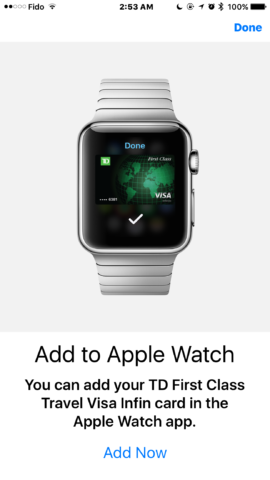
As I mentioned above, I also found it interesting that I didn’t have to verify it again separately when I added it to the Apple Watch. First time I’ve seen that happen with any card, so kudos to TD for figuring that one out.
Yea I got the same issue here, just the pop up saying “You Issuer Does Not Yet Offer Support for This Card”. I know TD supports my card… I’ll keep trying. (TD Visa Interact Debit Access Card)
Same issue. TD Visa Infinite added, however same issue with Debit
One problem about the article. It states that “Apple Pay will work with Visa, MasterCard, and Interac at TD Canada Trust” however their MasterCard is not accepted and I’ve had this confirmed by a TD representive over the phone as well. They are not sure when they will support MasterCard. Kind of frustrating that they didn’t bring it to all of their cards when other banks have full support.
TD Emerald Visa is setup and works great! Gary, you must be happy that TD has finally caught up.
Yes, now I can pay at more stores versus just Amex with Apple Pay. Going to try this soon!
Added my BMO Mastercard and BMO USD Mastercard. Nice not to be limited to Amex.
BMO Prepaid Mastercard still not working, anyone else have that issue; I seitched to CIBC but my mom uses BMO
According to BMO site, BMO Prepaid MasterCard is not and will not work… so it’s normal!
thanks for that, just saw ur comment a second ago; good thing I switched bc all I used for my BMO prepaid mastercard lol
So here’s an interesting wrinkle… My TD access card (Interac / VISA Debit) is the first card I’ve added to Apple Pay that didn’t require a separate verification to be added to my Apple Watch — I just added it normally, it went through the “Activating” stage for a few seconds, and it was done.
Every other card I’ve added — RBC debit/VISA/MC and even TD Bank U.S. — has required that I go through the entire original verification process again when I add it to my Apple Watch, after adding it to my iPhone.
Oh thank god, I thought I did something wrong haha
That’s odd I had to do it all again on my Watch and it’s the same card…
Interesting. I wonder if it has something to do with how quickly you add them, or whether the TD app is still open on your iPhone when you add it. I didn’t add mine right away — it was actually about a half-hour later — but I may have been in the TD app already just before I did.
Apps usually stay in the background for about 30s before being paused by iOS. My guess is that if ‘re fast enough, you won’t need to re-open the app to authenticate ! It will do it by itself in the background.
Yup, that’s what I was thinking as well. However, it only works with the TD app, so they’ve clearly done something different. RBC requires you to go into the Wallet app again, even if it’s already basically “open” on your iPhone, and re-validate the card.
Has anybody been able to add cibc cards to the iPad for in app purchases
Yes. Without any issues. Visa Divident Platinum
Thanks I was finally able to add my visa but can’t add my advantage visa debit card
Debit card are not compatible with in-app purchases, from what I understand (well, that’s what the error message said when trying to add my Scotiabank debit card to my iPad).
Scotiabank credit card added without any problem, and already tried it for in-app purchase: flawless!
Yeah, that makes sense from what I’ve read as well now that I’ve looked into it. The Interac press release from May 10th suggests that it’s coming eventually, but most of the news articles today in places like the Financial Post imply that it’s only credit cards at this point:
“Also launching for Apple Pay users Wednesday is the ability to make in-app payments for credit cards issued by financial institutions that support the service. Previously in Canada, only American Express cards could be used within iOS apps that supported Apple Pay.”
At this point I’m not even seeing in-app support for my TD Interac card, much less my RBC cards. My TD U.S. one is still the only one that shows as usable for in-app payments. Strange, as I thought that was all supposed to be coming today with the other banks.
I’m guessing maybe Scotia is working at this point only because it’s an Amex, and they’ve had in-app working since launch.
Maybe they just launch Apple Pay as tap and go…but not in-app purchases. Not sure though…but maybe they will kick in later today. ????
Just added my Scotia Visa and Debit cards. Worked Fine.
For TD cards, Visa was added fine. US Dollar had to me manually added by a TD agent because the app couldn’t recognize it as my card.
The TD Access card and Visa Debit card did not add. Said “Your Issuer Does Not Yet Offer Support for This Card”. I see from the comments though that others have added the Debit card, so not sure what’s up. Will try again later.
I was told when adding my TD US dollar Visa that Canadian Apple Pay cannot be used in the US “at this time”. EH??? Would be interesting to see if it works across the border or “only in Canada eh, pity”. Hopefully the agent simply got it wrong. 🙂
Had some trouble activating the TD USD Visa card too as the TD app kept saying the card was not associated with my login. Tried several times and after a while got a notification from the Wallet app that the card was activated properly. So keep trying or call TD to have them add it manually. No problem with my TD debit card or first class infinite Visa card
Yes thanks. I got them to add it manually so now its in the app.
Just used it im in iceland ????
dats bawwwws…. bring back some seal blubber wit dat
#boom
Impressive. That’s 1 more Dunkin Donuts location than all of Canada combined (excluding Quebec).
How dare you exclude Quebec ?!
But…but… All the contests do it?
Dunkin Donuts closed shop in Quebec many years ago…
Fun fact: there’s actually 4 Dunkin Donuts remaining in the province of Quebec. All 4 are located in the Montreal region… 3 on island, one in the south shore.
3 on the island one in my town of Beloeil ????
Nice. Is Apple Pay supported by the banks in Iceland yet? If so, can you simultaneously hold a Canadian credit card and Icelandic credit card on the same iPhone and choose either for purchasing?
No it’s not supported in Iceland. You can use Apple Pay at any contactless terminal in the world that support EMV (Europay, Mastercard, VISA) or AMEX but you’ll have to pay for the currency conversion and (maybe, I’m not sure) some extra fee
Just the conversion rate and conversion fee
Its not launched in iceland but since they have nfc terminal all over the palce it works with my canadian visa, and yes you could add cards from different countries.
Yeehaw! Can’t wait to use it – hopefully at lunch hour.
So excited this is finally coming!
just added and used my Scotiabank Visa without a hitch here in BC, for my morning breakfast, but cannot load my Scotia debit card – I had disabled the TAP function last year and wondering if that is why it won’t load – may need a new card – anyone in the know that could confirm this?
I had the same issue…. if you have a Scotiacard with a different “design”… i.e iTrade or NHL, as opposed to the regular Scene or Visa Debit cards, those are not supported. The rep was unable to give an explanation why, as they’re still debit cards that perform the same function.
yeah, mine is a standard debit card with chip etc, nothing more than the generic one – will contact Scotiabank at some point to find out – I’m betting it’s the cancelled TAP option on it.
I was able to add my NHL debit card this morning.
Have a “generic” debit card here (red one, without my name on it) and I added it with no issues.
Added my Scotia Scene Visa and debit with no issues! The future is here!!
I’m having no luck with my Scotia Scene Visa :(. But I’m wondering if that has anything to do with the fact that I don’t have a debit card through them..
I do a Scotia Scene Visa and no debit and it worked fine.
I Do however have the access card to be able to log in online
Yeah I got that as well too. That’s odd.
My Scotiabank Visa is not working.
No luck with my TD Visa Debit either. Same error message since 8am. At first I thought it might have been an issue related to the fact I already had US-based cards in the Wallet app, but even after removing those and resetting TouchID, still no luck…
I set up my TD Rebate Rewards Visa around 8am this morning. I had it tied to my Apple ID and it automatically started walking me through setting up that one when I tried to add a card.
Hi, I get exactly the same issue here with TD access card. From Montreal, Québec. I try to restore my iPhone and set up as new same issue. Try to update my TD app, same issue … Guess I will call them.
Let us know if you manage to make it work!
So I just call TD tech support, they are aware of this issue, it’s a know issue. They are working on that. The guy tell me to try later today, if tomorrow is not fixed, to call them again.
Thanks for the update! I guess we’ll have to wait, then…
Just call back TD Tech support, they seem to have a issue when the iPhone are set up in french. Told the representative that I try to set up my iPhone in English and still getting the same issue. They open a case with my IMEI and serial number. I should receive a e-mail in the next 5 business days 🙁
I want to thank you for keeping us posted, it’s about the only place on the whole Internet I found useful information on this issue, besides a small post in the TD support forum. If anything, I now have some kind of hope.
I was so excited to see ApplePay come to TD, but I was also instantly disappointed when my TD Access card didn’t work. Starting to get frustrated.
Btw, I also suspected something to do with language and region since my iPhone is also set in French and tried to change my iPhone to English yesterday, but it didn’t work.
Yeah I didn’t see any post or forum about this issue. She states that normally he take 24 hours when you change the language… I just change it right now, going to test it tomorrow at 22:00. Anyway, she open a ticket for this issue, hoping will be fix before 5 business days 🙁
Just made it work by changing my language to English!!! I closed the app first (in multitasking) and added the card without a hiccup! It’s activated and ready to go! Gonna have to wait until tomorrow to make my first transaction though.
And I also rebooted my iPhone, that might be the secret trick actually…
LOL, I just try that 1 hour ago and it work! I put it back in french and seem to stay on the Wallet app. I guess the real test will be tomorrow morning at Tim Hortons 😀
Just made it work too by changing language to English (Canada) then rebooting, then adding the card. Went without a hitch. Thanks so much Philippe for the follow up! Now just need to make it work with my US-based TD card…
Shoot, you guys lucked out. I still can’t add my TD Access Card. My TD VISA First Class Travel Infinite credit card went through without a hitch and didn’t have to authenticate it through the TD app.
However the TD Access Card keeps saying “Could Not Add Card. Try again later or contact your card issuer for more information.” The same prompt as Jean-Noël received initially.
Tried having the TD app running in the background and without. Uninstalled and reinstalled the TD app.
iOS is running in English.
Have you tried changing your “Region” setting? It would have to be “Canada” with language set to “English (Canada).” The TD process seems to be picky like that.
mine was set languages English U.S it went through was added since Day 1 with no issue
Yes, for sure, it’s always been sett to English (Canada) since forever.
I even tried to switch from English to French and back to English. Multiple restarts in-between as well.
Just an update to my previous issue: didn’t have to change a thing to my phone or app settings.
I had stopped trying to add the card since last week. Tried it today and it worked perfectly. All good now!
“Scotiabank American Express Card” is ready for Apple Pay. After adding my Scotiabank Scene Visa and Scene Debit, I decided to try to add my SB Amex for fun. Wasn’t expecting it to work but happy to see it was. Have to try it for purchasing to see if it really does work.
Best card ever… 4% on almost everything I buy. Love it!!
What would be my security code on my Scotiabank Debit card? My PIN number? ????
Heh, I’d say definitely not. Interesting that it asks for one, though…. My TD VISA Debit wanted one, but that’s because it’s also a “VISA” card, so it has the standard three-digit code on the back. I’m assuming that a pure Interac debit card wouldn’t, so if it’s asking for it, I’m wondering if there’s a glitch in the system somewhere. My RBC Client Card didn’t have a code, but it didn’t ask for one either.
Scotiabank debit cards have an extra 3 digits on the back that come after the card number. The expiration date should also be on the back.
Was hoping that Tangerine would launch today as well, but no such luck.
CEO said 6-8 weeks out back in mid-May
I have decided to launch a FB assault on PC Financial. They have replied to every question about Apple Pay with the same canned response:
“Hi (insert name here), thank you for your interest in our services! Although Apple Pay is not currently available via PC Financial we’re actively exploring all possible mobile payment solutions. Please stay tuned, we appreciate your patience.”
They don’t care about their customers looking specifically for Apple Pay with a response such as that. They aren’t willing to commit to it, so my relationship with them will end.
I have decided to respond to all of their canned responses. Maybe they will get the message.
Keep it up, please bug Rogers also. 🙂 ?
Added TD Visa Access Card without a hitch, took a while, but went through, after asking to open the TD iOS app to verify (card PIN required).
Really, they asked for your card PIN? Interesting… Didn’t think they were ever supposed to do that ????
In my case, I had to open the TD app to verify it, but that was about it — no further questions. I think there was a “confirm” button, perhaps, but I can’t even remember that. When I added it to my Apple Watch about 30 minutes later, I expected to have to go through the same process, but it actually just activated and was good to go without any other interaction from me, which was a pleasant surprise.
Whoops, not PIN but the security code on the back of the card.
For Apple Watch, a notification asked if I wanted to add it, then I just tapped “Add” and it was done. Did not have to go through the steps again.
Okay, yeah, fair enough. It was 2AM for you, after all ????
It definitely wanted that for me as well, same as it would for a normal credit card, but that was entirely before the TD app process, in the same place as it was asking for the expiry date (although it picked that up from the camera in my case).
As for the Apple Watch, as I think I mentioned elsewhere, this is the first time I’ve been able to add a card without having to verify it again — for TD Bank (U.S.), that even required a second phone call — so kudos to TD for somehow figuring out how to do this more seamlessly.
Still have an iPhone 5S. No Apple Pay for me until this fall when I can upgrade. sadpanda.gif
Curious, in Canada (other than Mcdonalds) what retailers accept apple pay?
Just about everybody.
Any merchant with tap-to-pay enabled almost certainly supports Apple Pay for VISA, MasterCard, or Interac. It’s the same technology as MasterCard PayPass, VISA PayWave, and Interac Flash, so where those work, so will the Apple Pay versions for those cards.
Amex is a little weird, but only because they apparently don’t automatically enable tap-to-pay for merchants for Amex cards — the merchants have to ask to have it done specifically. That’s still an Amex thing, however, and not an Apple Pay issue… If you can tap an Amex card somewhere, you can also use Apple Pay, it’s just that you can’t necessarily tap an Amex card everywhere that takes Amex.
Right on, thanks! I use tap all the time, but I thought most terminals needed to show apple pay logo to work. I was never able to try until today now that TD supports it. I shall try next time I see a tap option.
Yeah, exactly. Even Apple’s Canadian Apple Pay web site simply says “Use Apple Pay everywhere contactless payments are accepted” and shows both the Apple Pay and standard “tap-to-pay” logos as examples.
This is in contrast to the original U.S. Apple Pay site, which listed specific retailers. The reason, however, is that tap-to-pay never took off in the U.S. like it has here — when Apple Pay was rolled out there almost two years ago, only TWO PERCENT of retailers supported NFC tap-to-pay technology at all. Keep in mind that down in the U.S., a lot of places still use swipe-and-sign — chip cards are virtually non-existent, and it’s only at the end of this year that all retailers will need to be equipped to require PINs instead of signatures. They’re way behind down there when it comes to payment technologies.
So in reality, the list of “Apple Pay retailers” in the U.S. was just a list of NFC-equipped retailers.
I just used it for the first time at a run down corner store by my school. Even accept it there. The man working there was amazed! Interac said most merchants in Canada now have InteracFlash
As Jesse said, virtually everybody. I just bought lunch at a food truck with it, and bough my breakfast from a local corner store this morning after running to Tim’s for a coffee, all using my watch. About 80% of the time I just tap my card and go. NFC-enabled machines are literally everywhere, it’s great.
Yup, the only significant exceptions I’ve seen are restaurants, salons and other places where you might normally tip as part of the payment process, which makes sense largely because tap-to-pay doesn’t really provide you an opportunity to enter a tip on most terminals (although I hear that’s being addressed on some of the newer ones).
You can actually use Apple Pay (and tap-to-pay) in some restaurants ! But after tapping your cards or phone, you’ll need to confirm and enter the amount of tip
That’s not true: restaurant terminals all support tip entry. It’s just poor training on the employer’s part and often paranoia (which made them disable tap).
The employee should be entering the transaction amount and handing you the terminal right afterwards. They have this silly habit of inserting the card before giving the terminal to the customer.
Fair enough… I had generally wondered why most restaurants don’t support it, and the answer I’ve generally been given are due to the requirement for tip entry, which seems to make sense.
That said, I was talking to a restaurant manager I know last year who said that only the new terminals (from TD, I think) support tip entry on tap to pay, which is why most restaurants have it disabled — he was looking forward to getting the new terminals put in for that reason, as he’s a big fan of contactless payment as well (although not necessarily Apple Pay).
I had a restaurant experience lately where the terminal asked for tip first, then the insert/tap prompt came last, so it’s possible to configure machines this way, depending on provider.
Yeah, there’s no logical reason why this shouldn’t be doable, but apparently some older terminals didn’t allow for it, or did it in such a way that it was easier for customers to miss the tip prompt.
As Gary would say, make sure you say “debit” or “credit” card when making a payment or the cashier will be confused if you say Apple Pay lol.
You’d think Best Buy would work, but doesn’t !!
Added All of my cards this now waiting for Chase Amazon, Capital One hope on soon now I am leaving all my credit cards debit card at home using for my wallet less empty now for Driver license & Heath card 2 credit card Amazon Chase Capital one
While leaving the wallet at home is a nice dream, keep in mind that most of these cards still have transaction limits of around $100, and of course there are always those few outliers that don’t support tap-to-pay.
Wow that’s a lot of cards. I cut back many years ago to just two – well, three counting Costco Capital One and that one ain’t happening unfortunately. And because many places can’t do AP, sadly the wallet case for my iPhone is still needed.
My Scotiabank Momentum Mastercard cannot work with Apple Pay. Hope they will support it soon!
Put my TD access card Visa Debit in and no problem although it just ID’s it as a Access debit card no Visa logo on it like the physical card has. Used it at the local A&W restaurant for breakfast and worked like a charm, no problems.
Tried adding my TD Master Card Credit card but it would not take it.
Hey all, I was able to activate my TD Visa on the phone and watch. But just tried to use it for the first time at Petro Canada with my Watch. There NFC reader is on the pump, tried a number of times and each time a message saying Card Not Available, try later. When i tried with the physical card it went through no problem. The default amount on the pump is $200 so I’m wondering if that is why it didn’t go through. But if that’s the case why did it work when I tapped the card. Thoughts?
Apple Pay doesn’t currently work with the pumps. I’ve even tried using my Petro-Points MasterCard and it still refuses to process. They’re working on it, however.
Cheers!
I can’t even add my CIBC Petro Points MasterCard. CIBC won’t add it until the issue is fixed! Been over 3 weeks now. 🙁
Why doesn’t TD work for me? I’ve tried so many different times to add the access card to Apple Pay, but it just says to try again. Any fix?
Have you updated to the latest version of the TD iOS app?
Yes, I’m pretty sure.
Bit late but I had to call into TD to get my Debit card to work in Apple Pay.
I got it working by changing the language to English, rebooting the phone and adding the card. My phone was set to French before.
Do you have a chip card? How about the Access Visa Debit card? My Visa debit card came through only they don’t show or say it’s a visa debit just a Access Debit card
It’s the Access Visa Debit Card, but it doesn’t work. I might as well try again.
No luck, just retried.
Yeah, it won’t show as a VISA Debit because it’s not really a VISA Debit card for use in Canada, and in fact the tap feature is only Interac Flash. VISA Debit would be for use online or outside of Canada, and Apple Pay won’t support that, in the same way the physical card itself doesn’t work for VISA PayWave tap.
wow thers so much post hear even i wood be rich wit a shilling for eech won to get
Do I need to Google Translate this comment?!
I was kinda lucky to be able to use Apple Pay (since Scotiabank only permits either their own debit card or the SCENE Scotiacard) but my first day with it has been nothing but awesome since I can play and pay with my iPhone at the same time. Sadly most of the cashiers I met had their guard up already since Apple Pay isn’t that new so I was not able to get a surprise reaction from any of them. Oh well, still a great day
Does this mean we can use our Canadian credit cards to pay by tap outside of Canada too such as in America or anywhere else that accepts tap? Or are we limited to using tap only in Canada due to incompatibilities with other tap systems?
yes anywhere tap works, in the US, Europe or any other place with tap to pay.
Great!
Credit cards, yes, in the same way the physical cards work — it’s all basically just VISA PayWave and MasterCard PayPass.
Interac VISA Debit cards are an exception, however. They only support Interac Flash for tap to pay, so you won’t be able to use the Apple Pay versions outside of Canada the way you can with the physical card (although tap on those don’t work outside of Canada either for the same reasons — they’re Interac Flash not VISA PayWave).
Thanks! Then the next question is, since paying by tap in Canada is usually $100 or less (depending on the bank), is the tap limitation a similar amount outside of Canada?
When I used AMEX, I was able to purchase items larger than the $100 amount but there weren’t many places that accepted AMEX.
Yes, the tap limits are set primarily by the credit card companies and banks, so they’ll apply almost no matter where you go, for security reasons. Right now most terminals can’t tell the difference between Apple Pay and a physical card, so they don’t know to apply a different limit. Terminals in the U.K. are being upgraded to be able to distinguish Apple Pay from physical cards and hopefully that will come to Canada at some point.
For what it’s worth, the reverse is also true in terms of limits. Because tap cards aren’t a thing in the U.S., I’ve been able to use my U.S. VISA Debit card to make large purchases almost anywhere.
Does anyone else have an issue to use Apple Pay in-app purchases in the Apple Store app and TD credit cards? I’m getting that the cards are not supported, however when I use another app like Groupon or Starbucks, I can use those cards with Apple Pay.
Oddly, my RBC Cashback MasterCard seems to appear fine for purchases of any amount, although I haven’t tried any actual purchases. My RBC VISA and U.S. TD Bank VISA both show “not accepted by app”, while my debit cards predictably show “not enabled for in app payments.”