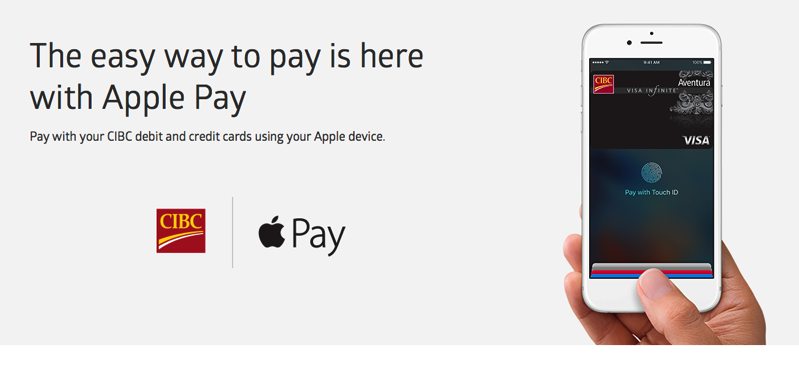
In line with what we first told you last week (thanks tipster!), MasterCard Canada has announced today that it is adding support for Apple Pay. While Visa is yet to make a similar announcement, it’s clear that it is expanding support for Apple Pay in Canada. As of today, Visa and MasterCard credit cardholders with Royal Bank of Canada (RBC), Canadian Imperial Bank of Commerce (CIBC), Canadian Tire Bank, and ATB Financial can pay with Apple Pay, and BMO customers will be able to use Apple’s mobile payment service in the coming weeks.
“We’re excited to work with Apple to bring a new way to pay that eliminates something many of us dislike: carrying a bulky physical wallet. Apple Pay allows consumers to pay with their iPhone – an item most of us wouldn’t think to leave home without,” said Jason Davies, Vice President of Digital Payments for MasterCard Canada. “Thanks to our contactless footprint, our cardholders can tap their Apple devices to pay across the country. This innovation is part of our commitment to offer Canadians convenient, fast and secure payment options.”
Meanwhile, Apple has updated its Apple Pay support page to reflect the welcome change. Users who were up early have already been able to add their supported credit cards.
– American Express*
– ATB (MasterCard credit cards)
– Canadian Tire (MasterCard credit cards)
– CIBC (MasterCard and Visa credit cards, Interac debit cards)
– RBC—Royal Bank of Canada (MasterCard and Visa credit cards, Interac debit cards)
Update: TD, Scotiabank and BMO note Apple Pay is coming soon. Other updates from other credit card issuers also noted here.
In a separate announcement, Interac, Canada’s domestic debit network, has announced that it will support Apple’s mobile payment platforms, which means customers with Interac debit cards issued by CICB and RBC work with Apple Pay.
“Apple Pay is an innovative, secure and convenient mobile payment method that will help further the growth and evolution of digital debit payments in Canada,” said Mark O’Connell, President and CEO, Interac Association and Acxsys Corporation. “Interac, when paired with Apple Pay, will bring mobile payments into the ‘everyday’ and allow Canadians to experience enhanced simplicity and ease when paying with Interac.”
So, have you tried adding your banking card to Apple Pay yet? If not, you may want to do it now and test the service if you haven’t already done so.
As for using Apple Pay with Visa and MasterCard within apps, Apple updated their website to say “Soon, you will also be able to use your Visa and MasterCard credit card within apps with Apple Pay.” So that functionality is not out yet, but will be soon.
Update: TD, Scotiabank and BMO say Apple Pay is “coming soon”.




WOOHOOOOOOOOOOOOOO!!!!
Finally! Sadly, Tangerine and Capital One still seem to be twiddling their thumbs.
Yeah, Capital One is my main credit card so I was really hoping they’d be on board early, especially given they’ve been part of Apple Pay in the US for ages.
Tweet/email/message them to let them know how disappointed you are they aren’t on board. Might not help, but certainly can’t hurt! 🙂
Yeah, that one surprised me as well. I wonder what the hold up is, and how soon they’ll be on board.
Hopefully the CapitalOne MasterCard will be supported soon. I just sent them a message requested Apple Pay support and inquiring about the timeframe.
Hi Tim, check our update here on Capital One: https://www.iphoneincanada.ca/news/td-scotia-bmo-apple-pay/
Thanks for the great coverage of Apple Pay, Gary.
Cheers Tim!
Update: Tangerine says they will support Apple Pay https://www.iphoneincanada.ca/news/tangerine-apple-pay/
It’s about time I added my cards as soon as I woke up and and and found out on Twitter that its available
No pc support yet. Hopefully soon
Finally!! Well, I’m sad Scotiabank wasn’t on board for Day 1, but at least Interac’s press release confirms they’ve signed on and are coming soon. Can’t wait!
Added my CIBC petro points MasterCard!!
Ah scotiabank… Way to let us down again. All banks should be active day 1
Haven’t been able to successfully add my RBC credit cards, though my Interac card worked fine. For my credit cards, it displays the agreement, but gives an error.
Couldn’t add my RBC client card..said it wasn’t eligible 🙁
Oh well, it was just a test anyway. Not quite ready to add debit cards to my phone…
Why not?
Dunno. Just said this card isn’t eligible.
No I mean why would you be “not quite ready to add debit cards” to your phone?
Not really sure, just being a Luddite I guess. I understand how secure it is, but at the same time, if it is compromised then CC covers fraud while debit not so much.
The limit for transactions with tap (Apple Pay or NFC on your card) is pretty low, and as long as you took reasonable measures to protect access to your card (i.e. no history of lending it out to someone) you will be shielded from any losses.
Yeah, unless you don’t trust Apple, I’d argue that having a card in Apple Pay is probably more secure than using the physical card itself. You can’t “skim” an Apple Pay transaction or a Touch ID fingerprint in the same way as a physical card (although I have no doubt that somebody will figure out how to do it eventually).
That’s right – I have way more faith in the iPhone’s security than the card itself.
Yeah, at this point even if it’s nothing more than “security-by-obscurity” the reality is that Apple Pay is more secure just by virtue of being new.
Thieves and hackers have had well over a decade to perfect card skimming and PIN capturing technology, and even some of the most diligent and security-conscious people I know have fallen victim to that at one time or another. I have no doubt that Apple will find itself in a cat-and-mouse game regarding Apple Pay security in the next few years, but it’s going to take time for hackers to not only find any vulnerabilities that may be present, but also to be able to take advantage of them on a larger scale.
Did you re-try? I got something like that the first time, and tried again and it worked fine. It seemed like it was a timeout error the first time around, as it took an unusually long time to come back with that response.
Within the same session I tried again, but I haven’t tried backing out and then trying again.
Took probably twice as long for me to add my RBC client card as it did for my credit cards. May be a slightly different process for Interac cards? Just speculating.
Success with my RBC Infinite Avion
Just sent a blast to Scotiabank threatening to switch to either CIBC or RBC unless they immediately support Apple Pay. No reason for them not to be onboard on Day 1!
Hey…you really do play hard to get…trust me…Scotia, Bmo, and Td…will be coming soon…if they don’t want to lose clients. Lol.
I have never been “married” to a company. Offer me good (fantastic would be ideal) service at reasonable prices and I will stay. If I find services dropping like SB missing the Apple Pay boat then I will check out the competition. I have switched banks 3 times in my life. I will give SB until mid-June to get Apple Pay up and running. I am also pestering them on their $1 mobile money transfers that RBC have discontinued charging.
Yeah…same here! Scotiabank is coming in mid-June…so I will give them time to complete their integration with Apple Pay. With Scotiabank not offering to discontinue the $1 mobile money transfer…I never had a problem with that…as I never transfer money at all…only through my bank accounts. Switching banks is okay though…but I was tempted to switch from Scotiabank to CIBC, as CIBC is offering $300 to open up a bank account with capped monthly fees. So I am with you when it comes to switching and leaving banks to banks with more benefits and better offer than their competitors.
Yup, I know what you mean. All it took was three hundred bucks to get me to try out RBC three months ago and consider actually switching over from TD. Now that they’re on the Apple Pay bandwagon, I’m definitely staying. I was already mostly convinced with their better take on Interac fees (even before they dropped them to zero, the options were far better), and their more modern iOS apps. Apple Pay just sealed the deal.
TD sucks.
I tried with PC Financial debit and it doesn’t work. My bro has the MC one but he’s still sleeping. I only have AMEX SimplyCash.
Tried PC Mastercard and it doesn’t work yet.
I tried Scotia anyway and it says cannot add card.
Where is TD… come on!
https://www.tdcanadatrust.com/m/products-services/banking/electronic-banking/applepay.jsp?cm_sp=GOOGLE:MENOR:p11166116358
Just tried it, HSBC cards don’t work yet, both credit and debit. It will come.
No Tangerine? ????
Desjardins Visa in Quebec as well. Let me guess language laws too? Holy ****
Haha dont worry they will join as well soon
Stop guessing. They are just slow.
Kind of disappointed TD isn’t listed.. Don’t they have it setup in their US locations already also?
Yeah, TD Bank, which is their separate U.S. company, had Apple Pay up and running about a year and a half ago — I’ve been using it since last March. Kind of surprised TD Canada Trust hasn’t gotten with the program, although I only have a Interac/VISA Debit card from them, so I was thinking that may have been the issue, as those VISA Debit cards in Canada have always been a weird thing — they’re neither Interac or VISA cards as far as the Canadian processing systems are concerned, so they fit into a weird kind of limbo.
Works great with CIBC Advantage!!
Rbc avion and debit both loaded no problem
Anyone add visa to their iPad for Apple Pay on the iPad? CIBC visa says not supported. But on iPhone it is supported.
Purchases on devices (like in-app purchases) will apparently be added in june only!
Do you have a source for that info?
Just added my RBC VISA, figured I’d try my client card! Success!!!
Looks like the number Apple says you need to call to verify an RBC MasterCard is wrong.
Just use the RBC App to verify then delete it if you don’t want it. If you run into issues
Call 1800-769-2555 for RBC Tech Support.
I have my RBC Debit Card all setup on my iPhone and Watch! Can’t wait to try it out later! C’mon TD Visa!!!! That’s the only other one I need!!!
RBC Debit & Visa…….FINALLY!!!!!!!!!!!!!!!
And love how BMO is tweeting about Apple Pay coming soon… Hope it’s soon (more weeks than months…).
But it’s great to finally see ApplePay coming to Canada for real…
Finally! Happy to have CIBC as my main bank!
The G&M article specifically says that support from TD, Scotia, and BMO will be added in the coming months. It isn’t presented as speculation so hopefully they were able to confirm that with them.
I’d be very surprised if it’s not. This is too big for any of the major banks to be a holdout. My guess is that Apple just started negotiating with each bank more directly and aggressively, and just got RBC and CIBC on board first, and now of course the rest will more easily fall into line.
Anyone know what the transaction limit is?
Not sure yet.
When Amex launched they said the Apple Pay limit would be your card limit instead of a separate mobile payment limit. But when I recently tried to buy a few hundred dollars worth of stuff at Staples, the cashier warned me it would exceed the tap and pay limits. I didn’t think it would, yet it did,so there obviously is some kind of limit…but that might have been imposed by Staples and not Amex.
The cashiers generally don’t know about Apple Pay — they only know what the “official” tap and pay limit is for physical cards. I’ve been down that road many times before with my TD Bank (U.S.) VISA, which similarly has no actual limits beyond what the card itself has on it.
In most cases, large transactions always went through fine, although sometimes a signature was required on the printed slip, as the system obviously didn’t know how to deal with the transaction amount. The only place I’ve ever run into an actual problem is the LCBO, and that’s because their point-of-sale system actually disables tap-to-pay when the transaction is over $100 (e.g. the terminal won’t even accept a tapped card — it goes into swipe/insert-only mode).
That’s exactly what I thought and I told her she’s was incorrect. And then it didn’t work so she was right.
Weird, okay. So clearly the banks are enforcing something on this end. This seems like it’s similar to what happened in the U.K., where standard terminals will enforce the same limits as for the physical cards until they’re upgraded to recognize the difference between a physical card and an authenticated smart device. It makes sense that if they can’t tell the difference it’s still best to enforce the limits on some level.
Since the U.S. didn’t really have tap-to-pay before Apple Pay, it’s a different issue down there. I’ve had no problems making large purchases (hundreds of dollars, even over a thousand in one case) with Apple Pay from my TD U.S. account.
It was weird because the reason I was positive that she was wrong was that I had made a larger purchase at the same store back in Dec/Jan.
Hmm, with the same card or a different one? The limits are usually on the cards themselves, regardless of Apple Pay, of course, so I won’t be surprised at all to discover that my U.S. TD card still works just fine for large purchases, while my RBC cards don’t.
With the exception of places like the LCBO, which turn OFF the tap feature for large transactions at the terminal itself, the process is based on what the card provider tells the terminal. In fact, there was a time when Interac Flash had a $100 tap limit while most MasterCards were still at $50. I don’t even know if they’ve unified that one entirely just yet across all card providers.
Same card.
So an Amex card then I’m guessing? That’s very interesting. I wonder if either Amex has started enforcing limits that weren’t there before, or the terminals are doing something different in certain places now that there’s a wider rollout.
Yes, Amex. When they first launched here they were very clear that they were not going to impose a mobile payment/tap and pay limit and it would instead be your card limit itself.
Weird. That’s what I thought I had heard about Amex as well. I wonder if it’s a new terminal-enforced limit or just some other kind of glitch in the system. Obviously a debit card from a U.S. bank is an entirely different situation (in theory), but I’ve made large Apple Pay transactions, as recently as last week, without any issues. I’ll have to keep an eye out for whether I have any problems with that elsewhere, but it’s been my experience that as long as the terminal accepts a tap, it will go through just fine.
There is a $100 limit for my CIBC MasterCard.
It look like the same $100 limit as RBC tap (as per Globe and Mail article). This sucks…
I suspect it’s a similar issue to what they had in the U.K. — the terminals don’t know the difference between an “Apple Pay” card and a physical card, so they have to enforce the same security. In the U.K., those limits were supposed to change as new “secure” terminals became available (that can presumably recognize Apple Pay), but I don’t know if that will be the case here.
Surprised to see RBC on Day 1. They have been notoriously late to the show for many technology enhancements. They took forever to bring mobile cheque deposit after other banks had it for over a year already. Good to see them stepping it up supporting new technology sooner!
My thoughts exactly, but I’m definitely happy, they’re my main bank but I’ve been using my AMEX a ton just because of Apple pay, now I can ditch it. Plus they FINALLY got Touch ID in the app last week. As someone who checks their account daily, that was really annoying not to have.
Agreed. I used to be an RBC customer many years ago, and switched back earlier this year as my spouse has two credit cards with them and received a cash incentive offer if we opened an account, so it made sense to make that the bank for our joint account. The timing was pretty much perfect, and I even prefer their Apple Watch app to any of the other ones I’ve used thus far.
When I was a customer years ago, I found that RBC used to be on the leading edge of online technology — they had one of the best online banking sites back in the day, and provided certain features that none of the others had. While from what I hear they’ve kind of lagged in recent years, it does seem as if they’re making a big comeback in certain areas.
Just Added my CIBC debit card and Aventura Infinite card from CIBC. Both added without issues :). Excited to try this out!
Took me 15 min on the phone to get my CIBC MasterCard added.
Yeah, I was happy to see that RBC had an automated authentication option through their own “Wallet” app. Saves a ton of time. I prefer to avoid phone calls for this sort of thing whenever at all possible.
I added my CIBC debit and Visa cards with a simple text message verification. Took all of 30 seconds, literally, from start to finish.
I only have a MasterCard with CIBC so I assumed that is why I had to call.
Added my RBC MasterCard and Client Card first, and those both worked (mostly) flawlessly — there was an error the first time I tried the Client Card, but I suspect it was just a network timeout (I can see the servers being a bit busy this morning). My TD VISA Debit card was a no-go, although I had originally assumed it was the hybrid nature of that one, and my Capital One MasterCard also didn’t work.
Each of those produced a different error, however. The Capital One was the usual “not supported’ message, while the TD VISA Debit simply said “this card is not eligible.”
The online verification using the RBC apps was also very handy, although oddly the MasterCard wanted me to use “RBC Wallet” while the Client Card directed me to the “RBC app.” Either way, much easier than dealing with having to make a phone call, especially when you’re adding to multiple devices, like an iPhone and an Apple Watch — I went through that with my TD Bank VISA Debit (U.S. account), and it was always more of a hassle than it was worth.
Added my Canadian Tire card flawlessly. Really hoping that Tangerine Bank supports it soon as well. I’ve emailed them about it and they gave me a vague answer saying they want to make sure any features they add are simple for users. And I’m like how much simpler can you get than Apple Pay 🙂
Looks like switching to RBC earlier this year was an excellent idea! VISA, MasterCard and debit card super easy to add. Now I understand why that damn RBC WALLET was fixed in place on my mobile banking app recently lol. Really easy to verify once I downloaded the wallet app after previously deleting it. Made verification simple. Adding the debit card took longer than the credit cards.
Also adding to my watch wasn’t as simple as one would expect. Had to go through the exact same registration and verification process. I would have thought it would have simply mirrored my phone. Was surprising actually. Either way was super simple. Now to try and pay for breakfast will be the interesting part 🙂 can’t wait!!!
Yeah, I switched to RBC earlier this year as part of a promotion that my spouse received — she’s had two credit cards with them for years, but no bank account, so they offered a cash incentive to open one up, so we decided to put our joint account there. Really happy I did that now, as I’m ready to go, and if I’d still been with TD, I’d probably be more frustrated than anything else at this point (or switching anyway 🙂 ).
Used it with my RBC debit this morning. Worked well.
RBC Client card added just fine. Will have to wait for TD to add support so I can add my CC.
Both TD and Scotia have Apple Pay pages. Scotiabank.com/applepay and TD.com/applepay
interesting, td mastercard cashback not supported
Why the delay? They should have been ready the same day as their competitors! I think they are still negotiating the lower rate with Apple. I might switch to RBC before long unless Scotiabank gets with the program.
I believe TD and Scotia Bank want in app support for Apple Pay and hence the delay.
The others announced today don’t offer in app support for Apple Pay. Why TD and Scotia bank delayed is kind of stupid thou.
What in-app support? Start now and add it later. Seriously, RBC is starting to look really good now. Hmmm…
Is there an up to date merchant list somewhere? I’ve been using Apple Pay since the day it launched on Amex and my Tim’s purchases have skyrocketed since. But other than Tim’s and the Apple store I rarely find anywhere to use it day to day.
I don’t think there’s a list anywhere. Apple Pay should work just fine at any merchant that supports “tap-to-pay” (e.g. PayPass, PayWave, Interac Flash), which is almost all of the major ones these days. They don’t have to have support specifically for Apple Pay — it’s basically the same NFC technology that VISA, MasterCard, and Interac have been using here for years.
I’ve been using it successfully for over a year now at Shoppers Drug Mart, Rexall, the LCBO, Best Buy, Tim Hortons, Second Cup, McDonalds, No Frills, Loblaw, Metro, and probably a whole swath of other places that I can’t even remember.
Apple posted a list in the U.S. when Apple Pay rolled out because NFC contactless payment terminals were virtually non-existent there (that statistic I heard was 2% of all merchants in the U.S.), so it was necessary to get merchants on board and let users know. In Canada, we’re swimming in NFC payment terminals up here — the only places I regularly find that don’t support contactless payment (and therefore Apple Pay) are small “mom and pop” shops that have older terminals, and most restaurants — even when they bring the terminal to the table, it usually doesn’t have contactless payments enabled. Due to the usual $100 limits, some stores that regularly deal in large transactions probably don’t support it either, as there’s simply no point in doing so.
yeah I guess it’s just a try and see basis. I remember when iphoneincanada posted the original announcement about apple pay being available on AMEX and they had a list of merchants accepting apple pay. Which i thought was odd because we’ve had contactless payments for years already. Then in the comments people kept mentioning that they found places that it was working where Apple Pay wasn’t “officially” supported yet. So I guess I’ll just suck up my pride and be ready to get embarrassed a few times as I try it at places that don’t take it lol.
Sit-in restaurants don’t activate NFC because they want to give you a chance to enter the tip 😉
Hmm, good point. Never thought of that. Of course, I’m sure it could still be done somehow, but you’re right that if you’re tapping to pay, it’s too easy to ignore the “Tip” prompt entirely, even if it’s there, and if you have to pick up the console to enter a tip first, one could argue that it defeats the purpose (although I’m not sure I agree).
Anywhere they accept paypass
I plan to use Apple Pay in grocery stores and tech stores. However, the Banks need to lift the $100 maximum a day or add PIN entry for those purchases over $100. Under $100, use Apple Pay. Over $100, use Apple Pay then enter a PIN.
I was told that the merchant sets the level for in store credit purchases with tap, debit is still your bank.
Interesting, and that makes sense if that’s the case, as I’ve seen different amounts at different places. For example, I think Costco has a much higher MasterCard limit, assuming they have one at all, but I had always assumed that might have just been due to Costco’s special arrangement with MasterCard.
Costco’s is $200 for MC tap.
Ah great, thanks for the info. I knew it was higher, as I’ve gone over $100, but I’ve obviously never gone over $200 when using tap 🙂
FYI, Costco definitely does seem to be around $200, at least for the RBC MasterCard I use — not sure if Costco’s own Capital One card has a higher limit, but the terminal outright refused to even try to authenticate a transaction that was just I’ve $200 on Saturday, while today I was able to put through $180 without any problems.
I suspect this will eventually go down the same way it did in the U.K. Right now, most of the terminals don’t know the difference between Apple Pay and a physical card, so they can’t apply a different limit to one versus the other. This was the problem when Apple Pay rolled out in the U.K. last summer, and the answer from the banks there at the time was that merchants needed to update their terminals to support the Consumer Device Cardholder Verification Method (CDCVM) standard, which can recognize Touch ID authentication as a “PIN” to authorize higher transactions.
So we still have to run around with CC and DB until they find a way to allow higher limits. Great!
Yeah, sadly that seems like that’s the case for now, although in my case I can reduce the number of cards I carry, since most of my purchases are small.
Ironically, this was one advantage that Apple Pay has in the U.S. — since they had no real prior contactless system for physical cards, they never set limits in the first place. I’ve used my U.S. TD Bank VISA Debit to make very large purchases via Apple Pay with no issues whatsoever (other than cashiers who try to tell me I “can’t do that” or terminals like the ones at the LCBO that refuse to even activate the tap-to-pay feature for larger transactions).
interesting thought. That would be a good way around it, but the fact that you’re already authenticating with touch ID would make a lot of people mad that you’re forced into a two factor authentication. Personally I wouldn’t mind my wife having the reminder that she’s about to spend over $100 at whatever store she’s at lol
OMG!!!!!! please tell me this is real. Gosh jolly. I’m so happy. Can’t focus. Must focus.
This is huge for the banks to fall in line. Amex will still be my first choice though.
OMG SO MUCH YES!!!! I added all my RBC cards… LOVE IT!!
My RBC debit card activated but my Avion VISA card wont activate. Hope the experience is better for others.
Just activated my RBC Avion worked fine but I had to install the RBC wallet to complete the card authentication.
CIBC worked flawlessly without any added instructions/actions.
Same experience here, my RBC Debit was fine, my RBC Mastercard was fine, but my RBC Visa gave me the same message.
Can someone tell me this:
When you use your RBC/Cibc card on Apple Pay, do you get an immediate notification telling you the about the charge?
I noticed AMEX added pending charges to their app right before Apple Pay and I assumed it was a mandatory requirement from Apple.
The reason for the delay might be that the other banks are still scrambling to get their backend working to allow immediate notifications of the charge etc.
I used my CIBC visa on one of the small food store in my university’s canteen. There was no push notifications although it works. I hope they will add this feature soon.
Hope they get scotia and tangerine on it! Tangerine is my go to credit card haha
Added my rbc cashback visa and debit card
Tried using the visa card at Tim Hortons – did not work it says card read error
Used apple pay with amex worked dine
Then tried using the visa at a Coca Cola vending machine same thing it says card read error
FINALLY! I’m sure other banks will follow suit shortly, but as an RBC client, I am SUPER stoked!!!
Ok…did you apply at RBC after Apply Pay release? Or were you with RBC before the Apple Pay release? I sense…you bragging that you get to use Apple Pay in-store.
I have been an RBC client for years and have constantly been nagging to customer service reps for them to add Apple Pay. I guess they finally listened! And yes, I get the privilege to use Apple Pay and it is AMAZING!
Lol…good for you! Happy for you! I am so jelly! 😛
I wonder if we have any insiders on here that can give us an idea when to expect.
Everyone involved in negotiations with Apple would be under NDA, so the answer is no.
Just got this from TD
BMO updated app to support touch ID last week, and CIBC already supports it too
It wouldnt shock me if canadian banks draw a direct line between mobile apps supporting touch ID and apple pay
Woulnt surprise me to see TD support touch ID, then announce apple pay
Well, the one shouldn’t technically be related to the other, except perhaps in those cases where the bank’s app is used to authenticate Apple Pay for adding cards, like what RBC has done.
Other than that one step, which not every bank supports, the individual mobile banking apps have no direct relationship with the Apple Pay side of things. You don’t even need to have them installed on your iPhone to use Apple Pay.
oh i know they arent related to each other, was speaking from the point of view of superficial protocols
BMO’s app supported Touch ID long before last week :S
i meant RBC oooops
You can’t even paste password with RBC. So their app is useless to me.
Odd, pasting into the RBC Mobile app has been working fine for me since I started using it a few months ago. I know that TD had that problem with their app last year, but eventually rectified it.
Either way, with Touch ID support it’s less of an issue anyway, and I was happy to see RBC add that.
I think it’s the new update. Once you update the app, you can’t paste password anymore. Sadly, if you don’t put in password to log in first, you can’t use Touch ID. I called RBC, they have no idea what to do. Every other card using email to send code. RBC is the only one require RBC wallet. You can’t even do it by log in online.
I wonder if it only affects certain devices or iOS versions? Or maybe part of the Apple Pay authentication process?
I have an iPhone 6 Plus and I just checked both RBC Mobile and RBC Wallet, and they both accept pasted passwords, and I have the latest versions of each according to the App Store.
However, I first activated my cards with the prior version of RBC Wallet that was available this morning, which I installed expressly for that purpose (I only had RBC Mobile on my iPhone previously), and was able to paste my password into that one earlier when I first activated, so maybe it’s something different with the new one?
However, the v1.4 update that arrived later today only seems to add an ?pay button below each card on the “wallet” screen to link back to the iOS Wallet app, but otherwise seems to work in the same manner. When I installed the update, however, it did want me to log in again, and I ended up going to 1Password to dig out my password and fill it in, and then had to (once again) enable Touch ID, even though I had done it this morning for the prior version.
I use iPhone 6. I deleted the app and reinstalled again. It’s not working. i called RBC, they can’t find a way to work around. Am I the only one can’t paste password from 1Password?
It’s weird, as I’ve tried it several different ways, and I can always paste into the password field from 1Password (or anywhere else, really) without any issues.
What specific behaviour are you seeing? Does the paste option appear when you tap and hold on the password field? Or does it appear and then just proceed to not actually paste anything when you tap it?
When I hold paste. It will show paste. But after I click paste. Nothing was pasted in. I tried to delete the app, then reinstalled the app. Same thing happens.
Hmm, that seems more like a case of nothing being on the clipboard than a problem with the RBC app itself. Most apps I’ve encountered that don’t allow pasting (like the TD one) simply refuse to show the option at all.
Maybe try pasting in from somewhere else, like some text in Notes, to see if that works? Even if it’s not your proper password, you should see something appear in that field.
Or try pasting your RBC password from 1Password into another app to see if it appears there?
The problem could be with 1Password either not filling the clipboard properly, or maybe the timeout being too low. Mine is set to 90 seconds, and seems to work fine, but I can’t see how even 30 seconds wouldn’t be enough, but maybe there’s some weird interaction with the RBC Wallet app? At this point I’m just making semi-educated guesses 🙂
This is where it’s weird. I can copy and paste my client card into the field. But when I paste the password, nothing shows up. When I paste the password into a notes, it works fine. So I think it’s the app.
Yeah, that’s really weird, considering it works fine here. Can you paste something from another app into the password field?
That’s weird. I can. When I copy something from other places. I can.
But when it comes to password, I can copy paste to note. Then I copy from the note to the app, it’s stop working. How long is your password btw?
I think you may have just hit on the problem. I just checked, and it looks like the RBC Wallet app only supports up to 32 characters in the password field — even when typing them in. Mine is 25 characters, so it fits, but when I try to paste anything longer than 32 characters, I get the same results you’re seeing.
The same happens if you type, so I suspect you wouldn’t even be able to enter your password manually, unless RBC’s systems are just truncating the password anyway (e.g. only caring about the first 32 characters and ignoring the rest). Either way, though, the app won’t take anything more than that in the password field.
Yup, turns out RBC ignores anything after the 32nd character in a password.
I just did a test to confirm it — I set a 40-character password using the web banking UI, and then proceeded to enter only the first 32 characters of the password, and it let me in fine. Same thing if I just added anything else after the 32nd character.
So, having a longer password doesn’t provide _any_ extra security with RBC (although IMHO, anything over about 16-20 characters starts to become a case of seriously diminishing returns anyway), so you might as well just set a shorter password, in which case I’m betting you’ll have no problems pasting your password into the RBC mobile apps.
For that matter, just try putting in the first 32 characters of whatever you’ve saved in 1Password, and I suspect it will work just fine.
Yes. I think we finally figured it out. Mine is 50 digits. It works for online banking but not for the app. Thanks so much for helping me figure it out the problem.
Nice work on figuring this out guys. 50 digits…now that’s one heckuva password!
No problem. It had me perplexed too, and I don’t like unsolvable problems 🙂
In reality, though, as I noted (in a second post that I think is stuck in the moderation queue), you might as well use a shorter password anyway — I’ve just tested it and RBC’s systems actually do ignore everything after the 32nd character. The web UI _accepts_ longer passwords, but it doesn’t care about anything but the first 32 characters.
In other words, for your 50 character password, everything from 33 to 50 can be anything you’d like (or nothing at all) and you’ll still be able to log in. You can try that yourself by just copying the first 32 characters out of 1Password and pasting it into the password field. It’s a silly design, as RBC should just limit the password length, and they obviously have in the mobile apps, but I guess this is what happens when apps are developed by two different teams.
IMHO, 50 character passwords are overkill anyway. I used to use long passwords as well, but then I got thinking about it and ready Jeffrey Goldberg’s post on the 1Password blog, which basically said:
Thanks guys. I guess I’ll change my password to 32 digits
Welcome to the future, everybody. Thanks to our tipster for keeping it real, and those believing for making this happen.
thanks for being correct
wonder what the status is on capital one and chase cards
@capitaloneca on Twitter has same canned responses of “being excited about mobile payments” but nothing more to bring to the table…