The biggest issue with Apple’s brand-new AirPods headphones is that they are very easy to lose. While one could connect it to the ear like earrings, attach a cable to avoid losing the earbuds, the brand-new AirPods Finder app is the most elegant solution of them all, although its effectiveness remains to be seen.
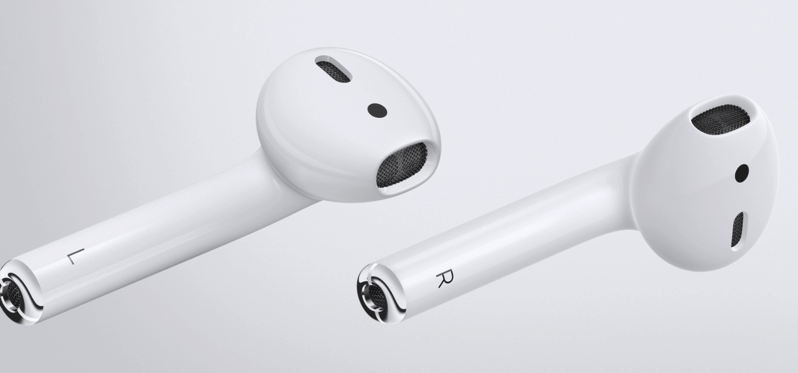
If you’re afraid you’ll lose your AirPods sooner or later, once lost, Finder for AirPods will help you relocate them. Apple, with Find My iPhone, devised a reliable application to locate a missing iPhone, but this unfortunately does not apply to the AirPods.
Deucks Pty, a developer with some experience in finding small gadgets like Fitbit, has just come out with a slick little new app to find your AirPods nearby.
“If you lose one or both of your precious Airpods, all you need to do is launch this app,” reads a report from App Advice. “It will ask you to identify which AirPod is missing, then have you close the case door. Once you do, you simply wave your iPhone around like a game of hot potato and the app will get you to the spot you misplaced your AirPods. Hoorah!”
As you play a game of hot potato with your iPhone, waving it around in the air while you frantically walk from room to room in what you hope to be the general area you misplaced your AirPod, the app will focus in on your AirPods wireless signature and give you a visual clue as to how hot you are (or cold, of course).
At $5.49 CAD in the App Store, this seems like a no-brainer to make sure you find the itty bitty AirPods you’ve dropped, put down, or left for the baby to find, instead of paying Apple’s replacement cost of 69USD. Again, we haven’t tested the app and how well it actually works, but this is a clever idea.



Or… you could keep your $5.49 and simply play a song at full volume and follow the music?
that won’t probably work since the airpods don’t work if not in the ear, the proximity sensor turns them off I think ?
You can turn off Automatic Ear Detection in the AirPods’ settings. That way, they’ll play no matter what.
OK, thanks,
I am sure in my case the lost airpod will be out of juice and won’t play now,
May be pick a song with high pitch as opposed to lots of bass? Interesting idea to try!
Well, I got my airpods on the 30th and lost one 2 days ago, I looked everywhere for 2 days and have not found it yet, I bought this app right away this morning and have still not found the lost airpod. I think the battery in the lost airpod will be empty by now so it probably won’t help anymore.
By the way, I have a young black lab and I tested her with this new finder app and also what she left in the backyard and still no airpod, I did not think she ate it, she stopped eating shoes and remote controls about 6 months ago, she’s now 1 year old,
Looks like this app has been yanked! Not even on the US site either.
came here to say what sgmah already did…the app has been yanked. However, there is a free alternative…
https://itunes.apple.com/gb/app/lightblue-explorer-bluetooth/id557428110?mt=8