
Apple’s AirPort Utility App is Being Removed From the App Store
Apple warns that "functionality is not guaranteed" when using AirPort Utility on iOS 27 or later.
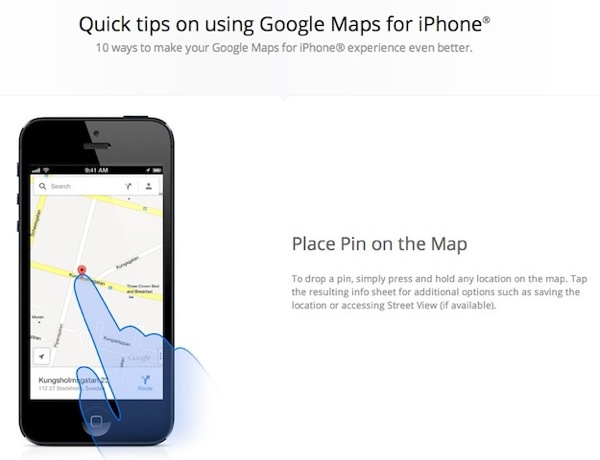
Google has shared some quick tips for newbies trying out Google Maps for the iPhone. The app looks great but some of the gestures take some discovering to figure out. One of the best features about the app is how the swiping up on info sheets include Street View previews and relevant search info for businesses such as telephone numbers and hours.
This spiffy page from Google shares some quick tips that everyone should know about, with screenshots and some animations.
Google Maps for iOS exceeded 10 million downloads in less than 48 hours after its launch and some reports note it has caused a spike in iOS 6 upgrades. Walt Mossberg from the WSJ noted he felt Google Maps for the iPhone was better than the current mapping experience on Android phones.
Are you using Google Maps for the iPhone? I can’t keep my hands off of this app.
Want to see more of our stories on Google?

P.S. Want to keep this site truly independent? Support us by buying us a beer, treating us to a coffee, or shopping through Amazon here. Links in this post are affiliate links, so we earn a tiny commission at no charge to you. Thanks for supporting independent Canadian media!


Does anyone know if you can change from miles to kilometres in the new Google Maps app? I’ve searched online for help on this but don’t find anything.
Go to Settings > General > International > Change it to Canada to show kilometers.
I still think WAZE is the best app
I wish we could easily meld maps and google maps and get best of both worlds. Just can’t give up street view. The rest works fine on apples maps for me.