Gboard for iOS is Google’s third party keyboard for iPhone and iPad users, and is arguably the best one out there right now. It’s been our primary keyboard 95% of the time and the integrated search, GIF support and swipe typing is excellent (the other 5% is when we use the iOS keyboard for Siri dictation).
The app has received a decent update today, adding support for more languages, now six in total: English, French, German, Italian, Portuguese (Brazil and Portugal) and Spanish (Spain).
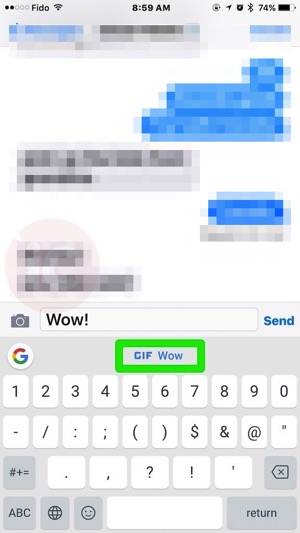
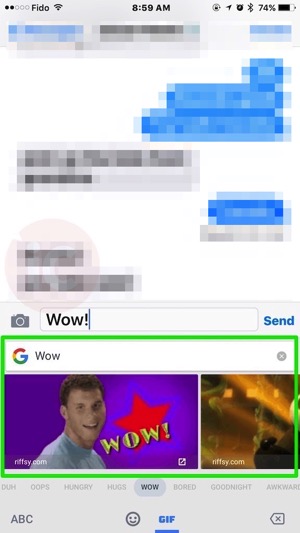
Also new are Smart GIF suggestions, which show up as you’re typing. Check out our screenshots below, showing what happens when you type “Wow!”. You’ll see a suggestion for a ‘wow’ GIF, and once you tap it, they appear below:

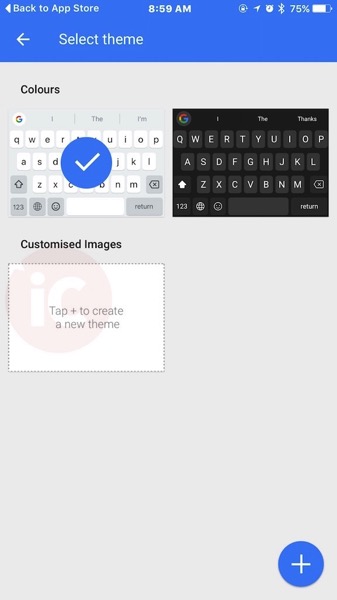
Also new is customization of the keyboard, as a new dark theme has been added (helpful for typing at night), plus the ability to make your own by using an image from your Camera Roll. To add a new theme, launch Gboard and tap Theme to do so:

Gboard launched in the U.S. in May, but didn’t come to Canada until later in June.
[RELATED: How to stop the ‘Globe’ on your keyboard from defaulting back to the iOS English keyboard]
Click here to download Gboard for iOS in the App Store–let us know what you think of this update.



The keyboard for IOS10 will have quite a few new features as well. I find it hard right to navigate between the 2 different keyboards. Plus I make more errors with the G keyboard. Must be the size of the keys between the 2.
It’s the best iOS keyboard now