Stories by Gary Ng

QIK: Stream Live Video from your iPhone 3G to the Web!
If you've been following my blog then you should know by now that I ventured into jailbreaking territory a while ago. At first, I used WinPwn to jailbreak my iPhone 3G on 2.0.1 firmware. When the 2.0.2 update came out, I used QuickPwn to jailbreak 2.0.2. If you're not sure about jailbreaking, just follow my...

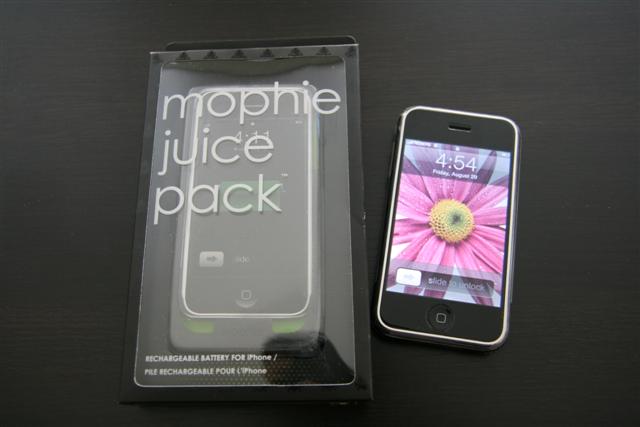
Mophie Juice Pack First Gen iPhone Review
The battery life on the first gen iPhone is pretty darn good. My first gen iPhone is able to last on standby for days on end, even with WiFi usage and talk time (if only the iPhone 3G could match its older brother). Well, you could argue the stellar battery life is a result of...
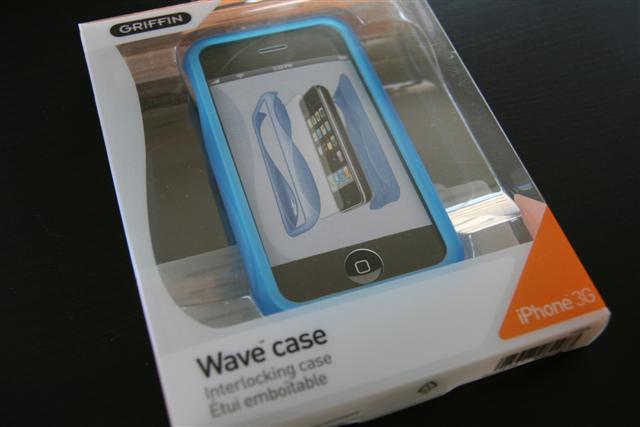
Griffin Wave Case, elan Form, and Nu Form iPhone 3G Review
One of the top aftermarket iPhone accessory makers is none other than Griffin Technology. The products that I have seen so far have been top notch in terms of design and quality standards. You might remember my review of the Griffin PowerDock2 iPhone/iPod charger, Streamline Sportband, TuneBuds Earphones, elan Holster (reviewed by X1Zero) and Wave...
LEAKED: New Rogers iPhone 3G Plans Coming October 1st
By now you should know that the 6GB/$30 data plan has been extended to the end of September. But what's going to happen come October 1st? Well, Rogers has revised their iPhone plans and we are going to see some new drastic coming our way. Remember the hideous plans introduced by Rogers that are still...

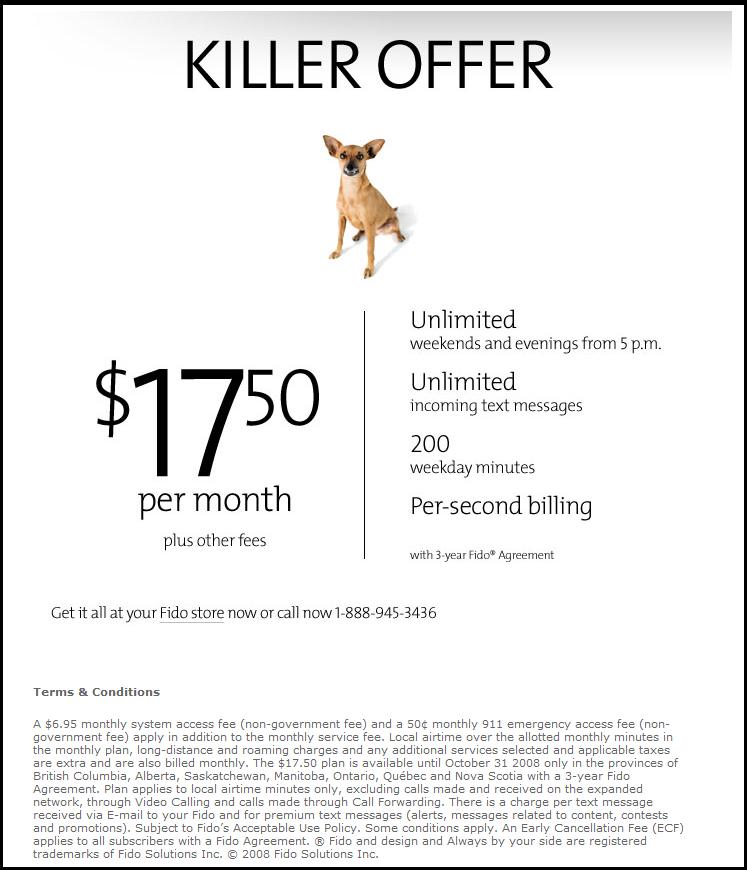
Fido/Rogers Employee Purchase Plan: iPhone 3G Time?
Lots of people out there are still debating about whether or not they want the new iPhone 3G. Well, Fido users seem to have all the fun with their early evening plans versus Rogers. Currently, the hottest "plan" right now is the Fido Employee Purchase Plan (EPP) at $17.50/month (it's also being offered by Rogers,...
ZAGG invisibleSHIELD 20% OFF Coupon Code!
Hey boy and girls, we have a great deal coming your way from our friends at ZAGG! Now that they are shipping their new and improved design for their iPhone 3G invisibleSHIELD, they have updated the exclusive coupon code for iPhoneinCanada.ca readers! It's been bumped up to 20% from 15%--good news for us! If you...

iPhone/iPod Repair Services in Canada by iShopRepair.ca
I've been lucky to have kept both my first gen iPhone and iPhone 3G in excellent cosmetic and working condition. Both iPhones have only been protected with the invisibleSHIELD only which has made me extra careful when handling the phones. But what about those folks who have accidentally dropped their precious "Jesus-phones" and damaged the...

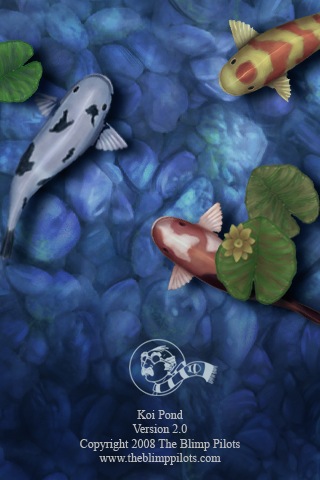
Koi Pond: Top iPhone App Store Paid App
When I first saw Koi Pond on my buddy's iPhone I was wondering what the hoopla was all about. After I took some time to investigate further into Koi Pond, I bit the massive bullet and paid 99 cents for the app (I know, big spender!). It has turned out to be one of the...

ZAGG invisibleSHIELD iPhone 3G Revised & Improved
Most people out there choose a variety of ways to protect their iPhones. Some like silicone cases, some like leather cases, and some like protective-film cases. So far I've reviewed BestSkinsEver, BodyGuardz, PhantomSkinz, Case Mate Clear Armor, and ZAGG's invisibleSHIELD. I can't tell you what is the "best" as everyone has their own personal tastes....
WinPwn 2.5 Beta 2 Released, Ready for Download
Got some minor news for jailbreaking fans out there. The WinPwn team has released an updated version of WinPwn just two days after the release of Beta 1. This time around, Beta 2 fixes some minor bugs. Here's what the new version fixes: This update fixes a WinPwn bug which caused the application to crash...

Unique Blog Designs 1st Anniversary Contest!
iPhoneinCanada.ca has grown over the past 9 months and in that short period of time we've gone through a couple design changes. Our latest blog design comes from the awesome folks at Unique Blog Designs. Nate Whitehill is a legend in the making along with this blog design team. They are currently celebrating their 1st...
QuickPwn for Mac OS X Released!
Whoa...seems like these new jailbreaking apps are popping up left, right, and center. Today we announced the released of the updated WinPwn 2.5 Beta 1 for Windows users. So Windows users so far have WinPwn and QuickPwn to jailbreak their iPhones. What about Mac OS X users? How come they only get to use the...