If you want to jailbreak your iPhone on iOS 4.3.3, and you don’t require an unlock, used redsn0w. However, if you want to remain at an unlockable baseband, you’ll want to use PwnageTool 4.3.3 (Mac) or sn0wbreeze 2.5 (Windows).
Here’s a brief tutorial on how to jailbreak your iPhone on iOS 4.3.3 with PwnageTool. You will restore iPhone with a custom firmware that PwnageTool 4.3.3 will create for you.
By restoring with a custom firmware, and not updating to 4.3.3 in iTunes, your iPhone baseband will remain the same. This only applies to people who need an unlocked iPhone, and want to continue with an unlockable baseband.
As always, jailbreak at your own risk. We are not responsible for anything that goes wrong.
Brief Step by Step Guide on How to Jailbreak your iPhone on iOS 4.3.3 with PwnageTool 4.3.3.1 (Mac Only)
1. Download the latest version of iTunes. Sync your iPhone before you begin.
2. Download iOS 4.3.3 firmware for your iPhone here, and PwnageTool 4.3.3.1 here. Save both to your desktop.
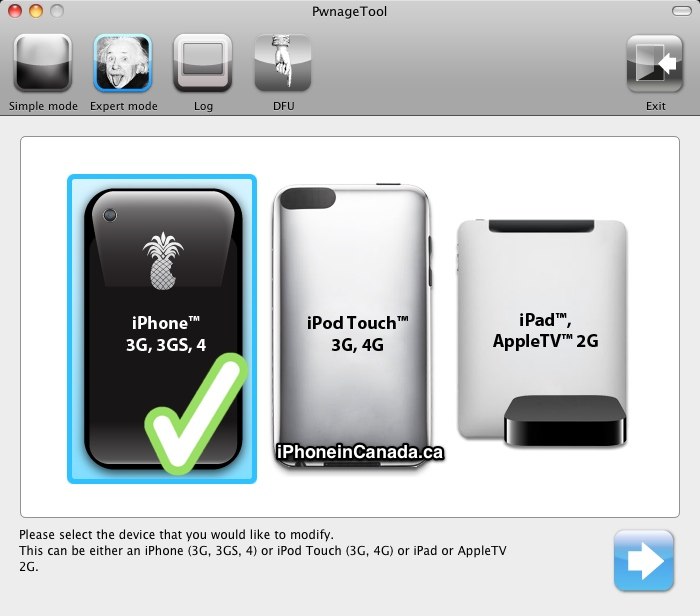
3. Launch PwnageTool, and select Expert Mode, then select your device.
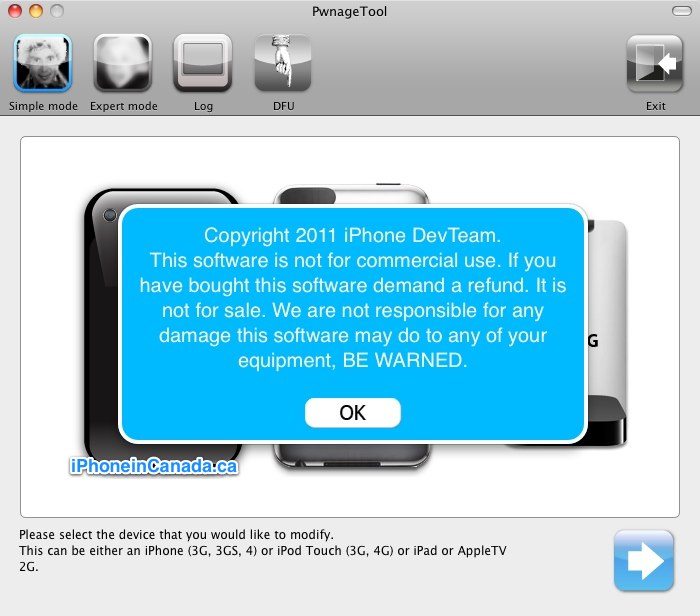

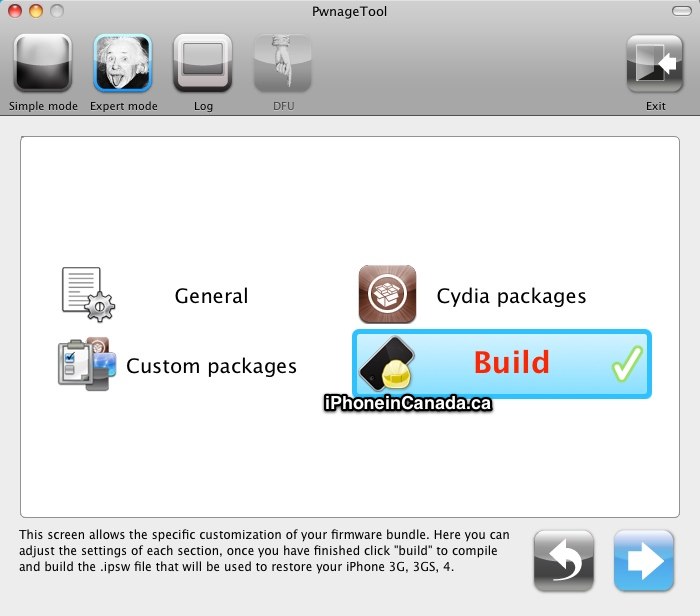
4. Browse for iOS 4.3.3 firmware, click Open. Next, select ‘General’. If your iPhone is on an official carrier, untick ‘Activate the phone’. If you want to use your iPhone on an unofficial carrier, tick this box.
5. Click Build, then PwnageTool will start creating the custom firmware to jailbreak your iPhone. You will be asked for your system password for PwnageTool to proceed. Choose your desktop to save the Custom firmware:
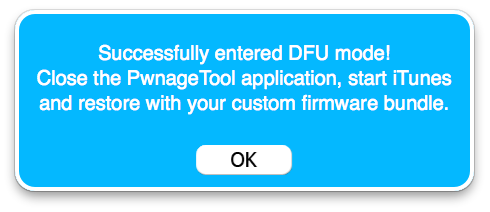
6. Now, you’ll have to enter DFU mode (if this messes up, try again; takes some practice) by:
a) Hold the Power/Home buttons for 10 seconds
b) Release the Power button, but keep holding Home for 10 seconds
c) If successful, you’ll be in DFU mode.

7. Launch iTunes, select your iPhone. Press ‘Alt/Option’ on your keyboard, then click on ‘Restore.’ An iTunes prompt appears–select the CUSTOM firmware created by PwnageTool.
8. As your iPhone restores (10 minutes or so), it will be jailbroken on iOS 4.3.3, with your existing baseband. The iPhone should reboot, and the jailbreak will be done. Cydia will now be on your homescreen.
Let me know how the above works for you!



Week 40 locked 4.3.1 iPhone 4 jailbroken with PwnageTool 4.3, and baseband preserved at 1.59. The signal indicator is stuck at 1 bar. Forcing numeric GSM signal reveals a constant -113dB.
Call quality and 3G data rates seem to be the same as before, so it seems the 1 bar/-113dB is just a polling error, not a real signal problem. Whether the phone ends up draining battery faster over a fake weak signal (increase radio strength for no actual reason) is the remaining question.
same here,
signal bar stays at 1 no matter if 3G is on or off
1 Bar here. As long as the battery and signal are unaffected (purely cosmetic) I could care less
Full bars here… so far. I’m finishing restoring my profile so I haven’t played with it yet. Will update in a bit. So far, so good though.
Success!!! Full signal strength, Cydia, MyWi and everything else is back!!! AWESOME. Thanks to all who worked so hard to get this done. 🙂
Just 1 bar here. Shows the same if 3G is on or not.
Turns out this is a cosmetic bug, and a fix is coming according to @MuscleNerd.
Go to your settings on your iPhone to find out what baseband you have (modem firmware). Read more here: https://www.iphoneincanada.ca/unlocking/ultrasn0w-iphone-unlock-update-for-ios-431-coming-today/
Yes, if you use PwnageTool you can preserve your unlock. An ultrasn0w update is coming for iOS 4.3, so hang tight. It will unlock the list of unlockable basebands.
If you’re really unsure, hang tight a bit longer.
humm its telling me that the file firmware is not compatible… im running 4.3.1 on the latest itunes… i tell you my base band but its restoring.
**i’d tell you my baseband but my iphone is restoring**
What an amazing tutorial…. I was able to jailbreak my Iphone 4G firmware 4.3.1. and preserve my baseband at 3.10.1. Only bummer the phone is still locked to Telus any ideas as to when the new unlock will be available?
Cheers!
New unlocks will be a while. Only 01.59.00 on iPhone 4 is unlockable.
yup! I was able 2 jailbreak but also with the retarded 1 bar, I just kept 4.3.1 no jailbreak now, I’ll wait a lil longer
Worked like a charm on my 3GS with the 6.15.00 modem firmware! Thanks for the great guide!
Hi Gary, I have an Iphone 4 with firmware 4.2.1 and baseband 01.59. does it mean this is unlockable?
i need link to jailbreak and firmware to unlock iphone 4 on ios 4.2.1 and baseband 01.59.
Yes.
how do update without losing all of my jailbroken apps? I always lose them everytime I update and its pretty frustrating
Install AptBackup in Cydia before updating.
THANKS FOR THE GUIDENCE..
the jailbreak worked perfectly, until I realized that I couldn’t call or text. I had only 1 bar and no logo. Nothing could fix it. Ugh. Back to restore. Boo.
Hi,
How can I unlock a Iphone with IOS 4.3.3 that was already jailbroken using pwnage tool 4.3.3. The Jailbreak works perfectly fine but I can’t find the way to unlock it. When I tried with ultrasnow I lost my phone signal so I had to uninstall it. Modem Firmware is 05.16.02. Help please!!!
i jailbreak it at unlock-iphonesoftware.com