
You Can Now Jailbreak iOS 16.4.1 with Palera1n 2.0.0 Beta 6
Codenamed Bakepale, the latest v2.0.0 beta 6 update to jailbreak tool Palera1n has just been released, which fully supports iOS 16.4 - iOS 16.4.1 jailbreak.
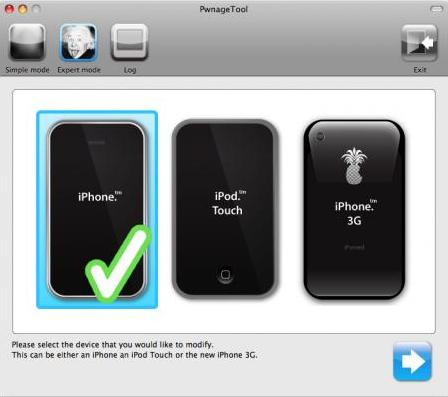
The iPhone Dev Team has just released PwnageTool 4.3.2 and ultrasn0w 1.2.2, to support iOS 4.3.2.
What is PwnageTool? It will create a custom jailbroken firmware for you to restore from, without updating your baseband (for Mac users; PC users should use sn0wbreeze). Follow our PwnageTool guide here, and ultrasn0w guide here.
Update #3: PwnageTool 4.3.2 now includes the iOS 4.3.2 untether from @i0n1c. Â (And look, the PwnageTool and iOS version numbers actually match!).
Note that there’s a corresponding update to ultrasn0w, which has been bumped up to v1.2.2 to get along with iOS 4.3.2 (the ultrasn0w update does not include any new baseband support!). Please reboot your iPhone using the normal “slide to power off†swipe after installing ultrasn0w 1.2.2.
PwnageTool Official BitTorrent Release
As always, backup your phone before you attempt any jailbreaks or unlocks.
Want to see more of our stories on Google?

P.S. Want to keep this site truly independent? Support us by buying us a beer, treating us to a coffee, or shopping through Amazon here. Links in this post are affiliate links, so we earn a tiny commission at no charge to you. Thanks for supporting independent Canadian media!


Tip: Anyone who NEEDS their paid Cydia apps/tweaks after a fresh jailbreak should wait until Amazon cloud servers come back online.
(You can’t reinstall your premium Cydia packages until that happens.)
and the beauty of this is you don’t have to update first, and potentially have to restore. I have been having issues with one of my PC’s on updated to the newer iOS it never completes, forcing me to either do it on another machine mac or pc, has anyone gotten this?
That’s because you may have used tiny umbrella.
You need to edit your hosts file and the restore should complete with no problems